Many growing brands no longer sell to just one type of customer. A store may start with direct-to-consumer sales, then expand to wholesale buyers, distributors, or corporate clients. That’s why the keyword “Shopify B2B and B2C” keeps coming up. Merchants want to know whether Shopify can support both models without breaking their store or confusing customers, especially when they begin exploring Shopify B2B alongside an existing retail setup.
The short answer is yes: Shopify can support both B2B and B2C. The real challenge is structure. Retail and wholesale follow different rules around pricing, access, checkout, and internal workflows, and without clear planning, the experience suffers on both sides.
This guide focuses on practical answers. We’ll explain how B2B and B2C work on Shopify, where they differ, and how to choose a setup that fits your business today and scales as you grow.
💡 Key Takeaways
- Shopify can support both B2B and B2C, but the setup matters more than the platform itself.
- B2B and B2C work very differently on Shopify, especially in pricing, access, and checkout.
- You can run both models in one store, with apps, or in separate stores depending on complexity.
- A clear structure early helps avoid pricing leaks, checkout issues, and rework later.
What Does “Shopify B2B and B2C” Actually Mean?
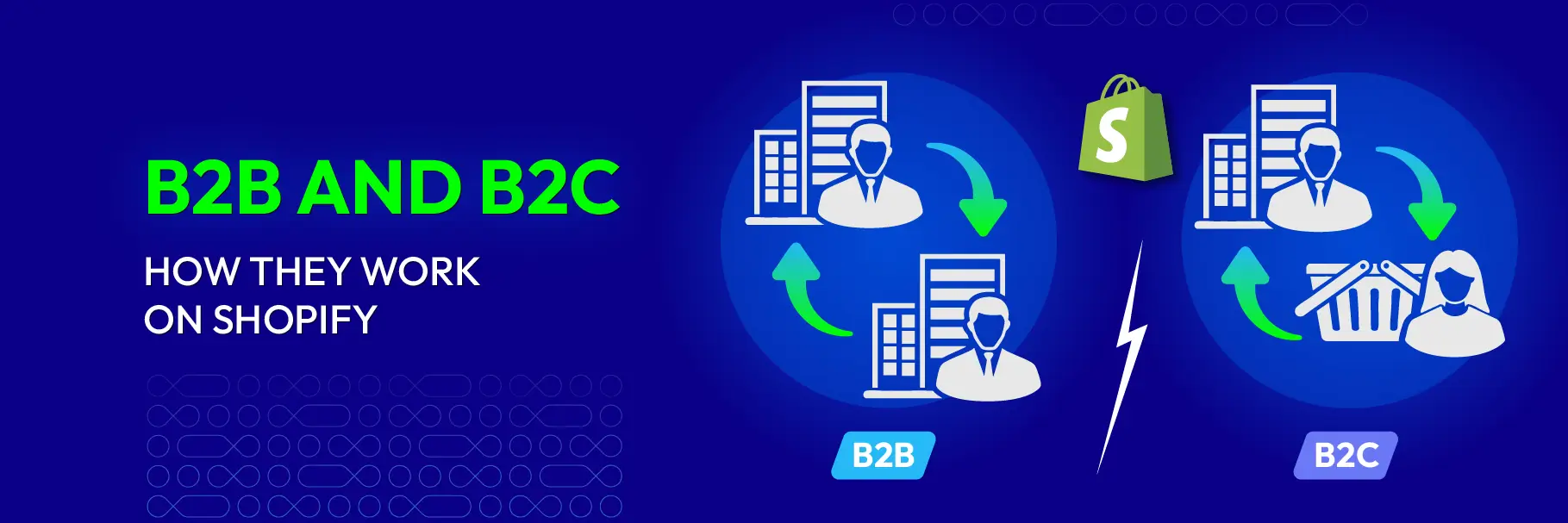
When people talk about Shopify B2B and B2C, they’re usually not referring to two separate platforms. They’re talking about two very different buying behaviors running on the same Shopify foundation.
B2C (Business to Consumer) is the default Shopify model. Products are publicly visible, prices are the same for everyone, and customers move quickly through checkout. The goal is speed, simplicity, and conversion.
B2B (Business to Business) works differently. Buyers are companies, not individuals. Pricing is often negotiated, hidden, or customized. Orders tend to be larger, repeat-based, and sometimes require approval, payment terms, or manual review. Access is usually restricted so only approved customers can see certain products or prices.
When someone searches for “Shopify B2B and B2C”, they are typically asking one core question:
Can a single Shopify setup support both individual shoppers and business buyers without compromising either experience?
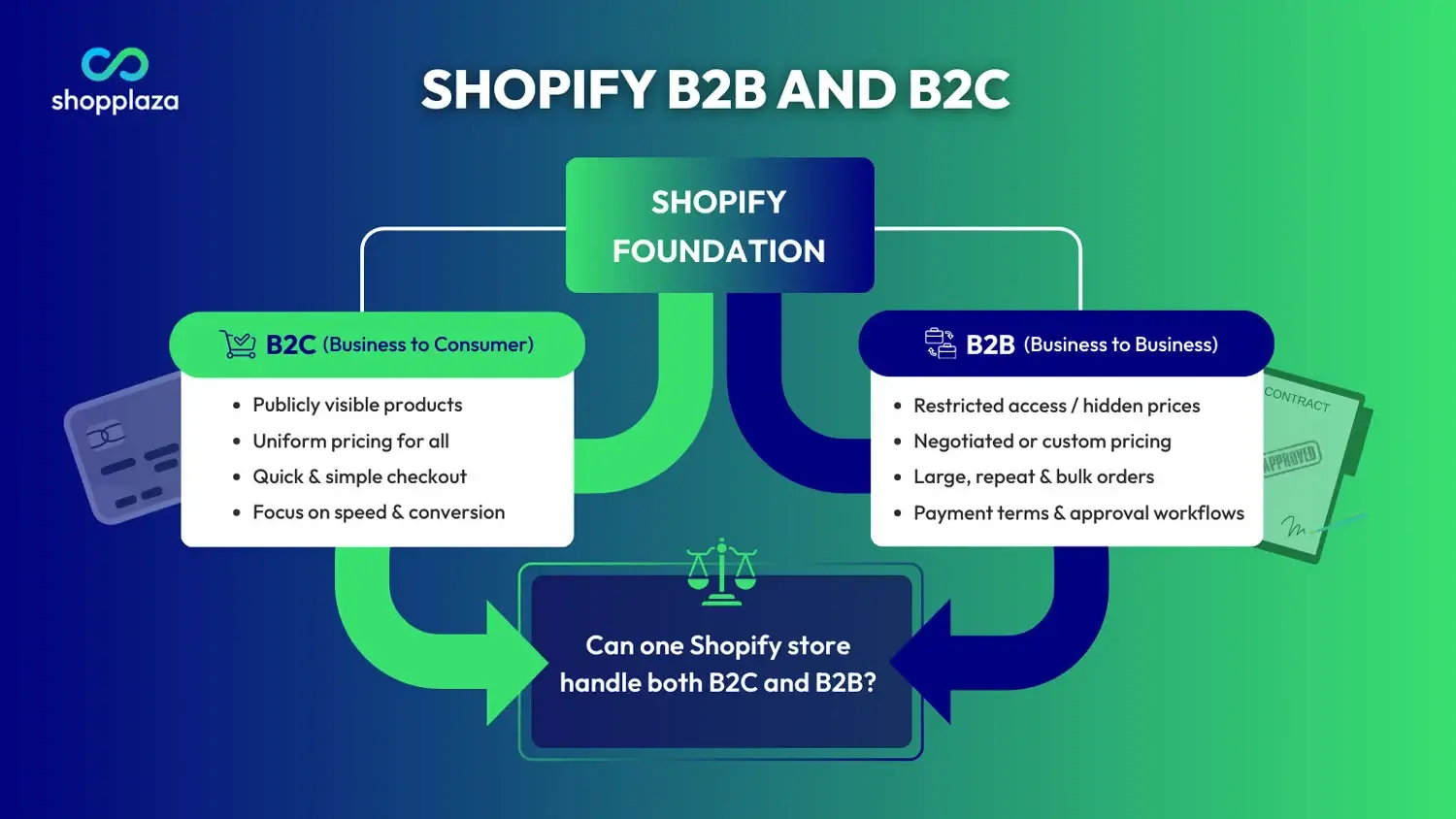
This distinction matters because B2B on Shopify is not just “B2C with discounts.” It affects customer management, catalogs, pricing visibility, checkout rules, and internal operations. Once this foundation is clear, choosing the right setup becomes much easier.
Can Shopify Support Both B2B and B2C?
Shopify supports both B2B and B2C within a single ecosystem, allowing merchants to manage different pricing rules, customer accounts, and buying flows under one admin, especially when using native B2B features on Shopify Plus.
At a high level, Shopify supports B2B and B2C through three main approaches:
- 1. Native B2B features on Shopify Plus
- 2. Hybrid setups using apps on non-Plus plans
- 3. Separate stores for B2B and B2C
Each approach works, but they solve different problems.
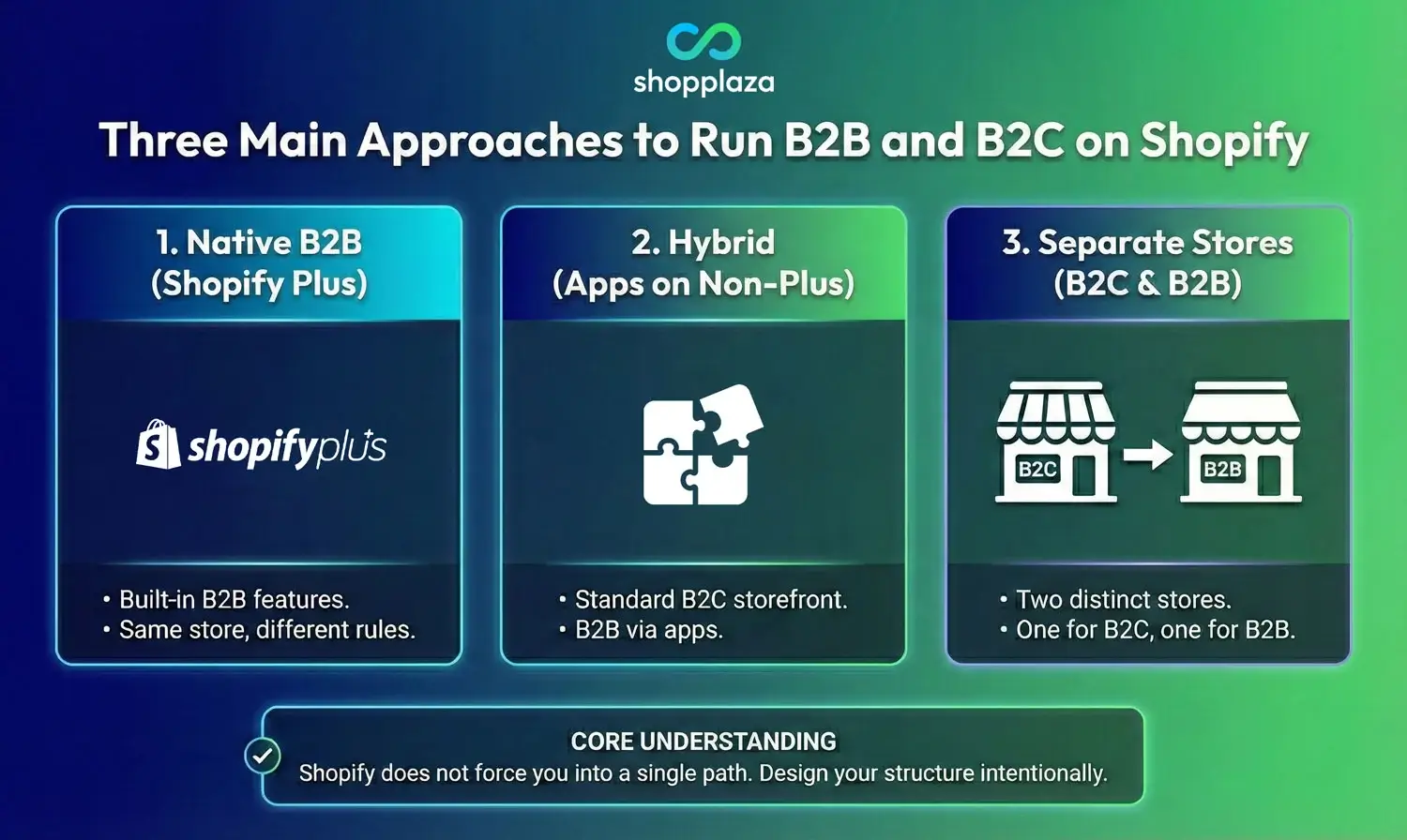
For merchants on Shopify Plus, Shopify offers built-in B2B functionality. This includes company profiles, multiple buyers under one company, customer-specific pricing, and catalogs that only logged-in business customers can access. In this setup, B2B and B2C can live in the same store while following different rules behind the scenes.
For merchants not on Plus, Shopify still supports B2B and B2C—but indirectly. Many stores run a hybrid model using apps to control price visibility, customer access, quoting, or wholesale logic. The storefront remains a standard B2C experience for retail shoppers, while business customers see a different flow after logging in or meeting certain conditions.
Some businesses choose a third option: separate Shopify stores. One store is optimized purely for B2C, and another is built specifically for B2B buyers. This approach adds operational overhead, but it can make sense for companies with very different pricing structures, catalogs, or branding requirements.
What’s important to understand is that Shopify does not force you into a single path. The platform is flexible, but that flexibility means you need to design the structure intentionally. The wrong setup can lead to issues like exposed wholesale pricing, checkout confusion, or internal order management headaches.
Shopify B2B vs B2C: Key Differences You Need to Understand
On Shopify, the gap between B2B and B2C isn’t about products—it’s about how pricing, accounts, and payments are handled versus how quickly customers are expected to buy. The table below highlights the key differences that directly affect how your store should be structured.
| Aspect | Shopify B2C (Standard / DTC) | Shopify B2B |
|---|---|---|
| Customer type | Individual consumers (DTC) | Businesses, companies, organizations (wholesale / B2B buyers) |
| Customer accounts | Optional – guest checkout is common and encouraged | Required – login-based access with company profiles and buyer roles |
| Price visibility | Public pricing visible to everyone | Hidden or personalized – shown only to logged-in B2B customers via price lists |
| Pricing structure | Fixed prices per product (with optional discounts) | Negotiated, tiered, volume-based, or contract-specific pricing via catalogs & price lists |
| Product catalogs | Single public catalog for all visitors | Custom / restricted catalogs per company, location, or customer group |
| Ordering behavior | Small, impulse, or one-time purchases | Large, repeat, bulk, or recurring orders (with reordering tools) |
| Checkout flow | Fast, streamlined, conversion-optimized (one-page checkout common) | May include quote requests, approvals, PO numbers, or custom steps |
| Payment method | Immediate payment (cards, Shop Pay, etc.) | Flexible terms – net terms, invoicing, manual payments, or vaulted cards |
| Internal operations | Simple order processing and fulfillment | Complex workflows – approvals, ERP/CRM integrations, sales rep permissions, blended or dedicated stores |
Why do these differences matter in practice?
These differences explain why combining B2B and B2C without a clear structure often causes problems. B2C customers expect speed and simplicity, while B2B buyers expect control, customization, and consistency. When both groups share the same storefront, pricing logic, access rules, and checkout flows must be carefully separated.
Understanding this contrast is the foundation for choosing the right setup. Some businesses can manage both models in one Shopify store, while others need a more segmented approach. The right decision depends on your pricing strategy, customer volume, and internal operations.
In the next part, we’ll look at the main ways to set up B2B and B2C on Shopify, including when to use a single store, when to separate them, and how Shopify Plus and apps fit into each approach.
Ways to set up B2B and B2C on Shopify
Once you understand the differences between B2B and B2C, the next question is no longer “Can Shopify support both?” but “What’s the right way to set up a shopify b2b store for my business?”
In practice, merchants run Shopify B2B and B2C using three main approaches. Each approach has a different structure, level of control, and operational trade-off.
Using Shopify Plus native B2B features
This approach uses the built-in B2B features available on Shopify Plus, allowing merchants to run B2B and B2C within a single Shopify store using native functionality.
With Shopify Plus, you can:
- Create company profiles with multiple buyers
- Assign customer-specific pricing and catalogs
- Keep B2B and B2C in the same store while enforcing different rules
This setup is ideal for:
- Established wholesale programs
- Businesses with negotiated pricing
- Teams that need strong account-level control
The main trade-off is cost. Shopify Plus is designed for scale, so it makes sense when B2B revenue or operational complexity justifies the investment.
Hybrid B2B setup using apps (non-Plus)
Many merchants run B2B and B2C on standard Shopify plans by combining the core platform with B2B Shopify apps that handle access control, pricing logic, or quote workflows.
This approach is common for:
- Small to mid-sized wholesale programs
- Businesses testing B2B before upgrading to Plus
- Stores that need flexibility without enterprise costs
In a hybrid setup:
- B2C customers see the normal storefront
- B2B customers trigger a different experience after login or approval
- Specific features like hidden pricing, quotes, or restricted products are added via apps
The advantage here is flexibility. The downside is that setup quality matters a lot. Poorly configured apps can conflict with each other or create inconsistent customer experiences.
Separate Shopify stores for B2B and B2C
Some businesses choose to run two completely separate Shopify stores, one for retail and one for wholesale.
This approach makes sense when:
- B2B and B2C pricing is radically different
- Catalogs do not overlap much
- Branding or messaging needs to be distinct
The trade-off is operational overhead. Separate stores mean:
- Separate admin panels
- Inventory syncing
- More maintenance and cost
This setup is usually chosen by mature businesses with dedicated teams, not by merchants just starting out with B2B.
💡 Which setup is right for you?
There’s no universally “best” option. The right setup depends on:
- How different your B2B and B2C pricing is
- Whether customers share the same products
- How complex your internal processes are
- Your current Shopify plan and growth plans
Common Challenges When Combining B2B and B2C
Running B2B and B2C together can be powerful, but it’s also where many merchants get stuck. Most problems don’t come from Shopify itself, they come from unclear rules and rushed setups. Below are the most common challenges businesses face when trying to support both models in one ecosystem.
Wholesale pricing exposed to retail customers
This is the number one concern for hybrid stores.
When B2B pricing rules aren’t tightly controlled, retail customers may accidentally see:
- Discounted wholesale prices
- Bulk pricing tiers
- Products meant only for approved buyers
This usually happens when access rules rely only on tags or manual logic, without a clear separation between public and restricted content. Once pricing leaks, it’s hard to undo the damage to brand perception and margins.
Confusing customer experience
B2C shoppers want speed. B2B buyers want structure.
Problems arise when:
- Retail customers are forced to log in unnecessarily
- Business buyers land on pages designed for impulse purchases
- Checkout steps feel inconsistent or unclear
If both audiences go through the same flow, neither experience feels right. A good hybrid setup makes the difference invisible to the user while keeping the logic separate behind the scenes.
Checkout and payment conflicts
B2C checkout is built around instant payment. B2B checkout often isn’t.
Common issues include:
- Business customers unable to place orders without paying immediately
- Retail shoppers seeing payment options meant for invoicing or net terms
- Orders requiring manual fixes after checkout
Without clear checkout rules, finance and operations teams end up spending extra time correcting orders instead of processing them.
Internal order management complexity
From the admin side, B2B and B2C orders look very different.
B2C orders are usually simple and high-volume. B2B orders are fewer, larger, and more customized.
When both live in the same system without clear labels or workflows, teams struggle with:
- Order prioritization
- Fulfillment rules
- Reporting accuracy
This becomes especially painful as order volume grows.
Scaling issues as B2B grows
Many stores start B2B small and grow fast.
What works for a handful of wholesale customers may break when:
- You add more companies
- Pricing becomes more granular
- Approval and account management become necessary
Without a scalable structure, merchants are forced into rushed migrations or emergency rebuilds later.
📌 Why these challenges are avoidable
None of these problems are unavoidable. They usually come from:
- Treating B2B as an afterthought
- Choosing tools before defining rules
- Optimizing for short-term convenience instead of long-term clarity
Understanding these risks early helps you choose a setup that won’t limit you six or twelve months down the line.
How to Choose the Right Shopify B2B and B2C Setup
There’s no universal “best” way to run B2B and B2C on Shopify. The right setup depends on how different your two sales models are today—and how complex you expect them to become.
Instead of choosing based on features or pricing alone, use the checklist below to evaluate what your business actually needs.
1. Understand how different your B2B and B2C pricing is
Ask yourself:
- Do B2B customers have completely different prices from retail?
- Are prices negotiated per company or contract?
- Do you need volume-based or tiered pricing?
If pricing differences are small, a single-store setup with basic access rules may be enough. If pricing is highly customized, you’ll need stronger catalog and pricing controls, often found in Shopify Plus or advanced app setups.
2. Check how much your product catalogs overlap
Consider:
- Do B2B and B2C sell mostly the same products?
- Are some products exclusive to business buyers?
- Do B2B customers need different minimum order quantities?
High overlap usually favors a single store. Low overlap may justify separate catalogs or even separate stores.
3. Evaluate your checkout and payment needs
B2C checkout is simple by default. B2B checkout rarely is.
Think about:
- Do B2B customers need to pay later?
- Do orders require approval or review?
- Do you use invoices or purchase orders?
If B2B orders cannot follow standard checkout rules, your setup must clearly separate these flows to avoid friction for retail customers.
4. Assess your internal operations and team capacity
Your setup should match what your team can realistically manage.
Ask:
- Can your team handle complex order rules?
- Do you need one admin or multiple?
- How much manual work is acceptable?
Smaller teams often benefit from simpler setups, even if they’re less “perfect” on paper.
5. Consider your growth path, not just today
Many merchants underestimate how fast B2B can grow.
Plan ahead:
- Will you add more wholesale accounts soon?
- Will pricing rules become more complex?
- Are you likely to upgrade to Shopify Plus in the future?
Choosing a setup that can scale avoids costly rebuilds later.
Quick decision guide
Use this as a rough rule of thumb:
- Single store, basic setup: Best for early-stage B2B with simple pricing and shared catalogs.
- Single store with advanced controls (Plus or apps): Best for growing B2B programs that need account-level pricing and access.
- Separate B2B and B2C stores: Best for mature businesses with very different pricing, catalogs, or workflows.
Advice: Don’t choose a setup because it’s popular or cheap! Choose it because it matches how your customers buy and how your team operates! A clear structure upfront saves time, money, and frustration as your business grows.
Final Thoughts
Shopify can support both B2B and B2C, but success depends on structure, not tools. B2C thrives on speed and simplicity. B2B depends on control, pricing logic, and consistency. When those needs are respected, both models can coexist smoothly.
If you’re planning a Shopify B2B and B2C setup, map pricing, access, checkout, and internal workflows before making technical decisions. A clear structure today prevents costly rebuilds tomorrow and gives your business room to grow confidently on Shopify.