If you sell to B2B buyers, wholesale accounts or anyone who orders in volume, a fixed price on the product page is often where the deal stops. The buyer wants to ask for a better price, send a spec sheet or confirm shipping before committing. A request a quote app gives them that path inside your store. SP Request a Quote (RFQ) and QS Request a Quote, Hide Price are two of the apps merchants compare most often, and both carry the Built for Shopify badge.
QS Request a Quote, Hide Price, from Quote Snap, has been on the App Store since 2019 and bundles quote requests with price hiding in one app. SP Request a Quote is a newer, free app from Shopplaza B2B that focuses on the quote workflow itself: request, negotiate, convert to a draft order. This guide compares pricing, quote limits, features and language support so you can pick the one that fits how you sell.
All app facts below are taken from each app’s Shopify App Store listing and official documentation as of November 2026. Plans and features change, so check the listings before you install.
SP Request a Quote vs. QS Request a Quote at a glance
| SP Request a Quote (RFQ) | QS Request a Quote, Hide Price | |
|---|---|---|
| Developer | Shopplaza B2B & Wholesale | Quote Snap |
| On the App Store since | November 2025 | August 2019 |
| Rating (as of Nov 2026) | 5.0 ★ (39 reviews) | 4.8 ★ (717 reviews) |
| Starting price | Free | Free plan (10 quote requests/month) |
| Top price | Free | $36.99/month (Pro); $96.99/month Pro Plus for Shopify Plus stores |
| Built for Shopify | Yes | Yes |
| Setup | No code | No code |
| Listing languages | 22 | English |
| Best for | Stores that want the full quote-to-order workflow free, with no monthly quote cap | Stores that want hide price, margin controls and CRM sync in the same app |
Quick verdict: For most B2B and wholesale stores that need buyers to request quotes, negotiate and check out through a draft order, SP Request a Quote covers the whole loop for free, with no monthly quote limit listed. QS Request a Quote is the stronger pick if you want price hiding built into the same app, margin and discount-cap controls for a sales team, or HubSpot and Mailchimp sync, and you are comfortable paying for the plan that unlocks them.
What is SP Request a Quote (RFQ)?
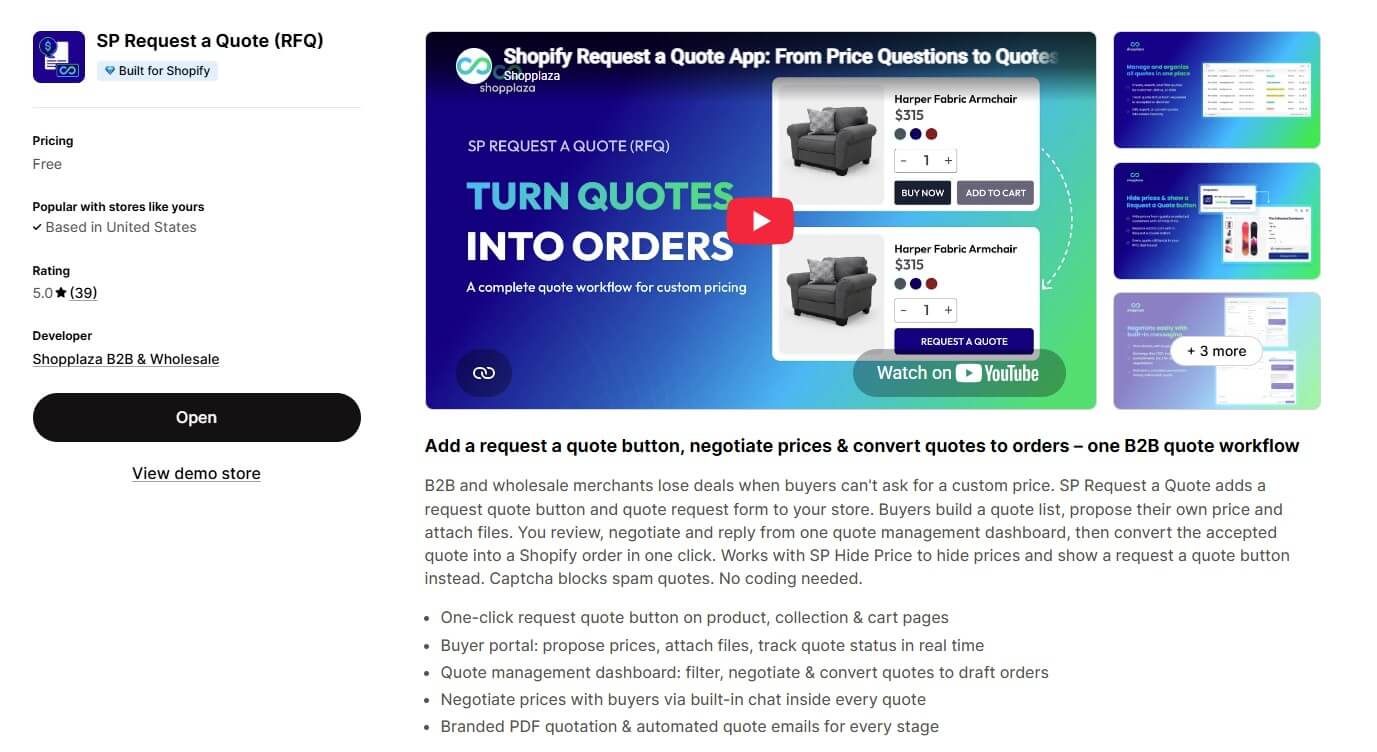
SP Request a Quote (RFQ) is a free Shopify app from Shopplaza B2B. It adds a request a quote button to your store and gives you one dashboard to review, negotiate and convert every quote into a Shopify order.
SP Request a Quote (RFQ) by Shopplaza B2B
With SP Request a Quote, merchants can:
- Add an Add to Quote button to product, collection and cart pages (or the cart drawer), plus a floating quote widget
- Let buyers build a quote list, propose their own price per item and attach files such as specs or purchase orders
- Negotiate in a built-in chat inside every quote, with a timeline and internal notes for your team
- Convert a quote into a Shopify draft order in one click, so the buyer pays through a normal checkout link
- Add shipping, estimated tax, a percentage deposit and payment terms to a quote
- Send a branded PDF quote and 8 automated emails across the quote lifecycle, including reminders before a quote expires
- Control who can request a quote by customer segment, individual customer, email pattern, country, product or collection, with optional minimum quantity or value
- Block bots with captcha spam protection (hCaptcha or Google reCAPTCHA v2/v3)
- Get quote alerts in Slack or Telegram, and track results in a quote analytics dashboard
What is QS Request a Quote, Hide Price?
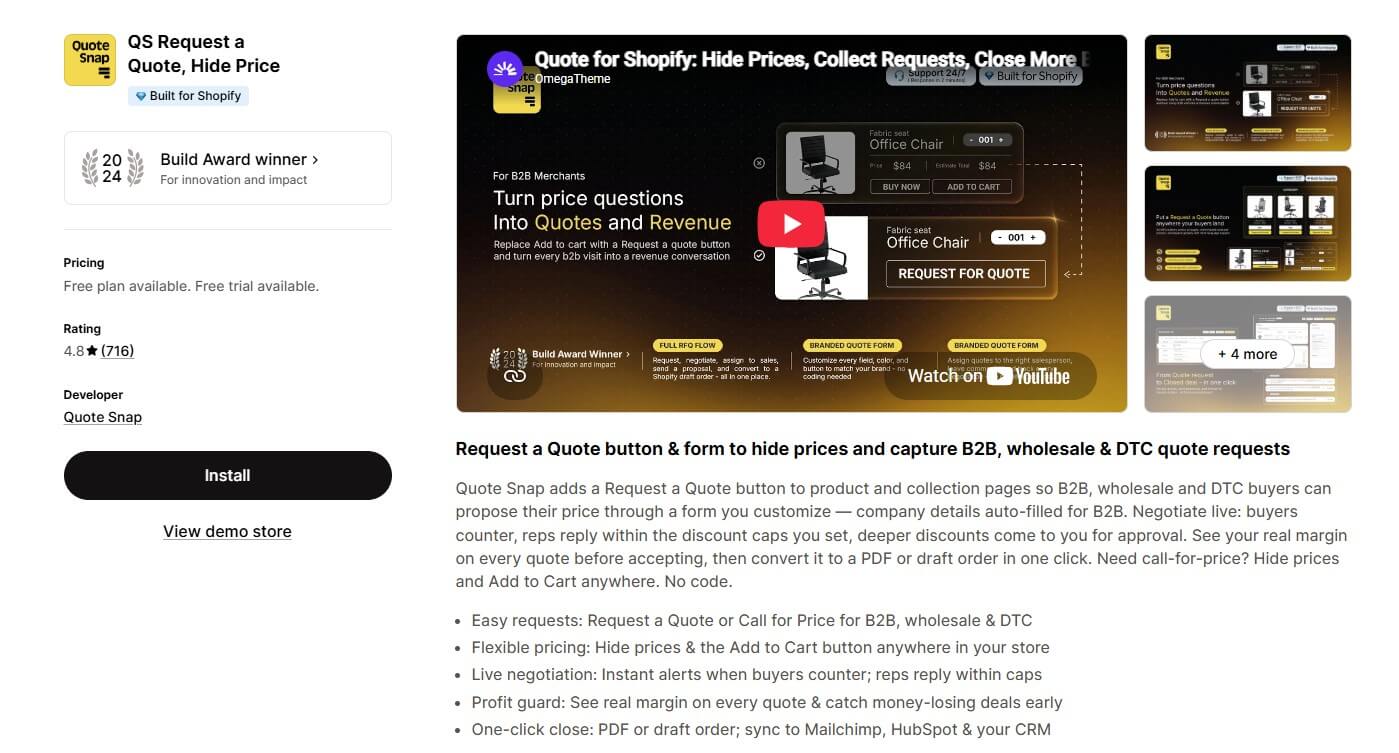
QS Request a Quote, Hide Price is a quote and price-hiding app from Quote Snap. Its listing describes a Request a Quote button and form for B2B, wholesale and DTC buyers, combined with tools to hide prices and the Add to Cart button.
QS Request a Quote, Hide Price by Quote Snap
With QS Request a Quote, merchants can:
- Add a Request a Quote or Call for Price button on product and collection pages
- Hide prices and the Add to Cart button
- Let buyers counter your offer, with sales reps replying within discount caps you set
- See the real margin on each quote (“Profit guard”) on the Pro plan
- Turn a quote into a PDF or a draft order
- Sync quote data to HubSpot and Mailchimp on the Pro plan
SP Request a Quote vs. QS Request a Quote: In-depth comparison
Pricing: free vs. tiered plans
SP Request a Quote is listed as Free on the Shopify App Store. The listing shows no paid tiers and no monthly quote limit, and the full workflow (negotiation, PDF quotes, draft order conversion) is included.
QS Request a Quote has a free plan, but it is capped and leaves out quote-to-order conversion. As of November 2026, its App Store listing shows these plans:
| QS Request a Quote plan | Monthly price | Quote requests | Selected features | Trial |
|---|---|---|---|---|
| Free | $0 | 10/month | Basic hide price & ATC, email templates, quote-to-PDF templates, 5MB file uploads, basic form builder | — |
| Starter | $16.99 | 50/month | Advanced hide price & ATC, convert quote to order, bulk edit quotes, 10MB uploads, 2 team seats | 3 days |
| Pro | $36.99 | Unlimited | Margin & profit-leak alerts, tax/discount/shipping settings, unlimited team seats, CRM sync (HubSpot, Mailchimp), multi-language & advanced forms | 3 days |
| Pro Plus (Shopify Plus only) | $96.99 | Unlimited | B2B catalog and payment terms on quotes, bulk SKU quotes (listed on the developer's pricing page) | — |
The difference matters most once quote volume grows. On QS, converting a quote into an order starts at $16.99/month, and more than 50 requests a month needs the $36.99 Pro plan. On SP Request a Quote, both are free.
Read more: Top 10 Best Shopify Quote Apps for B2B & Custom Pricing
Feature-by-feature comparison
Both apps cover the core job: a quote button, a form, emails and a path to a draft order. The differences are in how negotiation works and which extras come built in. “Not listed” means the feature does not appear on the app’s App Store listing or in the documentation we reviewed.
| Capability | SP Request a Quote (RFQ) | QS Request a Quote, Hide Price |
|---|---|---|
| Quote button placement | Product, collection, cart page/drawer + floating widget | Product and collection pages |
| Buyer proposes own price | Yes | Yes (counter-offers) |
| Buyer file attachments | Yes (up to 10MB per file) | Yes (5MB Free, 10MB Starter) |
| Two-way chat inside each quote | Yes | Not listed |
| Convert quote to draft order | Yes, free | Starter plan and up |
| Branded PDF quotes | Yes | Yes |
| Automated quote emails | Yes (8 lifecycle emails) | Yes |
| Quote expiry and reminders | Yes | Not listed |
| Restrict who can request a quote | Segments, customers, email patterns, countries, products | Not listed |
| Minimum quantity or quote value | Yes | Not listed |
| Shipping and tax on the quote | Yes | Pro plan |
| Deposits | Yes (percentage) | Not listed |
| Hide prices and Add to Cart | Via the free SP Hide Price & B2B Lock app | Built in (basic on Free, advanced on Starter) |
| Call for price button | Not listed | Yes |
| Captcha / spam protection | hCaptcha, reCAPTCHA v2/v3 | Google reCAPTCHA (listed under Works with) |
| Form builder / custom fields | Not listed | Yes (basic on Free, advanced on Pro) |
| Margin and discount-cap controls | Not listed | Yes (discount caps; margin alerts on Pro) |
| Team seats with permissions | Not listed | 2 on Starter, unlimited on Pro |
| CRM sync | Not listed | HubSpot, Mailchimp (Pro) |
| Team notifications | Slack, Telegram | Not listed on the App Store |
| Quote analytics | Yes | Listed in the help center |
| Free plan quote limit | None listed | 10 quote requests/month |
| Price | Free | Free–$36.99/mo ($96.99 Pro Plus) |
SP Request a Quote puts more of the quote workflow itself into the free app: chat with attachments inside each quote, expiry and reminders, eligibility rules, deposits and draft order conversion. QS Request a Quote leans toward sales-team controls and integrations: discount caps with approval, margin visibility, team seats and CRM sync, plus price hiding in the same app. Most of those extras sit on the Starter or Pro plan.
Hide price: one app or two
QS Request a Quote hides prices and the Add to Cart button itself. SP Request a Quote handles price hiding through a separate free app, SP Hide Price & B2B Lock. Inside SP Request a Quote, Settings → Integrations → Create Hide Price rule lets you hide prices and replace Add to Cart with a Request a Quote button. Quotes still arrive and are managed in SP Request a Quote.
So the trade-off is one paid app versus two free apps. If you only need a quote button without hiding prices, SP Request a Quote works on its own.
You might be interested in: How to hide prices on Shopify
Ease of use and setup
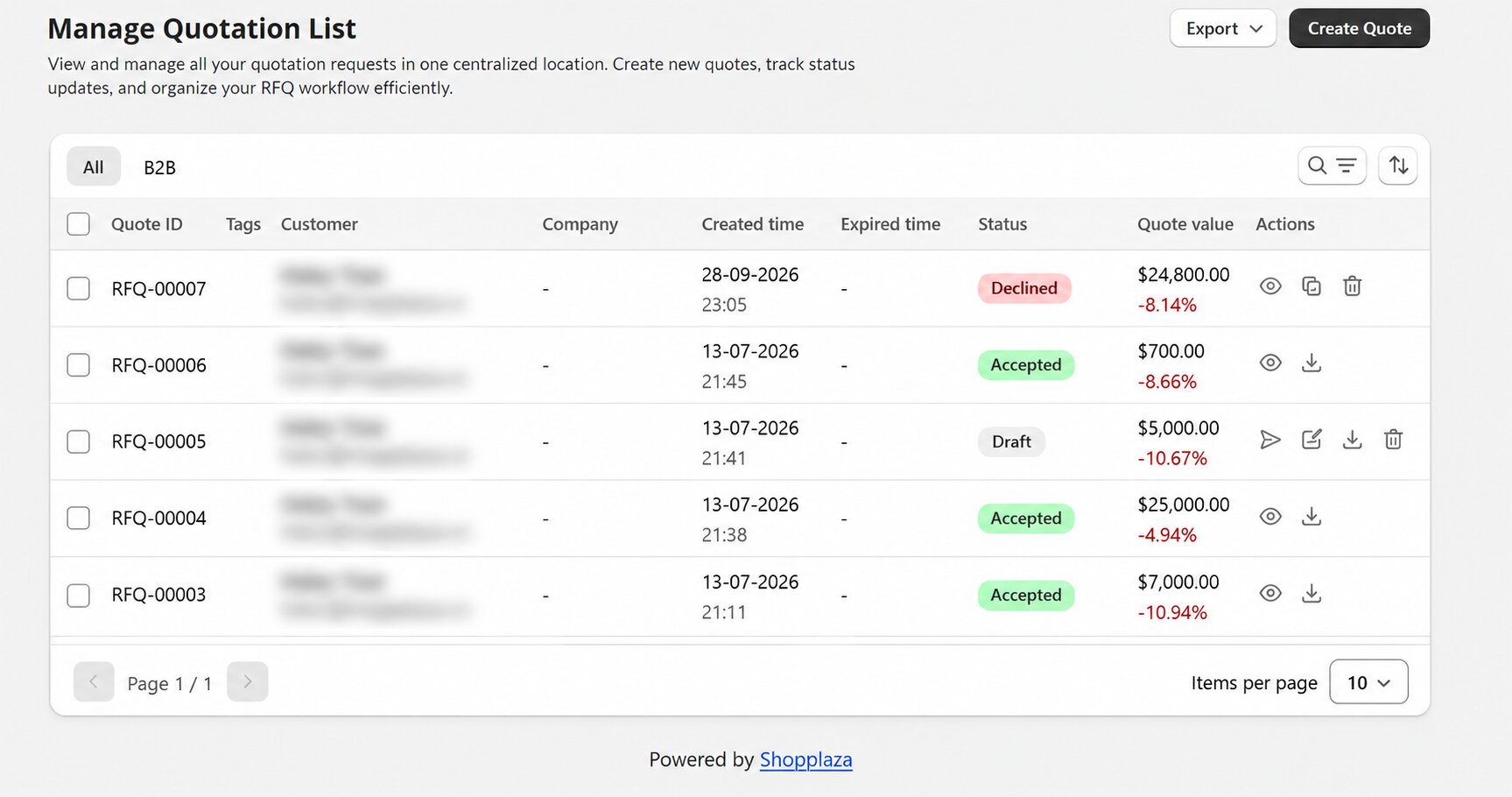
Both apps are no-code. SP Request a Quote runs through a theme app embed: once the embed is on, you choose where the Add to Quote button appears and how the quote cart looks, then set eligibility, emails and the PDF template under Settings. Every request lands in Manage Quotation, where you can search, filter by status, customer or date, and bulk convert quotes.
QS Request a Quote includes a form builder, so you can shape the quote form field by field. That is useful if you need custom questions. SP Request a Quote uses a fixed set of contact fields (name, email, phone, company, address) plus a comment box and attachments.
Manage every quote in one dashboard with SP Request a Quote
International and language support
SP Request a Quote’s listing shows 22 languages, including Spanish, French, German, Japanese, Portuguese and both Chinese variants. Quote emails have their own language setting, and the quote cart has a language selector.
QS Request a Quote’s listing shows English as its language. Its Pro plan lists “Multi-language & advanced forms”, which covers the storefront side.
Ratings and reputation
QS Request a Quote has been on the App Store since 2019 and holds a 4.8 rating with one of the largest review bases among quote apps. It also won a 2024 Build Award. That track record is a real strength.
SP Request a Quote launched in November 2025 and holds a 5.0 rating. It has far fewer reviews so far, so the sample is smaller. Review counts for both apps are in the table at the top.
Which app should you choose?
Choose SP Request a Quote if you want to:
- Run the full quote workflow (request, negotiate, draft order) free, with no monthly quote limit listed
- Negotiate with buyers in a chat inside each quote, with files on both sides
- Set quote expiry, reminders, deposits, shipping and tax on each quote
- Control exactly who can request a quote, by segment, email pattern or country
- Pair it with the free SP Hide Price app when you also need to hide prices
Choose QS Request a Quote if you need to:
- Hide prices and request quotes in one app
- Give sales reps discount caps and see margin before you accept a quote
- Build custom quote forms field by field
- Sync quotes to HubSpot or Mailchimp, or add team seats with permissions
For most small and mid-sized B2B stores, the quote workflow is the part that drives orders, and SP Request a Quote covers it without a subscription. If your team needs margin guardrails and CRM sync, QS Request a Quote’s Pro plan is built for that.
You might be interested in: A Complete Guide to Shopify B2B Selling
The bottom line
QS Request a Quote is a mature, well-reviewed app that combines quotes, price hiding, margin controls and CRM sync, with the advanced parts on paid plans. SP Request a Quote is the free alternative for stores whose main need is the quote itself: buyers propose a price, you negotiate in one place, and the agreed quote becomes a Shopify draft order. If that is your workflow, start with SP Request a Quote and add SP Hide Price if you need to hide prices too.
Frequently asked questions
Is SP Request a Quote really free?
Yes. As of November 2026, SP Request a Quote is listed as Free on the Shopify App Store, with no paid tiers and no monthly quote limit listed.
How much does QS Request a Quote cost?
As of November 2026, QS Request a Quote has a Free plan (10 quote requests/month), Starter at $16.99/month (50 requests), Pro at $36.99/month (unlimited) and, for Shopify Plus stores, Pro Plus at $96.99/month.
Can both apps convert a quote into a Shopify order?
Yes. Both create a Shopify draft order from a quote. On SP Request a Quote this is free. On QS Request a Quote, “Convert quote to order” starts on the Starter plan.
Can buyers negotiate the price?
In both apps, buyers can propose a price. SP Request a Quote adds a two-way chat with file attachments inside each quote. QS Request a Quote handles counter-offers with discount caps for sales reps.
Can SP Request a Quote hide prices?
Yes, through the free SP Hide Price & B2B Lock app. In SP Request a Quote, go to Settings → Integrations → Create Hide Price rule to hide prices and show a Request a Quote button instead.
Do they protect the quote form from spam?
Yes. SP Request a Quote supports hCaptcha and Google reCAPTCHA v2/v3 on the quote form and quote messages, and logged-in customers can skip verification. QS Request a Quote lists Google reCAPTCHA under Works with. See the Spam Protection guide.
Do they support languages other than English?
SP Request a Quote’s listing shows 22 languages. QS Request a Quote’s listing shows English, and its Pro plan lists multi-language forms.