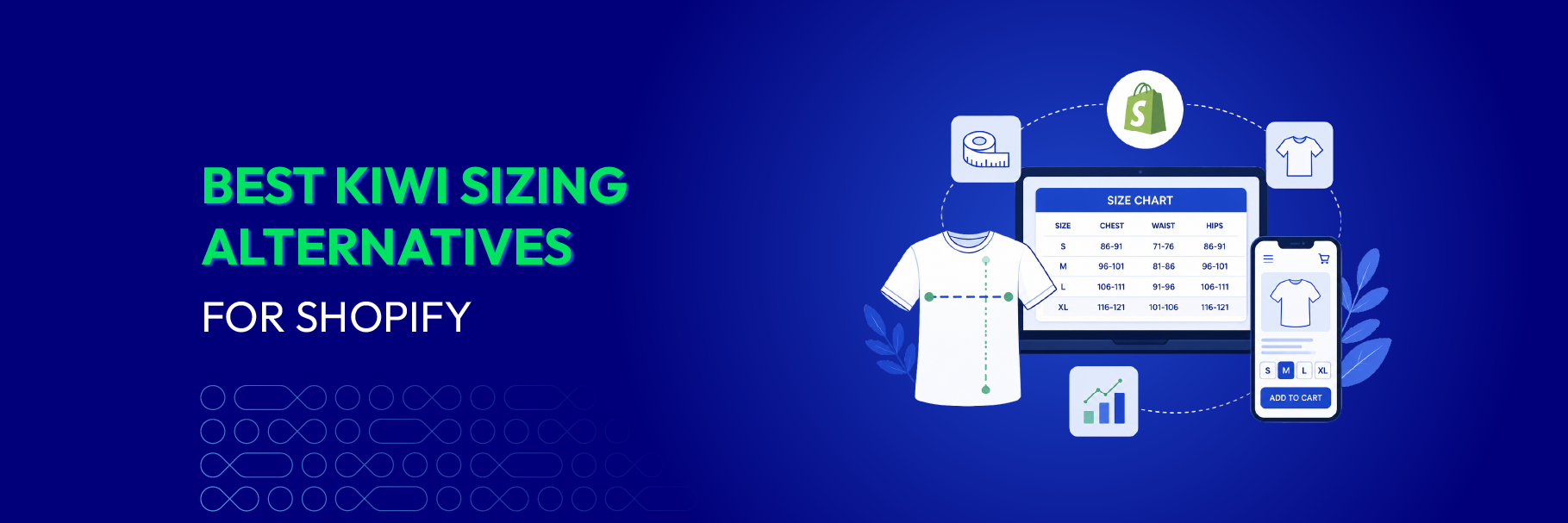
Kiwi Size Chart & Recommender — usually just called Kiwi Sizing — is one of the oldest and most widely installed size chart apps on Shopify. It launched in 2018, holds a 4.7★ rating across 1,238 reviews, and does a lot: size charts, AI size recommendations, CSV import, chart extraction from product descriptions, and auto unit detection by shopper location.
So why are so many merchants searching for a replacement?
Usually it comes down to three things. Kiwi’s free plan caps you at 3 charts and stamps a Kiwi watermark on them. Its size recommender doesn’t unlock until the Plus plan at $14.99/month, and the Plus and Ultimate tiers add usage charges based on your order volume — up to $350 and $700 a month respectively, so the bill moves as you grow. And Kiwi is the only major app in this category without Shopify’s Built for Shopify badge, which matters to merchants who use that badge as a shortcut for performance and integration quality.
This guide compares the 7 best Kiwi Sizing alternatives for Shopify in 2026 — every rating, review count, and price below was checked live on the Shopify App Store in October 2026. You’ll get a quick comparison table, an honest read on each app, and a step-by-step way to switch without losing the charts you already built. New to the category? Start with our complete Shopify size chart guide.
📌 Key takeaways before you dive in:
- Best overall Kiwi Sizing alternative: MP Size Chart & Size Guide — 5.0★, Built for Shopify, and AI size recommendations on every plan including free, versus Kiwi's $14.99/month paywall.
- Best free replacement: Pify Size Charts & Size Guides — genuinely free with no paid tier, no watermark, and a 5.0★ record. Trade-off: no AI recommender.
- Closest match to Kiwi's recommender: Smart Size Chart & Size Guide (AI fit quiz) and CSC Size Chart & Size Guide (AI recommendations from $14.99).
- All 7 alternatives carry the Built for Shopify badge. Kiwi does not.
- Six of the seven remove the watermark on their free plan — the single most common reason merchants leave Kiwi.
- Worried about rebuilding your charts? Shopplaza migrates them from Kiwi free of charge — you install the app, the support team does the rest.
Kiwi Sizing alternatives: quick comparison
| App Name | Vendor | Pricing (monthly) | Rating | Action |
|---|---|---|---|---|
| 1. MP Size Chart & Size Guide | Shopplaza | ▪ Free plan: Yes ▪ $6.95 ▪ $12.95 ▪ $24.95 |
5.0 ⭐ (876) | Get App |
| 2. Pify Size Charts & Size Guides | pifyapp | ▪ Free plan: Yes ▪ Fully free — no paid tier |
5.0 ⭐ (40) | Get App |
| 3. Smart Size Chart & Size Guide | SmartSize | ▪ Free plan: Yes ▪ $9 ▪ $12 ▪ $19 |
4.9 ⭐ (143) | Get App |
| 4. Jotly Size Chart & Size Guide | Jotly Apps | ▪ Free plan: Yes ▪ $6.99 ▪ $14.99 ▪ $24.99 |
5.0 ⭐ (75) | Get App |
| 5. BF Size Chart & Size Guide | Relentless Apps | ▪ Free plan: Yes ▪ $2.99 ▪ $5.99 ▪ $11.99 |
4.7 ⭐ (137) | Get App |
| 6. CSC Size Chart & Size Guide | TaskHusky | ▪ Free plan: Yes ▪ $6.99 ▪ $14.99 ▪ from $29.99 ▪ Plus priced by order volume |
4.9 ⭐ (98) | Get App |
| 7. LV Product Badges & Size Chart | Lavar | ▪ Free plan: Yes ▪ Fully free — no paid tier |
4.6 ⭐ (46) | Get App |
| Baseline: Kiwi Size Chart & Recommender | Staytuned | ▪ Free plan: Yes (watermark) ▪ $7.99 ▪ $14.99 ▪ $26.99 ▪ Usage charges on Plus & Ultimate |
4.7 ⭐ (1,238) | View Listing |
Ratings, review counts, and pricing verified live on the Shopify App Store on 12 October 2026. All 7 alternatives carry the Built for Shopify badge; Kiwi Size Chart & Recommender does not. App Store data changes often — check each listing before you install.
Why merchants look for Kiwi Sizing alternatives
Kiwi isn’t a bad app. It has the largest review base in the category by a wide margin and a genuinely useful feature nobody else matches — pulling a size chart straight out of an existing webpage or product description. If you rely on that, staying put is a reasonable decision.
But there are four recurring reasons merchants start shopping around.
1. The watermark on the free plan. Kiwi’s free tier gives you 3 charts with “Kiwi” branding on them. For a new store trying to look established, a third-party watermark on the product page is exactly the wrong signal. Six of the seven apps below remove branding on their free plan.
2. AI size recommendations are paywalled. Kiwi’s recommender — the feature most merchants install the app for — only appears on the Plus plan at $14.99/month, and even then it’s capped at 10 recommenders. If your goal is fit guidance rather than a static table, you’re paying mid-tier prices from day one.
3. Pricing that scales with order volume. Kiwi’s Plus and Ultimate plans note additional charges based on order volume, and chart imports are sold as optional credits. Nothing wrong with usage-based pricing, but merchants comparing apps usually want a flat, predictable line item.
4. No Built for Shopify badge. Built for Shopify is Shopify’s own designation for apps that meet its highest bar on performance, design, and integration. Kiwi doesn’t carry it. Every alternative on this list does — which is unusual for a category and tells you how much the field has caught up since 2018.
Language support is a smaller but real friction point too: Kiwi’s Premium plan auto-translates into 2 languages, Plus into 6, and you need the $26.99 Ultimate plan for the full 22. If you sell across the EU, that’s a forced upgrade.
If you want the detailed head-to-head rather than a list, read Kiwi Sizing vs MP Size Chart & Size Guide.
7 Best Kiwi Sizing Alternatives for Shopify in 2026
1. MP Size Chart & Size Guide by Shopplaza
- Rating: 5.0/5 / Total reviews: 876 / Built for Shopify: Yes
- Best for: Merchants who want Kiwi’s AI recommendations without Kiwi’s $14.99 paywall or watermark.
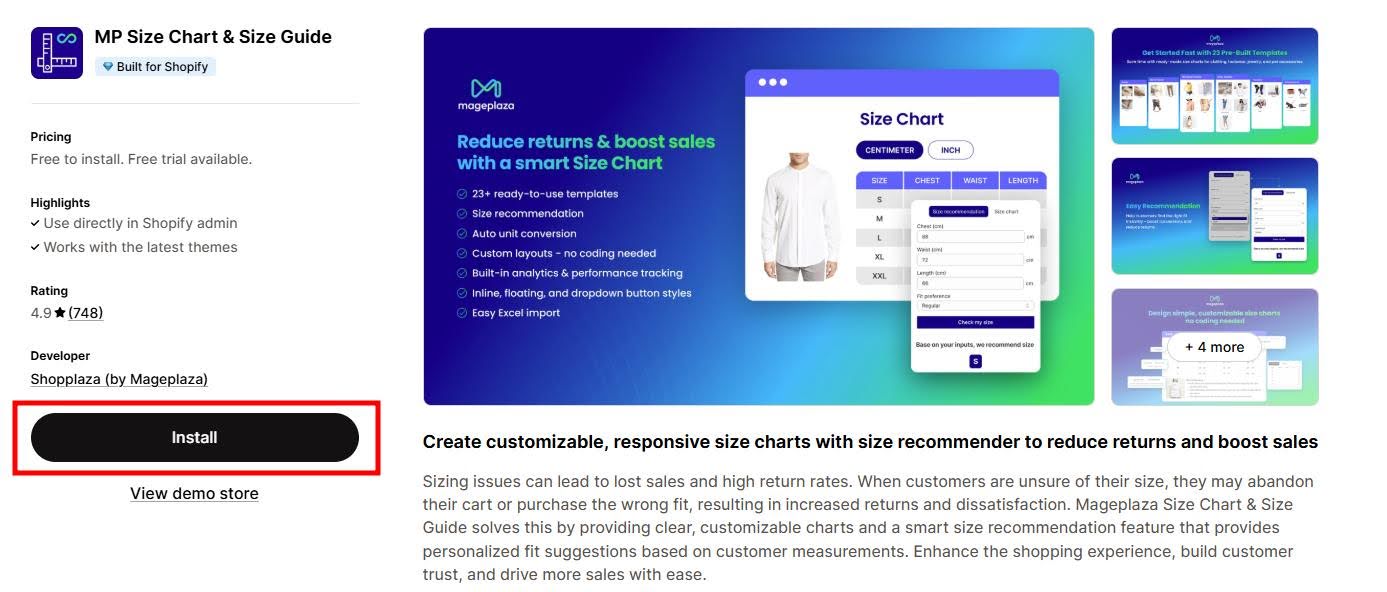
MP Size Chart & Size Guide is the closest like-for-like replacement for Kiwi, and it’s the one that removes Kiwi’s two biggest annoyances at the same time: AI size recommendations are included on every plan — including the free one — and there’s no watermark at any tier.
The free Starter plan gives you 3 charts, 10 AI recommendation requests, and 20 imports, which is enough to test the app on your best-selling products before paying anything. Paid tiers run $6.95, $12.95, and $24.95 a month with no order-volume surcharges, so the number on your Shopify bill stays the same whether you do 200 orders or 20,000.
Where it pulls ahead of Kiwi on day-to-day work: 30+ ready-made templates versus Kiwi’s 22, a drag-and-drop editor most merchants get live in under 10 minutes, 20+ languages with in-app translation on lower tiers, and a dedicated store-wide Sizing Page that collects every chart into one auto-synced URL — useful for internal links, email support replies, and AI search visibility. It’s also rated 5.0★ across 876 reviews, the highest in the category, and holds the Built for Shopify badge Kiwi lacks.
Full feature breakdown on the MP Size Chart & Size Guide app page.
Key features
- AI size recommendations on every plan, including free
- 30+ industry templates — apparel, footwear, kids, jewelry, pet accessories
- No-code drag-and-drop editor with live desktop and mobile preview
- Bulk CSV import for large catalogs
- Dedicated, auto-synced Sizing Page for the whole store
- Auto unit conversion (cm ↔ inches) and size conversion (US ↔ UK ↔ EU ↔ AU)
- 20+ languages with in-app translation
- Assignment rules by product, collection, tag, vendor, or store-wide
- Built-in analytics plus Google Analytics integration
How it compares to Kiwi Sizing
| Kiwi Sizing | MP Size Chart | |
|---|---|---|
| AI recommendations | From $14.99/mo | Free plan and up |
| Free plan | 3 charts + watermark | 3 charts, no watermark |
| Templates | 22 | 30+ |
| Built for Shopify | No | Yes |
| Rating | 4.7★ (1,238) | 5.0★ (876) |
| Extra order-volume charges | Yes (Plus, Ultimate) | No |
Pricing
- Starter: Free — 3 charts, 10 AI requests, 20 imports
- Growth: $6.95/month — 10 charts, 800 AI requests, 100 imports
- Pro: $12.95/month — unlimited charts, 2,000 AI requests, unlimited imports
- Advanced: $24.95/month — unlimited everything, 5,000 AI requests, priority support
2. Pify Size Charts & Size Guides by pifyapp
- Rating: 5.0/5 / Total reviews: 40 / Built for Shopify: Yes
- Best for: Stores that want to leave Kiwi’s free plan and pay nothing at all.
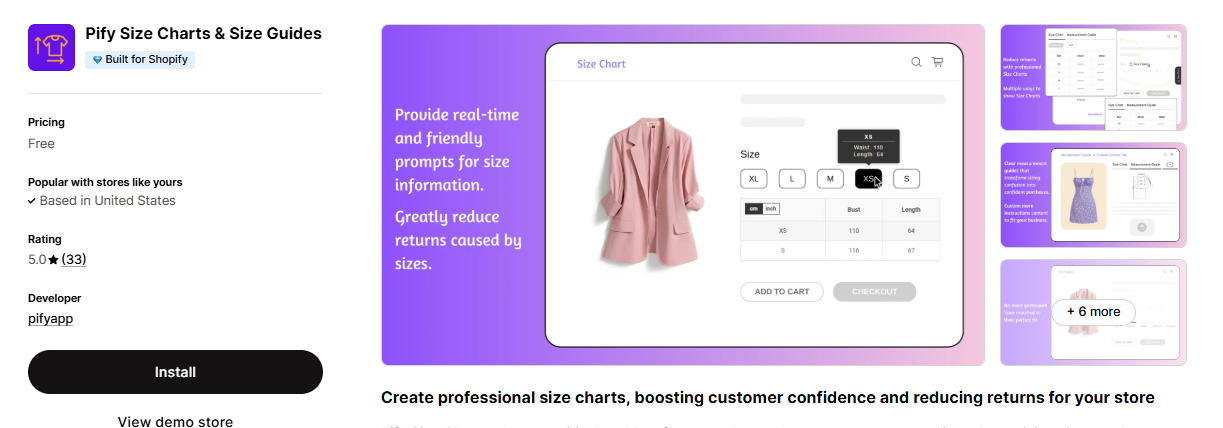
Pify is the simplest answer to “I just want charts without a watermark.” It launched in May 2025, carries the Built for Shopify badge, and is completely free — there is no paid tier to upgrade into, which also means no usage charges and no upsell prompts.
You get pre-built templates for common apparel and footwear categories, automatic metric/imperial conversion, support for multiple tables, images and tabs inside one chart, size information on hover over a product option, and export/import so you can reuse a chart set across stores. Apps that stay free with no upgrade path are rarer than they look — if you’re building your product pages out of them, our list of the best free Shopify apps covers the ones worth keeping.
The trade-off is honest: there’s no AI size recommender, and with 40 reviews, it has a much shorter track record than Kiwi’s 1,238. If fit guidance is why you installed Kiwi in the first place, Pify won’t replace it. If you mostly used Kiwi for static tables, it replaces it for $0.
Key features
- Free to install and use with no paid plan
- Pre-built templates for men’s, women’s, and kids’ apparel and footwear
- Automatic metric ↔ imperial unit conversion
- Multiple size tables, images, and tabs in a single chart
- Size details on hover over the product option
- Export/import charts between stores
- Mobile-responsive, SEO-friendly rendering
Pricing
- Free: $0 — the only plan
3. Smart Size Chart & Size Guide by SmartSize
- Rating: 4.9/5 / Total reviews: 143 / Built for Shopify: Yes
- Best for: Merchants who want a guided “find my size” quiz rather than a table.
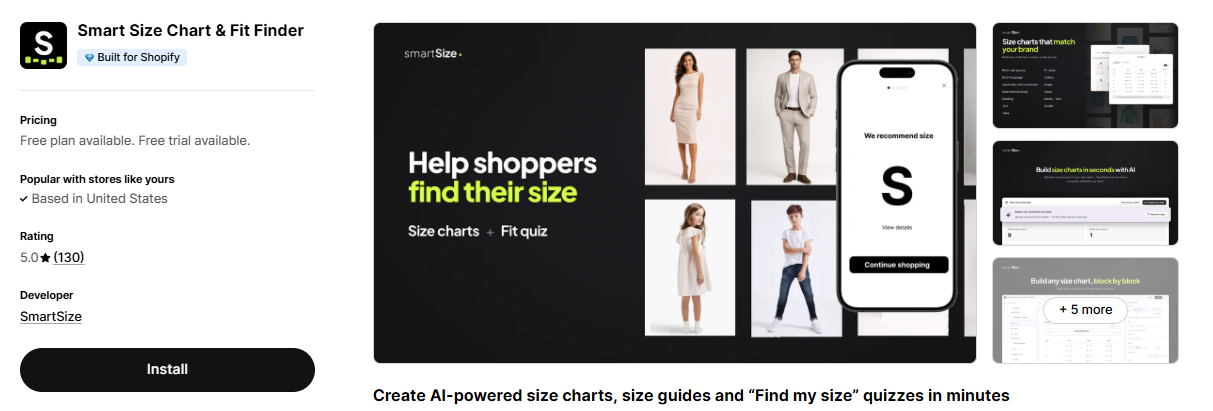
If you’re leaving Kiwi but keeping the recommender is non-negotiable, Smart Size Chart & Size Guide is the most direct swap on the interaction side. Its AI fit quiz asks shoppers a few questions, returns a size, and remembers the answers across products — so a customer who takes the quiz once gets guidance on every other product page.
The free plan trades chart count for a clean chart: 2 charts against Kiwi’s 3, but with no watermark, plus pre-made templates for men, women, kids, and pets, automatic unit conversion, international sizing, and AI chart creation from an image. Paid plans are $9 (10 charts, multi-tab, fit scale, 25+ languages with AI translation), $12 (unlimited charts), and $19 (adds the AI fit quiz for 100 shoppers a month across multiple categories).
Two things to weigh: the fit quiz sits on the top $19 tier and is metered at 100 users per month, so a high-traffic store will feel the cap. And at $9 the entry price is the highest of the seven.
Key features
- AI “find my size” fit quiz with shopper memory across products
- AI chart creation from an uploaded size-chart image
- 25+ languages with AI translation
- Fit scale (runs small / true to size / runs large) display
- Automatic cm/inch conversion and international sizing
- Bulk import and export
- Drag-and-drop editor with automatic button placement
- No watermark on the free plan
Pricing
- Free: $0 — 2 charts, templates, AI image creation, unit conversion
- Starter: $9/month — 10 charts, multi-tabs, fit scale, multi-language
- Growth: $12/month — unlimited size charts
- Pro 100: $19/month — AI fit quiz, 100 users/month, multi-category fit finder
4. Jotly Size Chart & Size Guide by Jotly Apps
- Rating: 5.0/5 / Total reviews: 75 / Built for Shopify: Yes
- Best for: Merchants who miss Kiwi’s analytics and want chart-level conversion data.
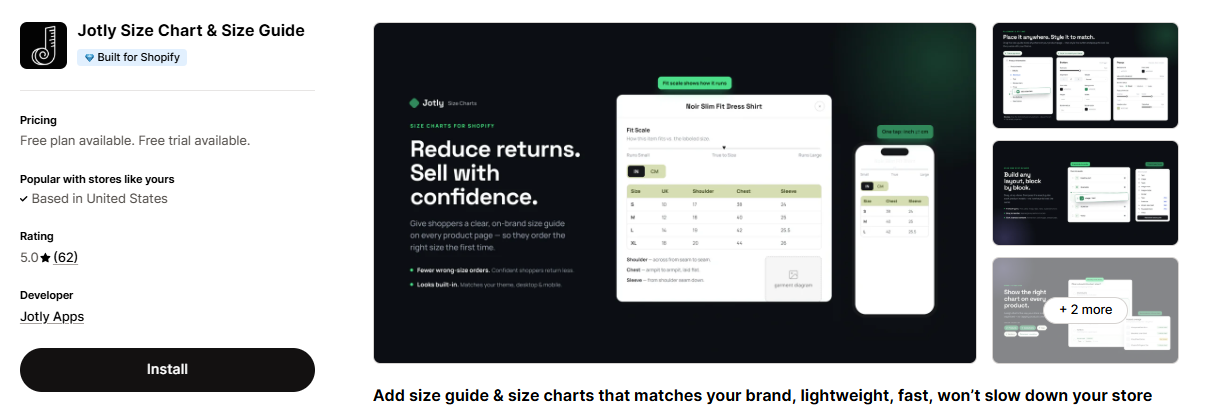
Kiwi’s recommender analytics are one of its real strengths, and Jotly is the app on this list that answers it most directly. Its top Analytics plan ($24.99/month) reports daily add-to-cart activity and conversion rates tied to your size guides — so you can see whether the chart is actually doing anything, not just that it’s installed.
Jotly is also the template heavyweight: 123 customizable templates on the free plan, versus Kiwi’s 22. The free tier covers 2 size guides with cm/inch/mm/ft/m conversion, product and collection assignment, video/image/table content, theme style matching, and no “Powered by” watermark. Essentials at $6.99 unlocks unlimited charts, tabs, import/export, and Google Analytics plus Meta Pixel integration; Global at $14.99 adds AI translation into your store languages and bulk assignment by tag or vendor.
Worth knowing: Jotly launched in August 2024, so it’s the second-youngest app here, and it doesn’t offer an AI size recommender — its AI is used for translation, not fit prediction.
Key features
- 123 customizable templates on every plan
- Add-to-cart and conversion analytics for size guides (Analytics plan)
- Auto conversion between cm, inches, mm, ft, and m
- Images, videos, and tables inside a single guide
- Google Analytics and Meta Pixel integration
- AI translation for multi-language stores (Global and up)
- Bulk assignment by tag or vendor (Global and up)
- No “Powered by” watermark on the free plan
Pricing
- Free: $0 — 2 size guides, 123 templates, unit conversion, no watermark
- Essentials: $6.99/month — unlimited charts, tabs, import/export, GA + Meta Pixel
- Global: $14.99/month — AI translation, bulk assignment, custom styling
- Analytics: $24.99/month — daily ATC tracking, conversion rates, advanced reporting
5. BF Size Chart & Size Guide by Relentless Apps
- Rating: 4.7/5 / Total reviews: 137 / Built for Shopify: Yes
- Best for: The cheapest route to unlimited charts if you don’t need AI.
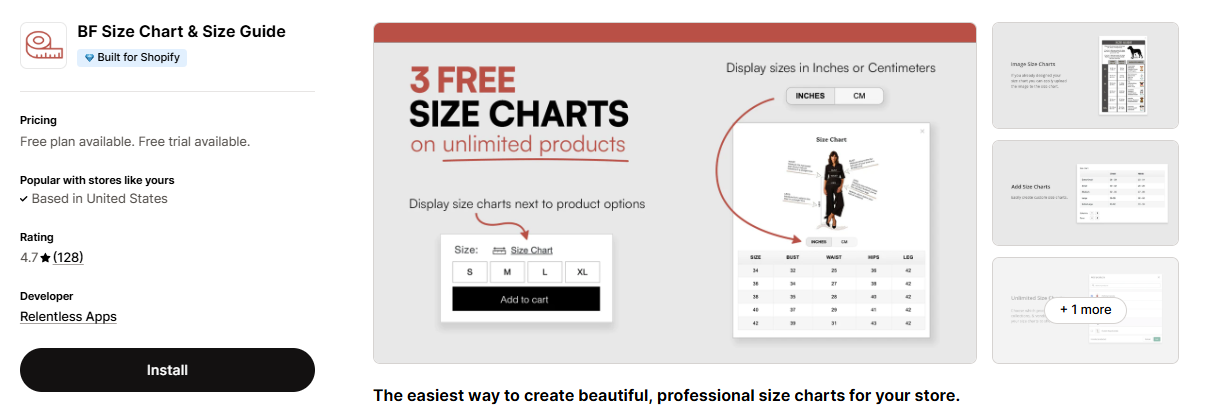
BF Size Chart & Size Guide is the budget pick. It’s been on the App Store since 2018 — the same generation as Kiwi — and it does one job cleanly: unlimited, good-looking size tables assigned to unlimited products, with no watermark on any plan, including free.
The free Basic plan runs 3 charts — the same allowance as Kiwi’s free plan, but without the watermark — with cm/inch conversion, image upload, full customization, and mobile-friendly rendering. Starter at $2.99 raises that to 10 charts and adds multiple charts per product, import/export, and a link placed next to the size label. Premium at $5.99 takes you to 100 charts, and Unlimited at $11.99 removes the cap entirely — notably cheaper than the $26.99 Kiwi Ultimate plan if unlimited charts is the only reason you’d upgrade.
The honest caveats: no AI size recommendation of any kind, and at 4.7★ it sits in the lower half of the seven on rating — though across a solid 137 reviews.
Key features
- Unlimited size charts on the $11.99 plan
- 3 free charts with no watermark
- Copy and paste from Excel, Google Sheets, or CSV
- Multiple charts per product; assign by collection
- Custom text boxes and image uploads
- cm ↔ inches conversion on every plan, including free
- App block placement on Online Store 2.0 themes
Pricing
- Basic: Free — 3 charts, unlimited product connections, unit conversion, no watermark
- Starter: $2.99/month — up to 10 charts, multiple charts per product, import/export
- Premium: $5.99/month — up to 100 charts
- Unlimited: $11.99/month — unlimited charts
6. CSC Size Chart & Size Guide by TaskHusky
- Rating: 4.9/5 / Total reviews: 98 / Built for Shopify: Yes
- Best for: Merchants who want metered AI recommendations plus a hands-on setup service.
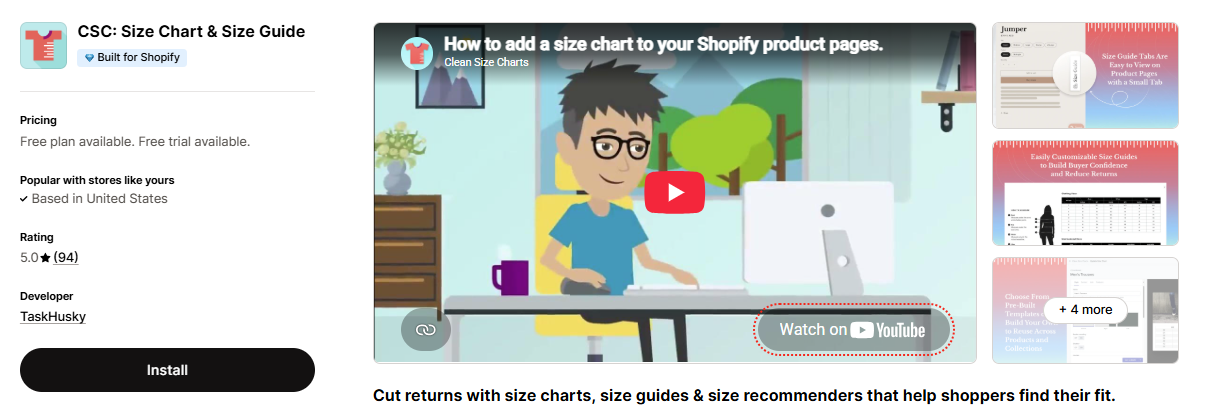
CSC’s differentiator is right there on the free plan: “Done For You Setup”, listed on every tier including free, alongside 2 published charts and no watermark. If the reason you’ve put off leaving Kiwi is that rebuilding charts sounds like an afternoon you don’t have, it’s worth asking their team what that service covers for a catalog coming over from Kiwi.
From there it scales into AI: Grow at $6.99 gives unlimited charts, full style customization, country-based chart display, import/export, and automatic unit conversion. Advanced at $14.99 adds 500 AI size recommendations a month plus multi-language support, and Plus makes AI recommendations unlimited and adds fit notes.
The pattern to note when comparing against Kiwi: CSC’s AI starts at $14.99, the same price as Kiwi’s Plus tier, but it’s metered by recommendation rather than capped at 10 recommenders. The catch is the top tier: like Kiwi’s Plus and Ultimate, CSC Plus is priced by monthly orders — $29.99 up to 250 orders, rising to $149.99 up to 2,500 and $299.99 above 5,000. Advanced at $14.99 is the flat-priced ceiling if you want a predictable bill. Automatic chart assignment by collection, vendor, or product type is a real time-saver on catalogs in the thousands.
Key features
- “Done For You Setup” listed on every plan, including free
- AI size recommendations (500/month on Advanced, unlimited on Plus)
- 18 pre-built templates for apparel and accessories
- Automatic assignment by collection, vendor, or product type
- Show different charts by country
- Bulk creation with import/export
- Automatic unit conversion and multi-language support
- No watermark on any plan
Pricing
- Free: $0 — 2 published charts, no watermark, done-for-you setup
- Grow: $6.99/month — unlimited charts, styling, country rules, unit conversion
- Advanced: $14.99/month — 500 AI recommendations, multi-language
- Plus: from $29.99/month (priced by monthly orders, up to $299.99 above 5,000) — unlimited AI recommendations, fit notes
7. LV Product Badges & Size Chart by Lavar
- Rating: 4.6/5 / Total reviews: 46 / Built for Shopify: Yes
- Best for: Stores that want to replace Kiwi and a badges app with one free install.
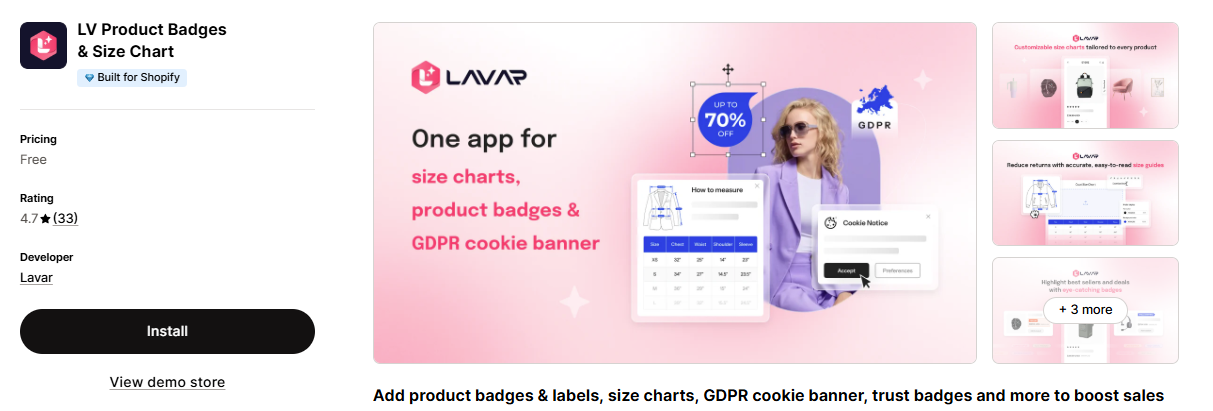
LV Product Badges & Size Chart is the odd one out here, and that’s the point. It’s an all-in-one product-page toolkit: responsive size charts plus sale/new-arrival/best-seller labels, trust badges, and a GDPR cookie banner — all on a free plan with no paid tier.
For a small store already paying for a badges app and a size chart app, consolidating both into one free install is a real monthly saving and one less script on the product page. The drag-and-drop editor handles colors, fonts, and animations without code, and it carries the Built for Shopify badge.
Set expectations correctly, though: the size chart module is one feature among four, not the whole product. There’s no AI size recommendation, no fit quiz, and no recommender analytics. If sizing is the core of your conversion problem, pick a dedicated app; if it’s one item on a product-page cleanup list, this covers it for free.
Key features
- Size charts plus product badges, labels, trust badges, and cookie banner
- Free with no paid tier
- Drag-and-drop editor for colors, fonts, and animations
- Per-product customizable, mobile-responsive size guides
- Sale, discount, new-arrival, and best-seller labels
- GDPR-compliant consent banner
Pricing
- Free: $0 — the only plan
How to Switch from Kiwi Sizing Without Losing your Size Charts
Migration is the part merchants worry about, and it’s usually a 30-minute job — not a project. Here’s the order that avoids gaps on live product pages.
- Export your charts from Kiwi first. Kiwi supports CSV, so pull everything out before you touch anything else. Keep the export even after you’ve migrated; it’s your rollback.
- Audit while you’re in there. Most stores find charts for products they no longer sell. Migrate the charts you actually need, not all of them — it’s the cheapest catalog cleanup you’ll ever do.
- Install the new app and import the CSV. Every app on this list except the two fully free ones supports bulk import. Start on the free plan; you don’t need to pay to validate the import.
- Rebuild your assignment rules. This is the step people skip. Charts import cleanly; the logic mapping charts to products, collections, tags, or vendors does not. Recreate those rules before you go live.
- Run both apps in parallel for a day. Keep Kiwi installed but unpublish its charts, then check your top 10 products on desktop and mobile — chart opens, correct measurements, right unit, no duplicate buttons.
- Uninstall Kiwi and check for leftovers. After uninstalling, look in your theme for orphaned snippets or app-block references. If you (or a developer) ever hard-coded a Kiwi snippet into a template, uninstalling won’t remove it.
- Watch size-related support tickets for two weeks. They’re your fastest read on whether the new charts are clearer than the old ones.
Or skip all seven steps — we’ll migrate you for free. If you’re switching from Kiwi to MP Size Chart & Size Guide, you don’t have to run the migration yourself. All you need to do is install the app; our technical team takes it from there: we export your Kiwi charts, rebuild every one of them in MP Size Chart, set up the assignment rules for your products and collections, and check how each chart displays on your live product pages. There’s no migration fee and no setup fee — it’s included with the app, on any plan including free. You keep selling; we handle the move. Just start a live chat with our team and tell us you’re coming from Kiwi.
How to Choose the Right Kiwi Sizing Alternative for Your Store
Pick by the reason you’re leaving Kiwi — that’s the fastest filter.
-
If the watermark and the free-plan cap pushed you out: MP Size Chart (3 charts + AI, no watermark), Pify (free forever), or BF (3 charts, no watermark).
-
If you need AI size recommendations: MP Size Chart (included on every plan, including free), CSC (500/month at $14.99), or Smart Size Chart (AI fit quiz at $19). Not sure whether a recommender is worth it for your catalog? Read our guide to smart size recommendations.
-
If you want the lowest possible bill: Pify and LV are $0 with no upgrade path. BF is the cheapest paid route to unlimited charts at $11.99.
-
If you want data on whether charts are working: Jotly’s Analytics plan (ATC and conversion tracking) or MP Size Chart’s built-in analytics with Google Analytics integration.
-
If setup time is the blocker: MP Size Chart is the only app here with a confirmed free Kiwi migration — the Shopplaza team exports, rebuilds, and re-assigns every chart for you. CSC also lists “done-for-you setup” on its free plan; ask their team what that covers for an incoming Kiwi catalog.
-
If you sell internationally: MP Size Chart (20+ languages from the lower tiers) or Smart Size Chart (25+ languages from $9) — both avoid Kiwi’s pattern of gating full translation behind the $26.99 top tier.
-
If you have a large catalog (1,000+ products): prioritize bulk import plus rule-based assignment — MP Size Chart, CSC, or Jotly Global. Manually assigning charts at that scale is where migrations stall.
Want the whole category rather than just Kiwi replacements? See our roundup of the best Shopify size chart apps, and the buyer’s checklist on what to look for in a Shopify size chart app.
Leaving Kiwi? Get AI size recommendations without the upgrade.
MP Size Chart & Size Guide gives you the recommender, the templates, and the clean product page — starting on the free plan.
- AI size recommendations on every plan, including free — no $14.99 paywall
- No watermark at any tier, and no extra charges tied to order volume
- 30+ templates, bulk CSV import, and a store-wide Sizing Page
- Free migration from Kiwi — install the app and our team rebuilds and re-assigns every chart for you
- 5.0★ from 876 merchants and Built for Shopify — the highest-rated app in the category
Frequently Asked Questions About Kiwi Sizing Alternatives
1. What is the best Kiwi Sizing alternative for Shopify?
For most stores, MP Size Chart & Size Guide is the best overall alternative. It matches Kiwi’s core feature set — charts, AI size recommendations, CSV import, unit conversion — while including the AI recommender on every plan (Kiwi charges $14.99/month for it), removing the watermark from the free plan, and carrying the Built for Shopify badge that Kiwi lacks. It’s rated 5.0★ across 876 reviews.
2. Why do merchants switch away from Kiwi Sizing?
The four most common reasons: the Kiwi watermark on free-plan charts, the AI size recommender being locked to the $14.99/month Plus tier, usage charges tied to order volume on the Plus and Ultimate plans, and the absence of a Built for Shopify badge. Full language support also requires the $26.99 Ultimate plan.
3. Will I lose my size charts if I uninstall Kiwi Sizing?
Not if you export first. Kiwi supports CSV export — pull your charts out before uninstalling, then bulk-import them into the new app. What doesn’t transfer is your assignment logic (which chart shows on which product, collection, or tag), so plan to rebuild those rules manually. Keep Kiwi installed with its charts unpublished until you’ve verified the new setup on your top products. If you’re moving to MP Size Chart & Size Guide, you can skip the manual work entirely — install the app and our support team will export, rebuild, and re-assign every chart for you, free of charge.
4. Can someone migrate my Kiwi size charts for me?
Yes, and it doesn’t have to cost anything. If you switch to MP Size Chart & Size Guide, Shopplaza’s technical team handles the whole migration free of charge on any plan, including the free one: exporting your charts out of Kiwi, rebuilding them in MP Size Chart, recreating the product and collection assignment rules, and verifying the display on your live product pages. Your only job is to install the app and message support that you’re coming from Kiwi.
5. Which Kiwi alternatives include AI size recommendations?
Three of the seven: MP Size Chart (every plan, including free), CSC Size Chart & Size Guide (500 recommendations/month from $14.99, unlimited on Plus from $29.99, priced by order volume), and Smart Size Chart & Size Guide (AI fit quiz on the $19 Pro 100 plan, capped at 100 shoppers/month). Pify, Jotly, BF, and LV offer size charts without a fit recommender.
6. Do all these Kiwi alternatives have the Built for Shopify badge?
Yes — all seven apps in this list carried the Built for Shopify badge when we verified their listings on 12 October 2026. Kiwi Size Chart & Recommender did not. The badge means Shopify has assessed the app against its highest standards for performance, design, and integration.
7. Is a size chart app actually worth installing?
For any store selling sized products, yes. Coresight Research and Alvanon (2025) estimate that size and fit issues drive about 70% of online apparel returns — so clear sizing addresses the single largest return reason at the source, before the order is placed. With free plans available on all seven apps here, the cost of testing one is your setup time.
8. Can I run two size chart apps at once?
Only temporarily, during a migration. Long term it causes duplicate size-chart buttons, conflicting measurements, and extra scripts slowing your product pages. Keep the old app installed but unpublished while you verify the new one, then uninstall it and check your theme for leftover snippets.
The Bottom Line
Kiwi Sizing earned its install base — it was one of the first serious size chart apps on Shopify and it still has the deepest review history in the category. But the field caught up. Every app in this list carries a Built for Shopify badge Kiwi doesn’t have, six of seven drop the watermark on their free plan, and two include AI fit guidance at or below Kiwi’s $14.99 recommender tier.
The decision comes down to what you were paying Kiwi for. If it was static charts, Pify or BF replaces it for free or $2.99. If it was analytics, look at Jotly. And if it was the recommender — which for most merchants it was — there’s no reason to keep paying a mid-tier price for it: MP Size Chart & Size Guide includes AI size recommendations on every plan down to the free one, holds the highest rating in the category at 5.0★, and is the only app here that will migrate your Kiwi charts for you at no cost.
Still weighing options? Our side-by-side comparisons of the major size chart apps break down each matchup feature by feature, with live App Store data.