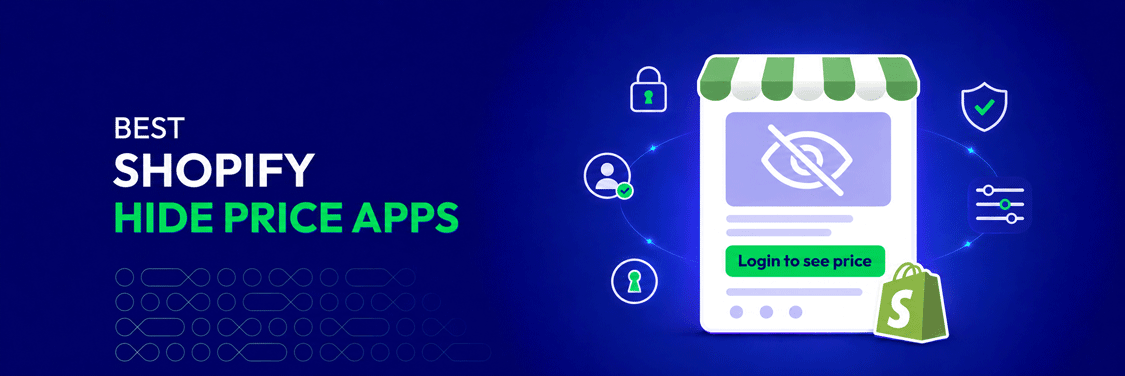
Showing prices publicly makes sense for most Shopify stores, but not for every business model. Wholesale merchants may reserve pricing for approved buyers, while manufacturers, distributors, and custom-product sellers often need to confirm quantities or requirements before providing a final price.
A Shopify hide price app gives merchants this control without requiring ongoing theme-code changes. Depending on the solution, you can hide prices until customers log in, create visibility rules for selected buyers, restrict access to parts of your catalog, or replace prices with a contact or quote-request button.
But which app fits your store? This guide compares 10 of the best Shopify hide price apps based on their features, targeting options, pricing, strengths, and limitations to help you choose the right solution for your sales model.
💡 Key Takeaways
- Shopify hide price apps let merchants control who can view prices and what visitors see instead.
- Some apps offer a simple “log in to view price” function, while others provide customer targeting and broader catalog access control.
- The right option depends on whether you run a wholesale store, B2B storefront, private catalog, membership site, or custom-pricing model.
- This guide compares 10 apps based on their key features, ideal use cases, pricing, strengths, and limitations.
Why Do Shopify Merchants Need a Hide Price App?
Shopify displays product prices publicly by default. However, some sales models require merchants to control when prices appear, who can view them, and what customers should do when pricing is unavailable.
Common use cases include:
- Protect wholesale pricing: Keep trade rates, volume-based offers, and negotiated prices private from retail shoppers and competitors.
- Require account approval: Allow only logged-in or approved customers to view prices and place orders.
- Support custom pricing: Replace fixed prices with a quote or contact option when costs depend on quantity, specifications, or project requirements.
- Manage B2B and B2C customers together: Provide different pricing experiences for wholesale and retail buyers within one Shopify store.
- Restrict catalog access: Limit selected products, collections, pages, or the entire storefront to eligible customers.
- Control exclusive pricing and products: Reserve certain offers or catalog items for VIP members, regional buyers, or specific customer groups.
These controls help merchants protect sensitive pricing while guiding each visitor toward the appropriate next step, such as logging in, registering for an account, contacting the sales team, or requesting a quote.
If you are still deciding whether to use an app, Shopify Plus, or custom code, explore our complete guide on how to hide prices on Shopify.
10 Best Shopify Hide Price Apps
To make it clearer, we organized the 10 Shopify hide price apps, from the most affordable options to higher-tier solutions. This helps you quickly find the right fit based on your budget and feature needs.
| App | Strength | Free plan | Paid plans from | Best for | Shopify rating |
|---|---|---|---|---|---|
| SP Hide Price & Access Control | Complete price hiding and access control with flexible targeting | ✅ | 100% free | Best overall for B2B and wholesale stores needing flexible, no-cost control | 5.0/5 |
| Singleton | Login To See Price | Simple login-based price hiding | ✅ | $7.99/month | Stores that only need guests to log in before viewing prices | 4.7/5 |
| SB Request a Quote, Hide Price | Price hiding with a complete RFQ workflow | ✅ | $7.99/month | Custom-priced and high-value products requiring quote requests | 4.8/5 |
| Easy Wholesale Lock for B2B | Access rules based on customer spending and order history | ✅ | $9/month | Membership and wholesale catalogs unlocked by purchasing activity | 4.5/5 |
| Wholesale Lock Manager: B2B | Catalog locking through customer groups and passcodes | ✅ | $9.99/month | Mixed retail and wholesale stores needing separate catalog areas | 4.9/5 |
| Sami B2B Lock, Password Protect | Scheduled locks with passwords and secret links | ✅ | $9.99/month | Private launches and limited-time wholesale access | 4.9/5 |
| LockPro: Password Protect Lock | Password protection with access analytics | ✅ | $9.99/month | Stores needing protected content with basic visitor tracking | 4.9/5 |
| HP: Hide Price and Add to Cart | Affordable price hiding with customizable replacement buttons | ❌ | $3.99/month | Small stores with basic customer tag and login-based rules | 4.5/5 |
| WebPanda | Login to See Price | Login-gated pricing with multilingual messages | ❌ | $6/month | Multilingual stores requiring customers to sign in before purchasing | 5.0/5 |
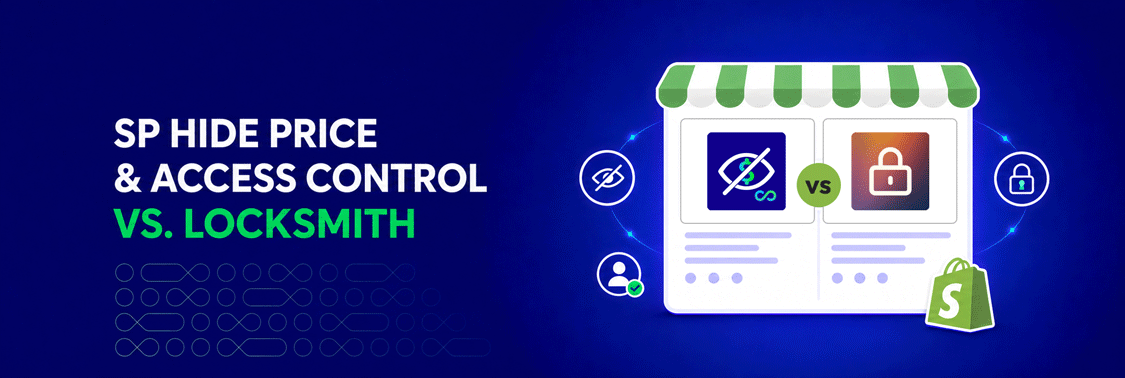
| Locksmith | Advanced access rules using Liquid and APIs | ❌ | $12/month | Established stores with complex, customized access requirements | 4.7/5 |
1. SP Hide Price & Access Control
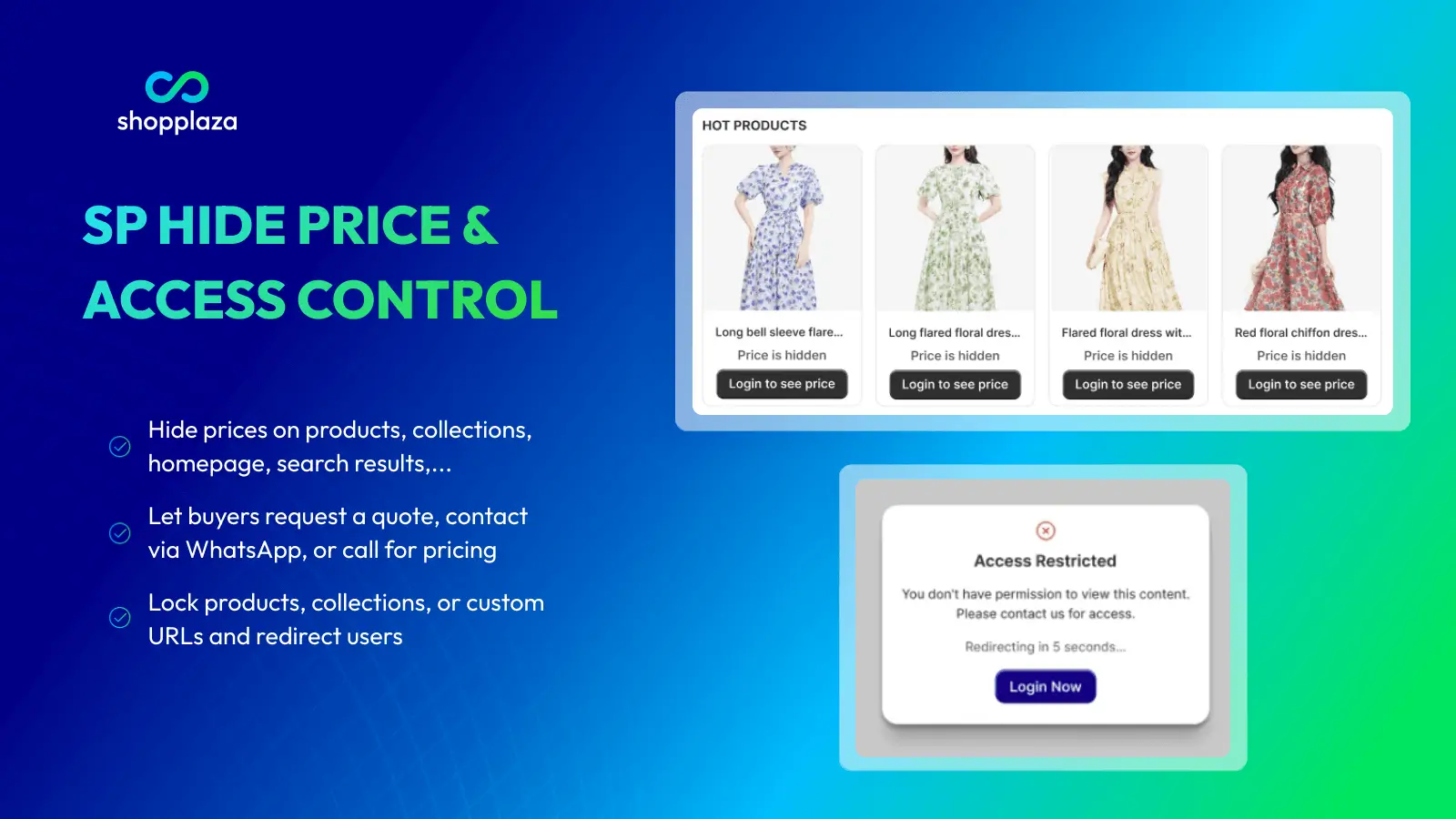
SP Hide Price & Access Control is a free Shopify app that helps merchants hide prices and control access to selected storefront content. It supports B2B, wholesale, private-catalog, and custom-pricing models without requiring Shopify Plus or custom code. By showing the right content to the right customers, the app protects sensitive pricing and creates a more suitable buying journey for each audience.
Notable features:
- Hide prices and Add to Cart buttons for selected visitors
- Restrict products, collections, pages, search results, or the entire store
- Target visitors by login status, customer tags, location, IP, or age
- Replace hidden prices with login, WhatsApp, Request a Quote, or custom CTAs
- Preview rules and detect conflicts before publishing
- Manage multiple access rules in bulk
- Prevent hidden prices from appearing on Google
- Connect with Shopplaza B2B apps and custom workflows via API
Pros & cons:
| Pros | Cons |
|---|---|
| All features are available for free | Does not create wholesale price lists |
| Combines price hiding and access control | Full B2B workflows require additional apps |
| Offers flexible customer targeting | |
| Requires no Shopify Plus or coding | |
| Built for Shopify certified |
Pricing: 100% free, with no paid subscription required.
Shopify rating: 5.0 out of 5, based on 47 reviews on the Shopify App Store.
Best for: Best for B2B and wholesale merchants and private-catalog stores with limited budgets that need an all-around, no-cost solution for flexible price hiding, audience targeting, and storefront access control.
2. Singleton
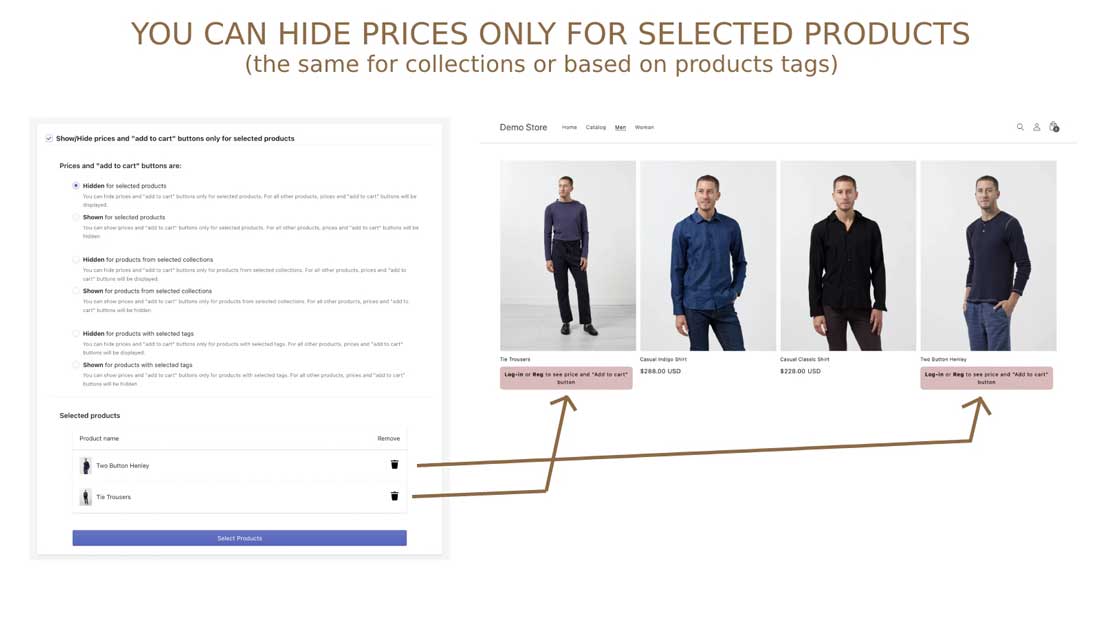
Login To See Price by Singleton is a straightforward option among Shopify hide price apps, allowing merchants to hide prices and Add to Cart buttons from logged-out visitors. It helps B2B and wholesale stores protect private pricing while encouraging customers to register or sign in. Restrictions can be applied to selected products, collections, or the entire catalog without coding.
Notable features:
- Hide prices and Add to Cart buttons from guests
- Reveal pricing after customers sign in
- Restrict selected products, collections, or the full catalog
- Replace hidden prices with a custom login message
- Customize message styling to match the storefront
- Enable restrictions separately for selected themes
Pros & cons:
| Pros | Cons |
|---|---|
| Simple to configure and use | Targets visitors only by login status |
| Supports product- and collection-level restrictions | Does not restrict pages or other storefront content |
| Offers customizable replacement messaging | |
| Works without coding | |
| Suitable for MAP pricing requirements |
Pricing:
- Free for development stores.
- The Base plan costs $7.99/month and includes a 7-day free trial.
Shopify rating: 4.7 out of 5, based on 61 reviews on the Shopify App Store.
Best for: B2B and wholesale stores that only need a simple login-to-view-price setup without broader audience targeting or storefront access rules.
3. SB Request a Quote, Hide Price
SB Request a Quote, Hide Price helps Shopify merchants hide product prices and replace standard purchase options with a Request a Quote button. Designed for B2B, wholesale, and custom-priced products, the app lets businesses keep pricing private while collecting and managing customer inquiries. Its built-in quotation tools also support negotiation and quote-to-order conversion.
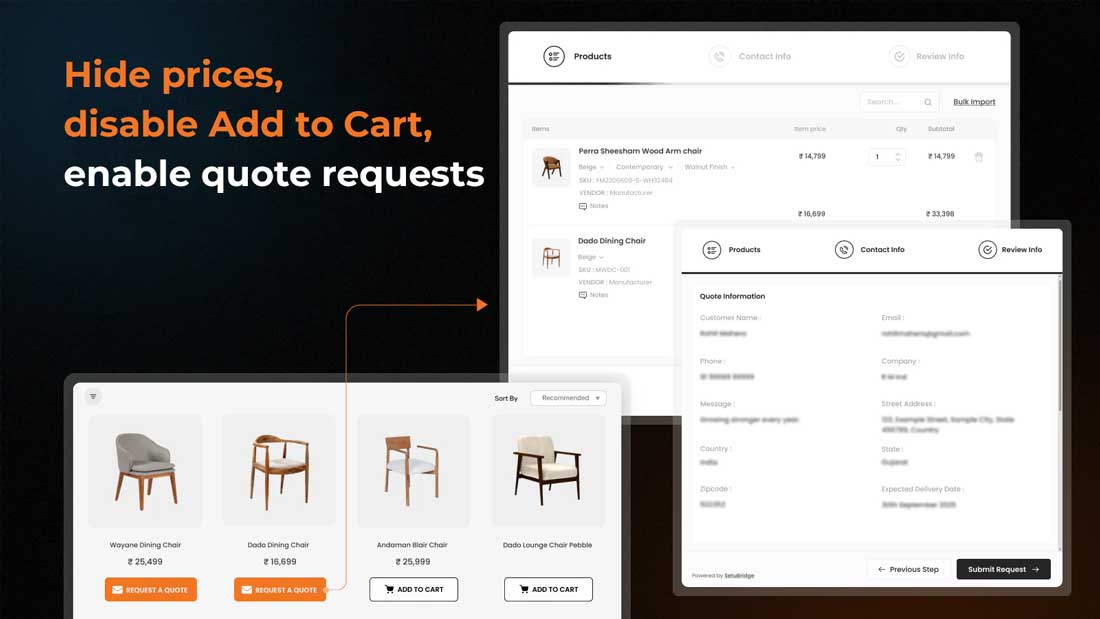
Notable features:
- Hide prices and Add to Cart buttons
- Add Request a Quote buttons to selected products
- Apply hide-price rules to up to 20 products for free
- Collect single- or multi-product quote requests
- Create custom RFQ forms with a drag-and-drop builder
- Communicate and negotiate directly with buyers
- Generate branded PDF quotations
- Convert accepted quotes into Shopify orders
Pros & cons:
| Pros | Cons |
|---|---|
| Combines price hiding with quote management | Free plan is limited to 20 products and 5 quotes |
| Supports custom forms and branded PDF quotes | Advanced features require higher-tier plans |
| Enables buyer negotiation and order conversion | |
| Provides several channels for quote inquiries | |
| Earned the Built for Shopify badge |
Pricing:
- Lite: Free for up to 5 quotes and 20 quote-enabled products.
- Startup: $7.99/month or $79.99/year for 50 quotes and 100 products.
- Growth: $12.99/month or $129.99/year for 500 quotes and 500 products.
- Premium: $19.99/month or $199.99/year for unlimited quotes and products.
Shopify rating: 4.8 out of 5, based on 184 reviews on the Shopify App Store.
Best for: Sellers of custom-priced or high-value products that want to replace public prices with a structured request-a-quote process.
4. Easy Wholesale Lock for B2B
Easy Wholesale Lock for B2B is a Shopify hide price app that helps merchants limit access to prices and selected store content. It allows B2B and wholesale stores to create private catalog areas for approved customers based on account details or purchasing activity. Unlike broader access-control solutions, its main focus is locking content rather than guiding restricted visitors through multiple custom actions.
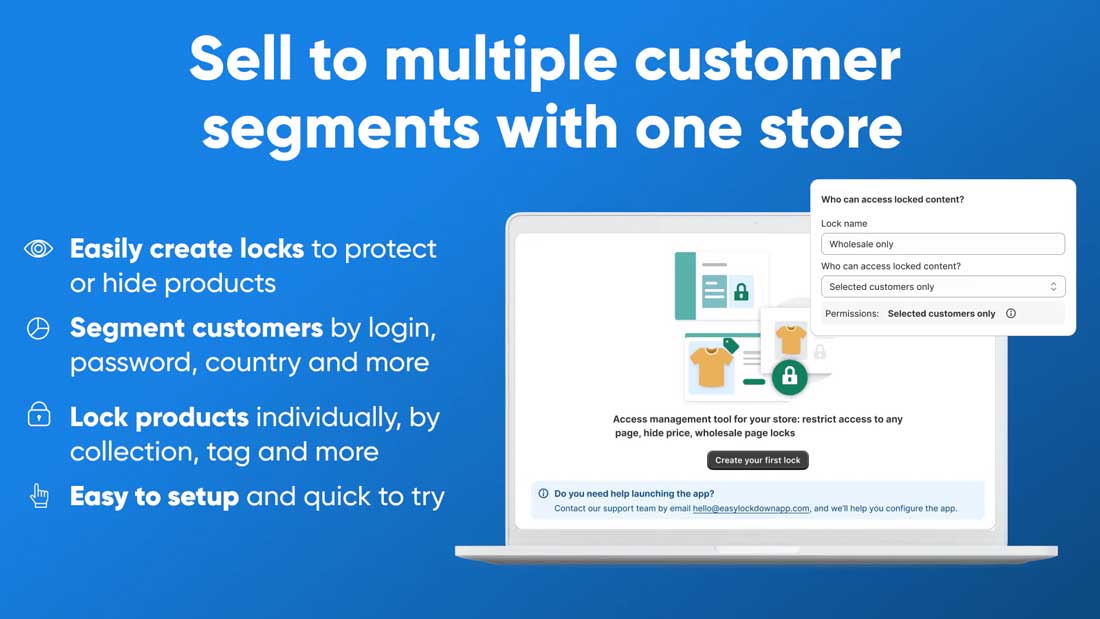
Notable features:
- Hide prices with a login-to-view message
- Lock products, collections, pages, blogs, and carts
- Restrict access to the entire storefront
- Set rules using customer account details
- Grant access based on order count or spending
- Include or exclude products using tags
- Combine conditions within locking rules
Pros & cons:
| Pros | Cons |
|---|---|
| Supports multiple types of store content | No free plan for active stores |
| Offers purchase-based access conditions | Limited price-replacement actions |
| Works well for private catalog sections | Does not manage quotes or wholesale pricing |
| Requires no custom coding | |
| Earned the Built for Shopify badge |
Pricing:
- Development Stores: Free for development stores only.
- Premium Plan: $9/month with a 14-day free trial.
Shopify rating: 4.5 out of 5, based on 223 reviews on the Shopify App Store.
Best for: B2B stores that need a paid solution for locking prices and catalog content based on customer accounts, order history, or spending.
5. Wholesale Lock Manager: B2B
For merchants running wholesale and retail sales from one storefront, Wholesale Lock Manager: B2B provides tools to hide prices and limit access to selected content. This option among Shopify hide price apps uses customer groups, login status, and passcodes to control visibility. However, regular live stores must subscribe to its paid plan to use the locking features.
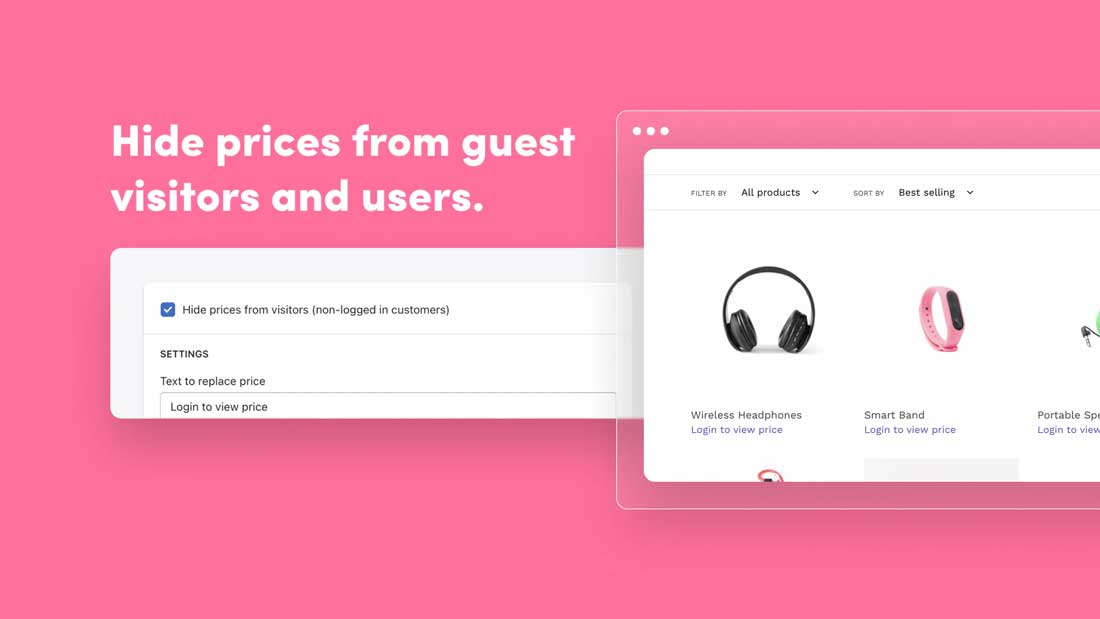
Notable features:
- Hide prices and Add to Cart buttons
- Lock products, collections, pages, or the entire store
- Control access using customer tags or email addresses
- Protect selected content with passcodes
- Share private content through secret links
- Test locks on published or unpublished themes
Pros & cons:
| Pros | Cons |
|---|---|
| Covers multiple storefront content types | Free plan is limited to development and trial stores |
| Supports customer tags and password access | Provides fewer audience-targeting conditions than some alternatives |
| Allows locks to be tested before launch | Does not create wholesale prices or manage quotations |
| Supports both wholesale and retail customers | |
| Earned the Built for Shopify badge |
Pricing:
- Free Forever: Free for development and trial stores only.
- Lock Manager: $9.99/month or $107.89/year, with a 7-day free trial.
Shopify rating: 4.9 out of 5, based on 205 reviews on the Shopify App Store.
Best for: Stores serving retail and wholesale customers together that need separate catalog areas controlled by login, customer groups, or passcodes.
6. Sami B2B Lock,Password Protect
Sami B2B Lock, Password Protect helps merchants hide prices and protect selected storefront content using login requirements, passcodes, or secret links. Among Shopify hide price apps, it is particularly suited to wholesale stores that want to separate public and private content within one storefront. Its free plan is available for basic needs, although multiple locks require a paid subscription.
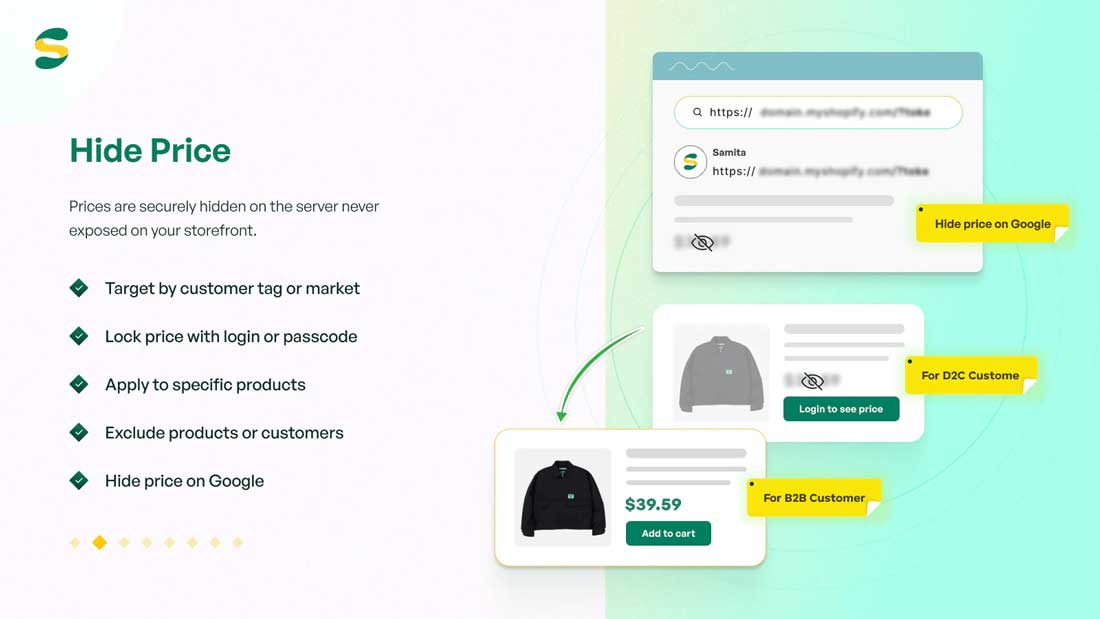
Notable features:
- Hide prices and Add to Cart buttons
- Lock products, collections, pages, URLs, or the entire store
- Restrict access by customer tags or email addresses
- Require customers to log in to view prices
- Protect content using passwords or secret links
- Schedule locks with start and end times
- Hide restricted prices from Google
- Integrate with selected third-party apps
Pros & cons:
| Pros | Cons |
|---|---|
| Offers several ways to protect store content | Free plan supports only one lock |
| Supports login, password, and secret-link access | Paid pricing increases with the Shopify plan |
| Includes scheduled locking rules | |
| Requires no custom coding | |
| Earned the Built for Shopify badge |
Pricing:
- Free: One lock with support for any content type.
- Shopify Basic: $9.99/month or $99/year.
- Shopify Grow: $19.99/month or $199/year.
- Shopify Advanced: $29.99/month or $299/year.
Shopify rating: 4.9 out of 5, based on 921 reviews on the Shopify App Store.
Best for: Shopify stores running limited-time sales, private launches, or wholesale areas that need scheduled password and secret-link access.
7. LockPro: Password Protect Lock
For stores that need password-based restrictions, LockPro provides a practical option in the list of Shopify hide price apps. Merchants can hide prices and purchase buttons or restrict access to products, collections, pages, and other content. Its free plan supports only one lock, making it more suitable for testing or handling a single restricted area.
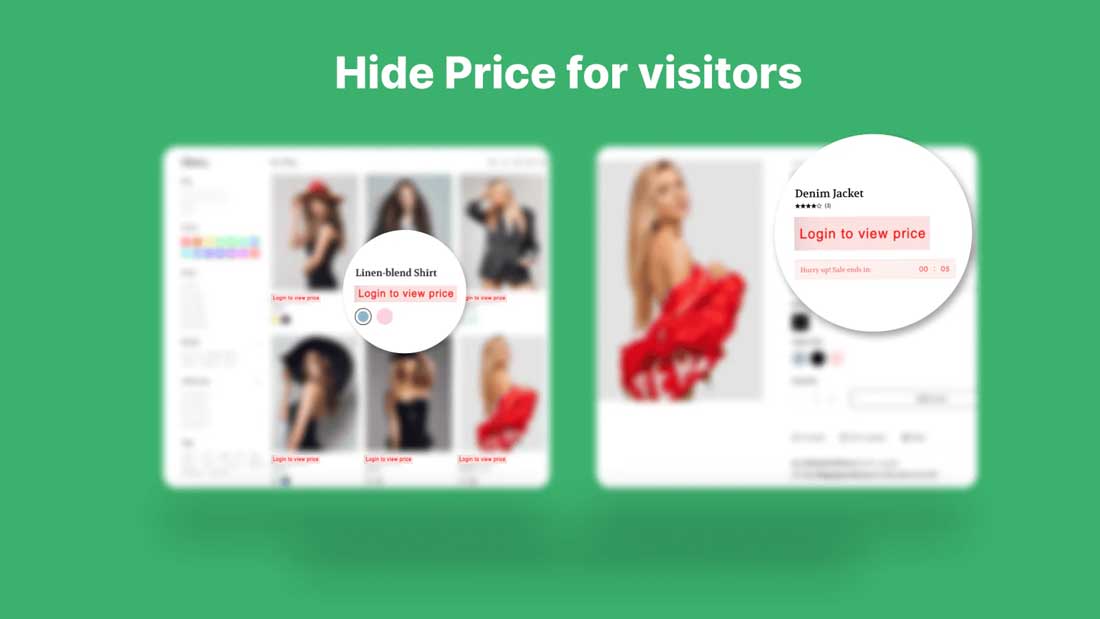
Notable features:
- Hide prices and purchase buttons
- Lock products, variants, collections, pages, and blogs
- Control access using passwords or customer tags
- Block visitors from selected countries
- Schedule locks for selected dates
- Track visits to password-protected content
Pros & cons:
| Pros | Cons |
|---|---|
| Provides a free plan for one lock | Free plan supports only one product or store lock |
| Supports several storefront content types | Google Shopping price protection requires the Advanced plan |
| Offers password-, tag-, and location-based access | Does not create wholesale price lists |
| Includes access analytics | |
| Earned the Built for Shopify badge |
Pricing:
- Free: One product lock or one entire-store lock.
- Basic: $9.99/month or $95.90/year.
- Advanced: $19.99/month or $191.90/year.
Shopify rating: 4.9 out of 5, based on 40 reviews on the Shopify App Store.
Best for: B2B and wholesale stores that need password-protected content with basic visitor tracking, scheduled access, or country-based restrictions.
8. HP: Hide Price and Add to Cart
HP: Hide Price and Add to Cart allows merchants to control who can view prices and purchase products based on login status or customer tags. Restrictions can be applied to selected products and collections, while custom text or buttons guide visitors toward the next step. It offers a relatively affordable option for stores with straightforward price-hiding needs.
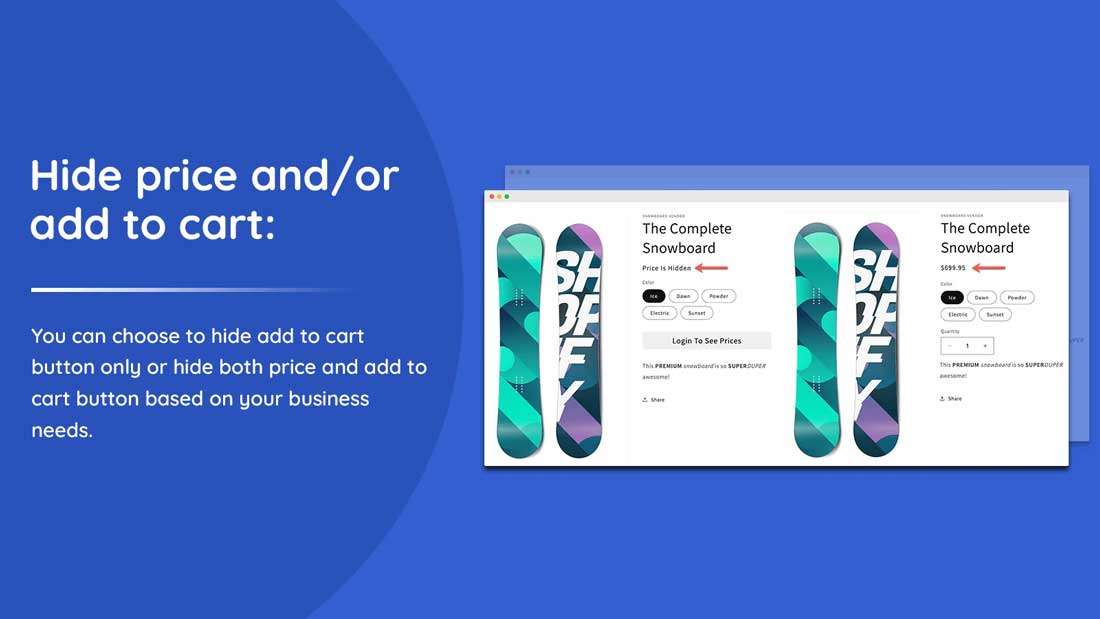
Notable features:
- Hide prices and Add to Cart buttons
- Target guests, registered customers, or customer tags
- Apply rules to selected products and collections
- Replace prices with custom messages
- Add custom buttons with destination links
- Customize button text, colors, and fonts
Pros & cons:
| Pros | Cons |
|---|---|
| Affordable entry-level pricing | No free plan available |
| Supports customer tag-based rules | Pricing depends on the store’s Shopify plan |
| Offers customizable replacement text and buttons | Fewer access conditions than more advanced alternatives |
| Requires no custom coding |
Pricing:
- Basic: $3.99/month or $39.99/year
- Standard: $4.99/month or $49.99/year
- Advanced: $5.99/month or $59.99/year
- Plus: $9.99/month or $99.99/year
Shopify rating: 4.5 out of 5, based on 21 reviews on the Shopify App Store.
Best for: Small B2B stores that need an affordable, paid solution for hiding prices and purchase buttons based on login status or customer tags.
9. WebPanda
Login to See Price by WebPanda keeps product prices and Add to Cart buttons hidden until visitors sign in. Merchants can apply this restriction across the entire catalog or to selected products and display a customizable login message instead. Its focused functionality suits B2B and wholesale stores with simple login-gated pricing requirements.
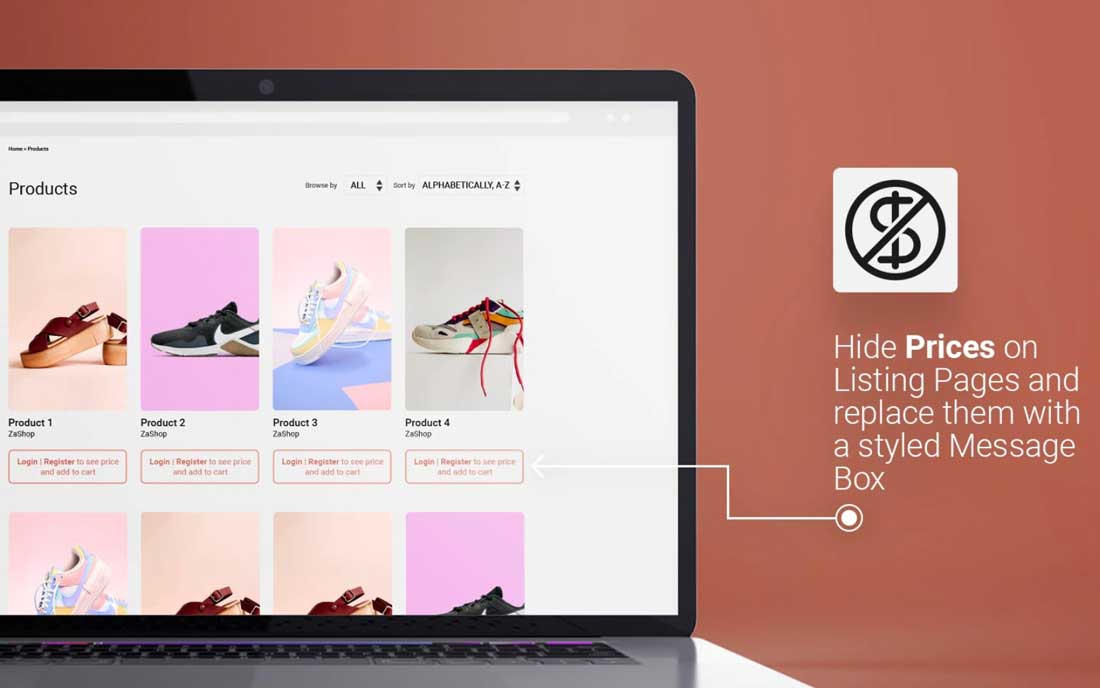
Notable features:
- Hide prices and Add to Cart buttons from guests
- Reveal prices after customers log in
- Apply restrictions to all or selected products
- Hide prices using product and customer tags
- Display customizable login and registration links
- Translate replacement messages into different languages
- Enable or disable the app when needed
Pros & cons:
| Pros | Cons |
|---|---|
| Simple to configure and manage | Does not offer a free plan |
| Supports product- and customer-tag rules | Product selection and tag rules require the Premium plan |
| Provides customizable replacement messages | Limited to login-based price visibility |
| Uses non-invasive theme code |
Pricing:
- Basic: $6/month for hiding prices and Add to Cart buttons across all products
- Premium: $10/month or $80/year for product selection, translations, and customer-tag rules
- Yearly: $80/year with all Premium features
Shopify rating: 5.0 out of 5, based on 71 reviews on the Shopify App Store.
Best for: Multilingual wholesale stores that simply want customers to log in before viewing prices or purchasing products.
10. Locksmith
Locksmith gives merchants detailed control over who can view prices, products, pages, collections, or the entire storefront. Access can be granted through customer details, passcodes, location, purchase history, or other conditions. While it supports highly customized access rules, its higher pricing and technical options make it better suited to established stores with complex requirements.
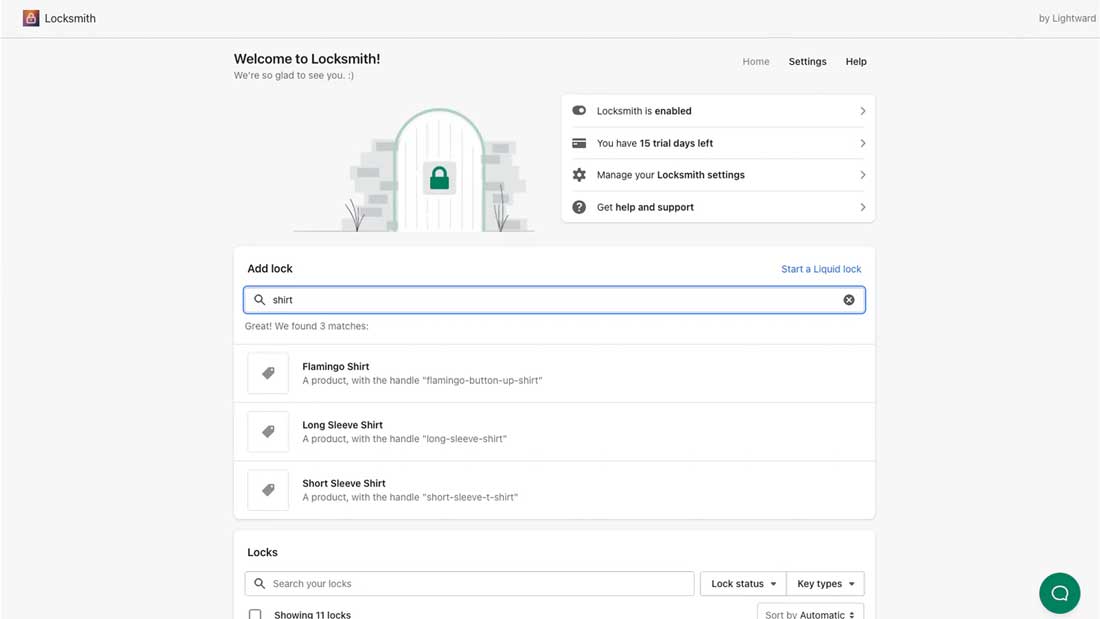
Notable features:
- Hide prices, products, collections, pages, and variants
- Control access using customer tags or email addresses
- Unlock content with passcodes or secret links
- Target visitors based on geographic location
- Grant access according to purchase history
- Schedule restrictions by date and time
- Create custom rules using Liquid or the API
- Add bot protection at checkout
Pros & cons:
| Pros | Cons |
|---|---|
| Supports flexible access conditions | No free plan available |
| Protects several types of storefront content | Pricing increases significantly with the Shopify plan |
| Allows conditions to be combined | Custom Liquid rules may require developer support |
| Provides Liquid and API customization | |
| Earned the Built for Shopify badge |
Pricing:
- Shopify Basic: $12/month
- Shopify Grow: $29/month
- Shopify Advanced: $99/month
- Shopify Plus: $199/month
Shopify rating: 4.7 out of 5, based on 286 reviews on the Shopify App Store.
Best for: Established Shopify stores with larger budgets and complex access-control requirements that may need custom rules built with Liquid or APIs.
How to Choose the Best Shopify Hide Price App
The best Shopify hide price app should do more than remove a price from a product page. It should protect pricing wherever products appear, support the right customer-access rules, and give restricted visitors a clear next step. Before choosing an app, compare the following areas carefully.
Check Where Prices Are Hidden
Start by checking every storefront area where product prices may appear. Some apps hide prices on product pages but leave them visible elsewhere, creating an inconsistent experience and potentially exposing private pricing.
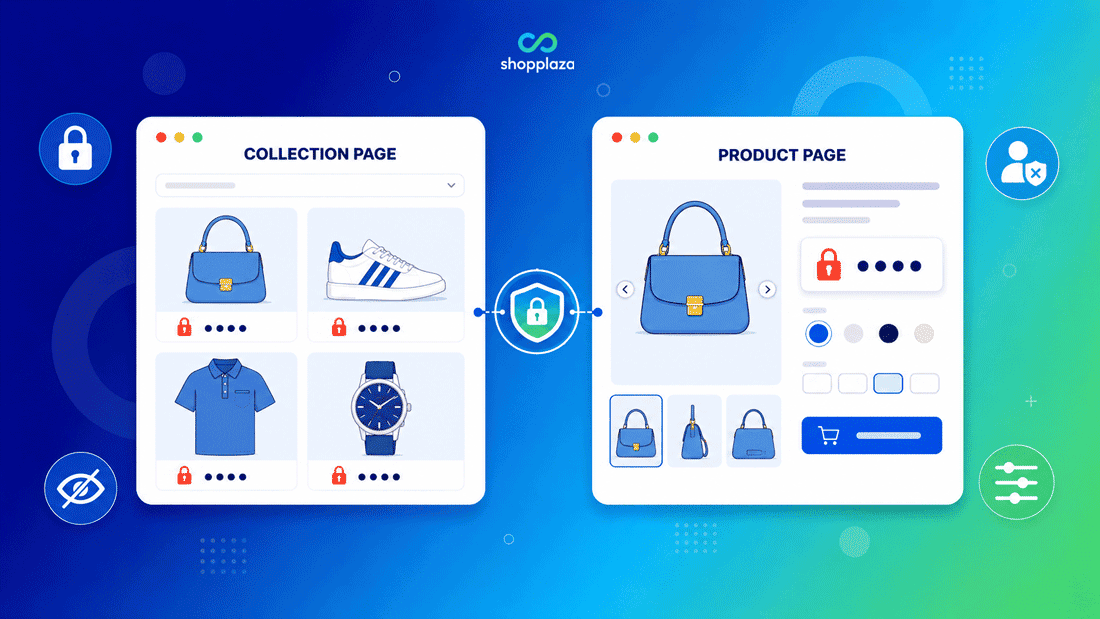
A complete solution should hide prices across:
- Product and collection pages
- Store search and predictive search
- Product recommendations
- Quick-view popups
- Cart pages and cart drawers
- Structured data used by search engines
Test these areas after activating a rule, especially if your store uses a custom theme, page builder, search app, or cart drawer. The price should remain protected throughout the customer journey, not only on the main product page.
Decide Who Should See Prices
Different businesses need different visibility rules. A basic Shopify hide price until login app may work when every registered customer can see the same pricing. However, wholesale or mixed B2B and B2C stores often require more precise control.
Compare whether an app can target customers based on:
- Login status
- Customer tags or segments
- Wholesale account approval
- Country or geographic location
- IP address
- Age verification or passcode
For example, a Shopify wholesale store may show prices only to logged-in customers with an approved B2B tag. An international supplier may need to hide prices in specific countries, while a private launch might require password-protected access. Choose a Shopify app to hide prices from customers based on the audience rules you actually need, not simply the number of rules advertised.
Determine What You Need to Restrict
Define the level of protection your store requires before comparing apps.
- Hide prices only: Products remain visible, but customers cannot see their prices.
- Hide prices and Add to Cart: Visitors can browse products but cannot purchase until they meet the access conditions.
- Lock products or collections: Restricted products or catalogs become unavailable to unauthorized visitors.
- Lock pages or the entire store: Selected content or the full storefront is available only to approved users.
Choose What Customers See Instead
The strongest apps let merchants replace hidden prices or purchase buttons with an action that supports the intended buying journey.
Useful options include:
- Log in to view price
- Register for access
- Contact us
- Request a quote
- Chat through WhatsApp
- Display a custom button or message
Check SEO Protection
Visually hiding a price from shoppers does not always remove it from the store’s underlying code. Search engines may still discover the value through structured data, product feeds, search pages, or other indexable content.
Confirm whether the app removes restricted prices from structured data and prevents them from appearing in Google results. This is especially important for stores protecting wholesale prices, customer-specific rates, MAP-controlled products, or private catalogs.
After setup, test a restricted product using Google’s Rich Results Test or inspect its source code. If the price remains in the product schema, the app may not provide complete SEO-level protection.
Consider Compatibility, Support and Cost
Finally, evaluate how well the app fits your existing Shopify setup and long-term budget. A low monthly price offers little value if the app conflicts with your theme or requires a higher plan for essential controls.
Check the following before installing:
- Compatibility with your Shopify theme and page builder
- Support for search, recommendation, and cart drawer apps
- Integration with wholesale, B2B, or Shopify request-a-quote tools
- Whether Shopify Plus is required
- Free-plan limits and recurring subscription costs
- Availability and responsiveness of customer support
- Frequency of updates and recent merchant feedback
Use the free plan or trial period to test the app on a duplicate theme before publishing any restrictions. Confirm that rules work on desktop and mobile, prices remain hidden across the storefront, and eligible customers can still access products without friction. The best choice is not necessarily the app with the most features, but the one that protects pricing reliably while matching your store’s customer groups, buying process, and budget.
Wrap Up
The best Shopify hide price app depends on your needs, whether that means login-based pricing, private catalogs, password protection, or quote requests. Compare each option based on where prices are hidden, who can view them, and what visitors see instead.
Before choosing, test the app with your theme and confirm that it works across product pages, collections, search results, carts, and structured data. Also consider compatibility, support, and total cost as your store grows.