If you run a B2B, wholesale, or members-only Shopify store, at some point you will need to hide prices, lock products, or restrict who can see certain pages. Two apps come up again and again for this job: SP Hide Price & Access Control and Locksmith. Both are officially Built for Shopify, both let you control exactly who sees what, and both have loyal followings, but they take very different approaches to the same problem.
Locksmith is the long-established veteran, live on the App Store since 2014 and packed with advanced access-control tooling. SP Hide Price & Access Control is the newer, free, no-code challenger built specifically around hiding prices and gating content for B2B and wholesale customers. This guide breaks down how they compare on pricing, features, ease of use, and international support, so you can pick the right fit without a costly trial-and-error cycle.
SP Hide Price & Access Control vs. Locksmith at a glance
| SP Hide Price & Access Control | Locksmith | |
|---|---|---|
| Developer | Shopplaza B2B | Lightward |
| On the App Store since | August 2025 | October 2014 |
| Rating | 5.0 ★ (65 reviews) | 4.7 ★ (306 reviews) |
| Starting price | Free | $12/mo |
| Top price | Free | $199/mo |
| Built for Shopify | Yes | Yes (+ 2025 Build Award) |
| Setup | No-code, minutes | Steeper; may need theme edits |
| Languages | 20+ | English only |
| Best for | B2B / wholesale price hiding | Complex, multi-condition locking |
Quick verdict: For the most common job — hiding prices and locking content for logged-in or tagged B2B customers, for free and without touching code — SP Hide Price & Access Control is the faster, more affordable, and more international choice. Locksmith remains the stronger pick when you need advanced unlock methods like passcodes, secret links, or checkout-level protection.
What is SP Hide Price & Access Control?
SP Hide Price & Access Control, built by Shopplaza B2B, is a free Shopify app focused on one thing and doing it well: letting merchants hide prices and lock any page, product, or collection, while controlling exactly who can see them. It launched in August 2025 and has already earned a perfect 5.0 rating across its first 50 reviews, along with Built for Shopify status — Shopify’s mark for apps that meet the highest standards for speed, design, and integration.
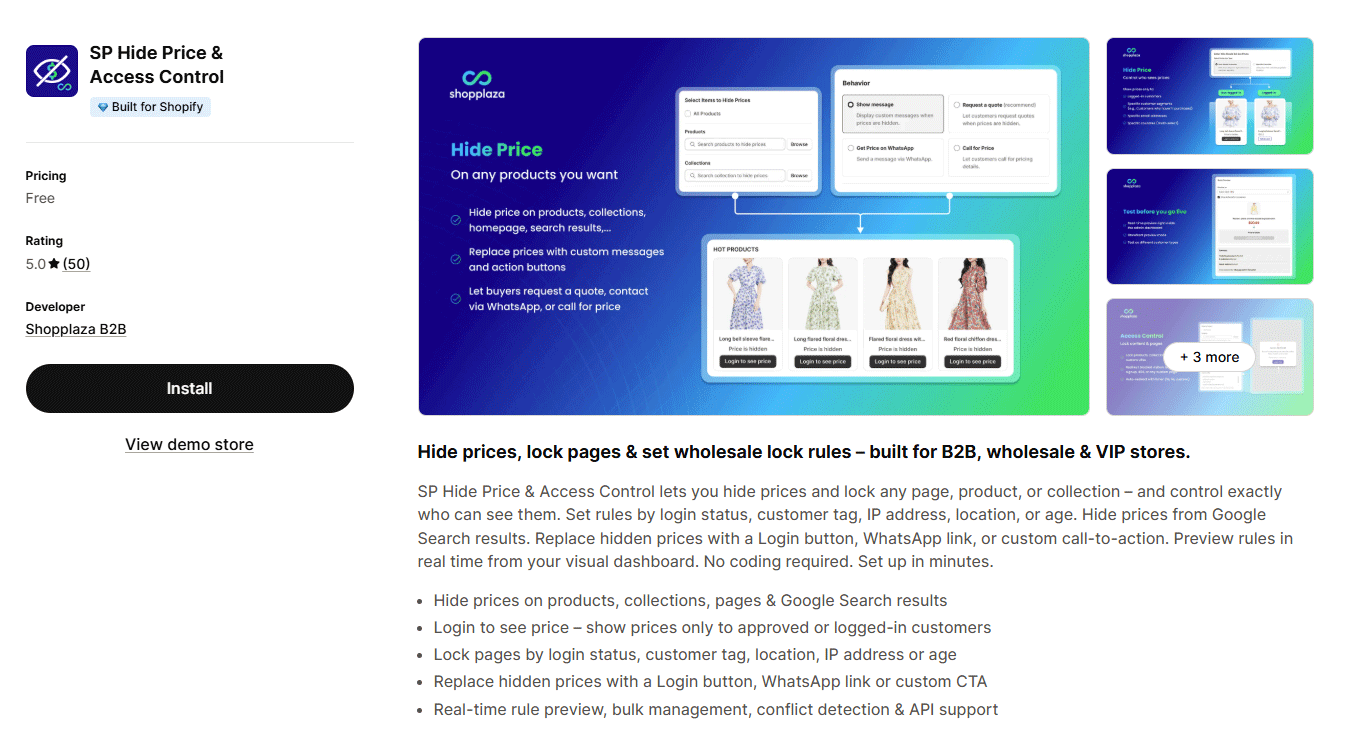
The app is designed around B2B, wholesale, and VIP storefronts. Its standout capabilities include:
- Hide prices on products, collections, pages — and even in Google Search results, so wholesale pricing never leaks to the public.
- Replace hidden prices with a Login button, a WhatsApp link, or a custom call-to-action, turning a blocked price into a lead-generation moment.
- Restrict visibility by login status, customer tag, IP address, location, or age.
- Manage rules in bulk with automatic conflict detection and a real-time preview from a visual dashboard.
- Set everything up with no coding, plus API support for teams that want it, in 20+ languages.
What is Locksmith?
Locksmith, from Chicago-based developer Lightward, is one of the most established access-control apps on Shopify. Live since October 2014, it holds a 4.7 rating across 286 reviews, is Built for Shopify, and won a 2025 Build Award for innovation and impact. It works through a “locks and keys” model: you place a lock on content, then define the keys that unlock it.
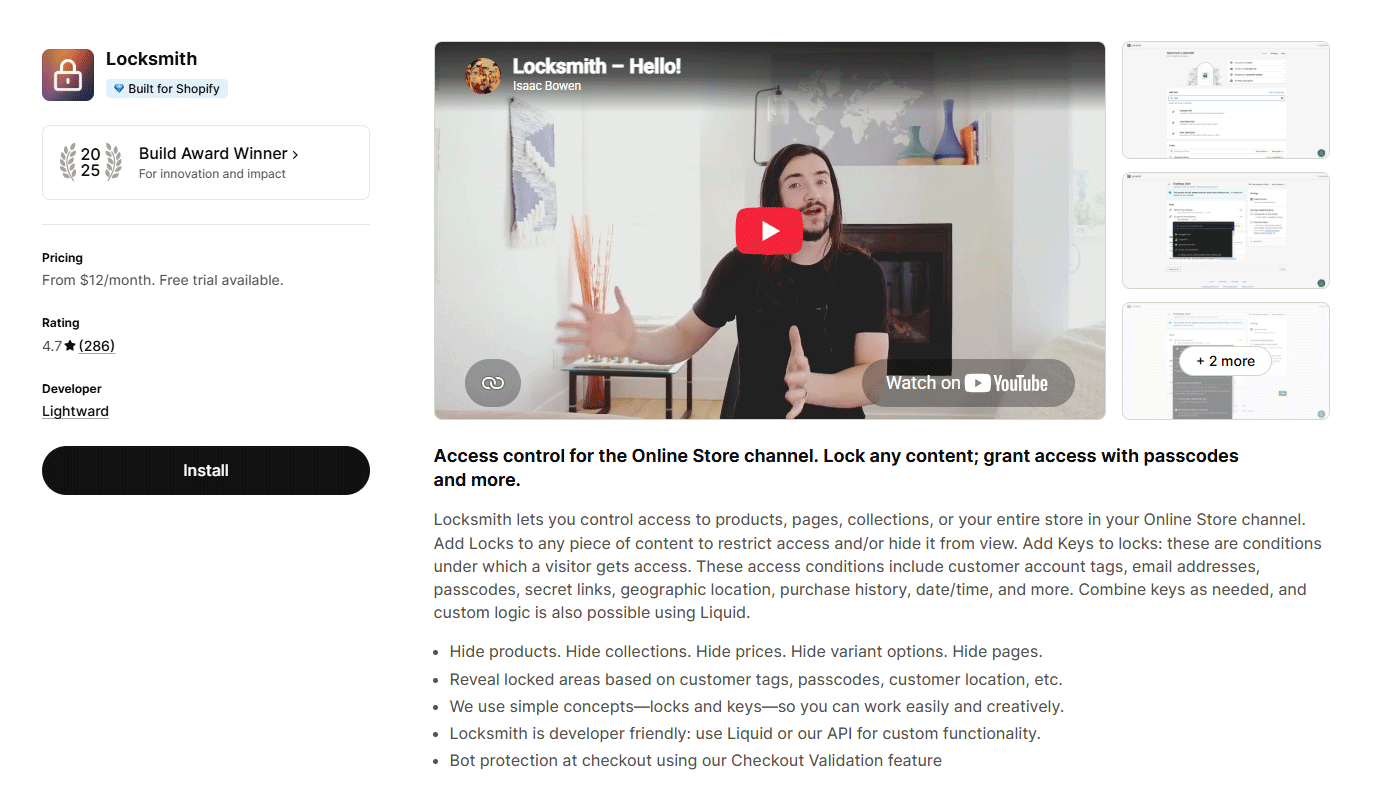
With Locksmith, merchants can:
- Lock products, collections, pages, or the entire storefront
- Grant access using customer tags, passcodes, or secret links
- Create location-based or scheduled access rules
- Unlock content based on previous purchases
- Add custom access logic using Liquid
- Apply checkout validation and bot-abuse protection
SP Hide Price vs. Locksmith: In-depth comparison
Pricing: free vs. subscription
Pricing is the clearest dividing line between the two apps. SP Hide Price & Access Control is completely free, with no paid tiers. Locksmith runs on a tiered monthly subscription that scales with your Shopify plan, backed by a 15-day free trial and Lightward’s “pay what feels good” policy.
| Locksmith plan | Monthly price | Trial |
|---|---|---|
| Shopify Basic | $12 | 15 days |
| Shopify Grow | $29 | 15 days |
| Shopify Advanced | $99 | 15 days |
| Shopify Plus | $199 | 15 days |
For a store that simply needs to hide prices on Shopify and gate content for wholesale customers, paying $12 to $199 every month adds up quickly — especially on higher Shopify plans, where the cost is steepest. SP Hide Price & Access Control delivers the core price-hiding and access-control functionality for that same audience at no cost, which is a decisive advantage for smaller stores and anyone testing a B2B channel before committing a budget. Locksmith’s flexible pricing conversations are a genuine plus, but flexible still isn’t free.
Read more: Top 10 Best Shopify Hide Price Apps
Feature-by-feature comparison
Both apps cover the essentials of hiding prices and restricting content. The differences show up at the edges — in unlock methods, international support, and where each app operates.
| Capability | SP Hide Price & Access Control | Locksmith |
|---|---|---|
| Hide prices (products / collections / pages) | Yes | Yes |
| Hide prices in Google Search results | Yes | Not highlighted |
| Replace price with Login / WhatsApp / CTA | Yes | Login / redirect |
| Lock by customer tag | Yes | Yes |
| Lock by login status | Yes | Yes |
| Lock by IP / location | Yes | Location |
| Lock by age | Yes | No |
| Password-based access | Yes | Yes |
| Secret links | No | Yes |
| Purchase-history / date-time keys | No | Yes |
| Checkout-level bot protection | No | Yes |
| Email verification | No | Yes |
| Bulk rules + conflict detection | Yes | Rule-based |
| Real-time preview | Yes | No |
| No-code setup | Yes | Partial |
| API access | Yes | Yes (+ Liquid) |
| Languages | 20+ | English only |
The pattern is clear. SP Hide Price & Access Control wins on price-hiding polish and reach: hiding prices from Google, swapping them for a WhatsApp or custom CTA, age-based gating, real-time previews, and 20-plus languages. Locksmith wins on depth of access control: passcodes, secret links, purchase-history and time-based keys, email verification, and bot protection at checkout. Neither is strictly better, they’re optimized for different jobs.
Ease of use and setup
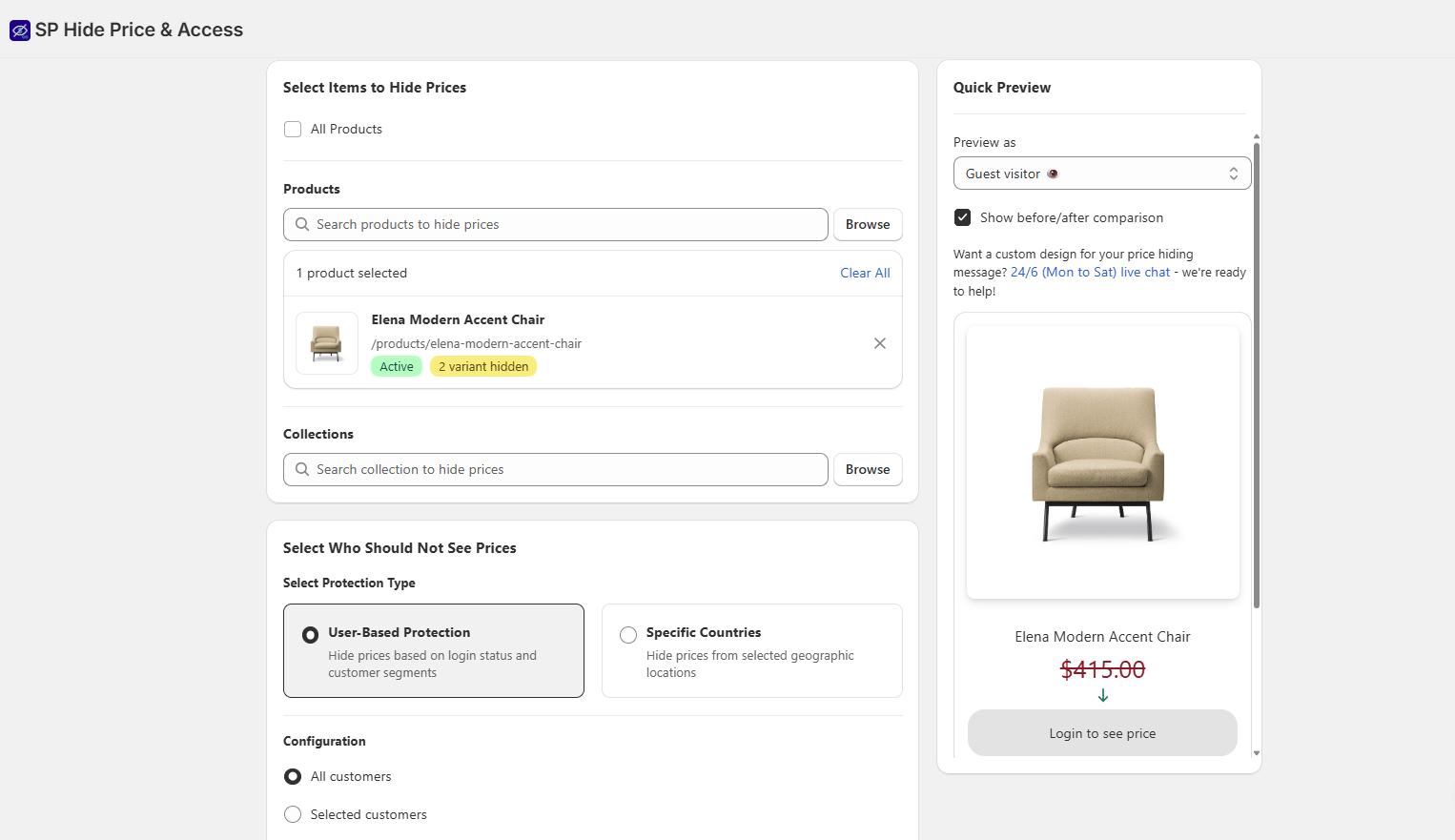
SP Hide Price & Access Control stands out for its simple, no-code setup. You can create rules in a visual dashboard, preview them in real time, and publish them within minutes. Bulk management and automatic conflict detection also make it easier to manage a large catalog without configuring each product manually.
Locksmith is more powerful but demands more of you. Its “keys and locks” terminology has a learning curve, and independent reviewers note that it “sometimes needs modifications to your theme’s Liquid files to work properly” — a real hurdle for non-technical merchants. Setting up a basic product lock can mean navigating several screens and unfamiliar concepts, and third-party breakdowns describe it as overkill for stores with simple requirements. If your use case is mainstream B2B price hiding, that extra complexity is friction you don’t need to pay for.
International and language support
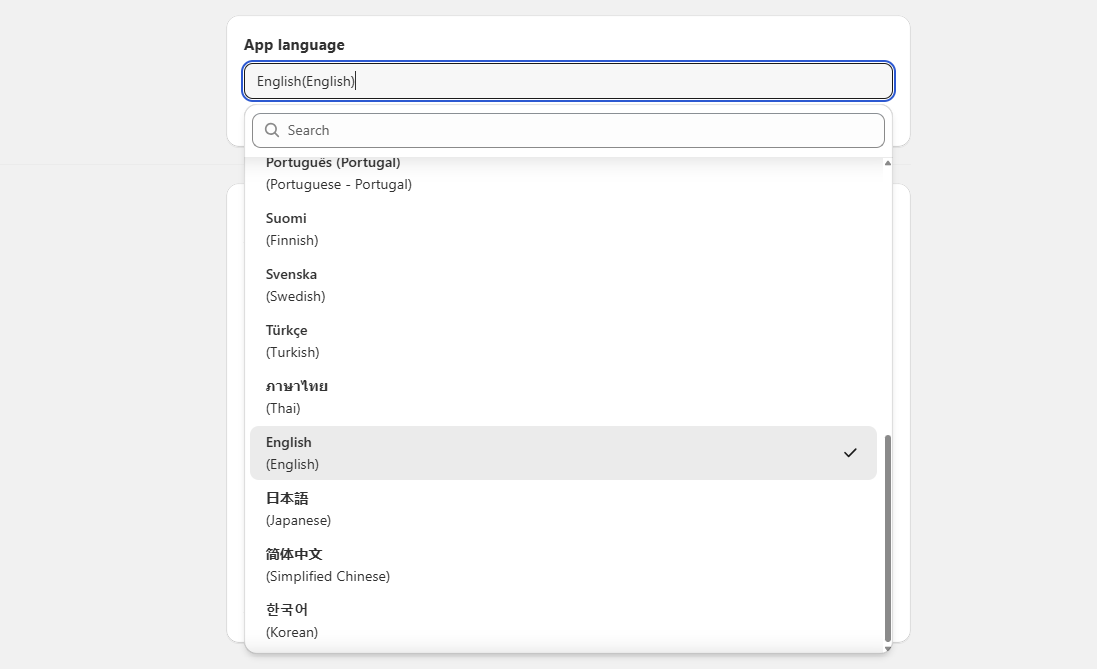
For merchants selling across borders, language support matters more than it first appears. SP Hide Price & Access Control ships in more than 20 languages — including English, German, French, Spanish, Italian, Dutch, Portuguese, Japanese, Korean, Chinese, and more — so your team can administer access rules in their own language, and localized storefronts stay consistent. Locksmith supports English only. If you operate a multilingual store or a non-English-speaking team, SP Hide Price has a clear and practical edge here.
Ratings and reputation
Locksmith’s longevity gives it a deep review base: 286 reviews at 4.7 stars, with users repeatedly praising its responsive support and genuine capability. Its handful of critical reviews cluster around two themes — pricing that feels steep for basic use, and at least one report of storefront issues after uninstalling that required duplicating the theme to resolve. Lightward’s support team is noted for responding constructively to problems.
SP Hide Price is newer, so its sample is smaller — but every early signal is strong: a flawless 5.0 across 50 reviews, with users highlighting fast setup, clean design, and helpful support. For a store choosing today, Locksmith offers the reassurance of a long track record, while SP Hide Price offers a modern, well-reviewed, and risk-free (because free) starting point.
Which app should you choose?
Choose SP Hide Price & Access Control if you want to:
- Hide prices and lock content for B2B, wholesale, or VIP customers without paying a monthly fee.
- Get live in minutes with no code and no theme editing.
- Keep wholesale prices out of Google Search, or convert hidden prices into WhatsApp and CTA leads.
- Run access control in a multilingual store or with a non-English-speaking team.
Choose Locksmith if you need to:
- Unlock content with secret links, or one-off email addresses.
- Gate content by purchase history, specific dates, or complex multi-condition rules.
- Add checkout-level bot protection or email verification.
- Handle unusual, highly customized locking scenarios and you have developer resources available.
For the majority of Shopify merchants whose real need is “hide my prices and show them only to approved wholesale or logged-in customers,” SP Hide Price & Access Control delivers that outcome faster, in more languages, and for free. Locksmith is the specialist’s tool — reach for it when your access-control requirements genuinely outgrow the essentials.
You might be interested in: A Complete Guide to Shopify B2B Selling in 2026
The bottom line
Locksmith earned its reputation over more than a decade, and it remains the most capable access-control app on Shopify for complex scenarios. But capability comes at a cost — in dollars every month and in setup complexity. SP Hide Price & Access Control answers the question most B2B and wholesale merchants are actually asking, with a free, no-code, multilingual app that hides prices and controls access cleanly. If your needs are mainstream, start with SP Hide Price; you can always graduate to a heavier tool later, but most stores never need to.
Frequently asked questions
Is SP Hide Price & Access Control really free?
Yes. The app is listed as free with no paid tiers, covering price hiding and access control for B2B, wholesale, and VIP stores.
How much does Locksmith cost?
Locksmith is subscription-based: $12/mo (Shopify Basic), $29/mo (Grow), $99/mo (Advanced), and $199/mo (Plus), each with a 15-day free trial.
Can both apps hide prices until a customer logs in?
Yes. Both can hide prices and reveal them based on login status or customer tags. SP Hide Price can additionally swap the hidden price for a Login button, WhatsApp link, or custom CTA.
Which app is easier for a non-technical merchant?
SP Hide Price is designed to be fully no-code with a visual dashboard and real-time preview. Locksmith is more powerful but may require editing theme Liquid files, which can be challenging without developer help.
Do they support languages other than English?
SP Hide Price supports 20+ languages. Locksmith supports English only.