Resume or end an active session
Resume or end an active session
If you start a new impersonation session for a customer who already has an active temporary email, the app will notify you.
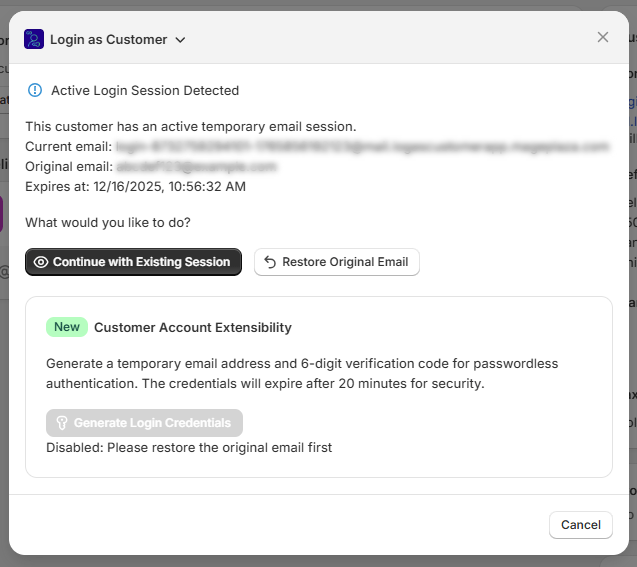
You will see:
- The customer’s current temporary email
- The original email
- The expiration time
Two options:
- Continue with existing session
- Restore original email
This prevents confusion and protects the customer’s account from being left in a temporary state.