Checkout banner rules
6. Checkout banner rules
Checkout banners let you show customers important messages when specific conditions are met.
You can use them for messages such as: Holiday orders placed after December 20 may arrive after Christmas.
Or: Orders to this region may require an additional 2-3 business days.
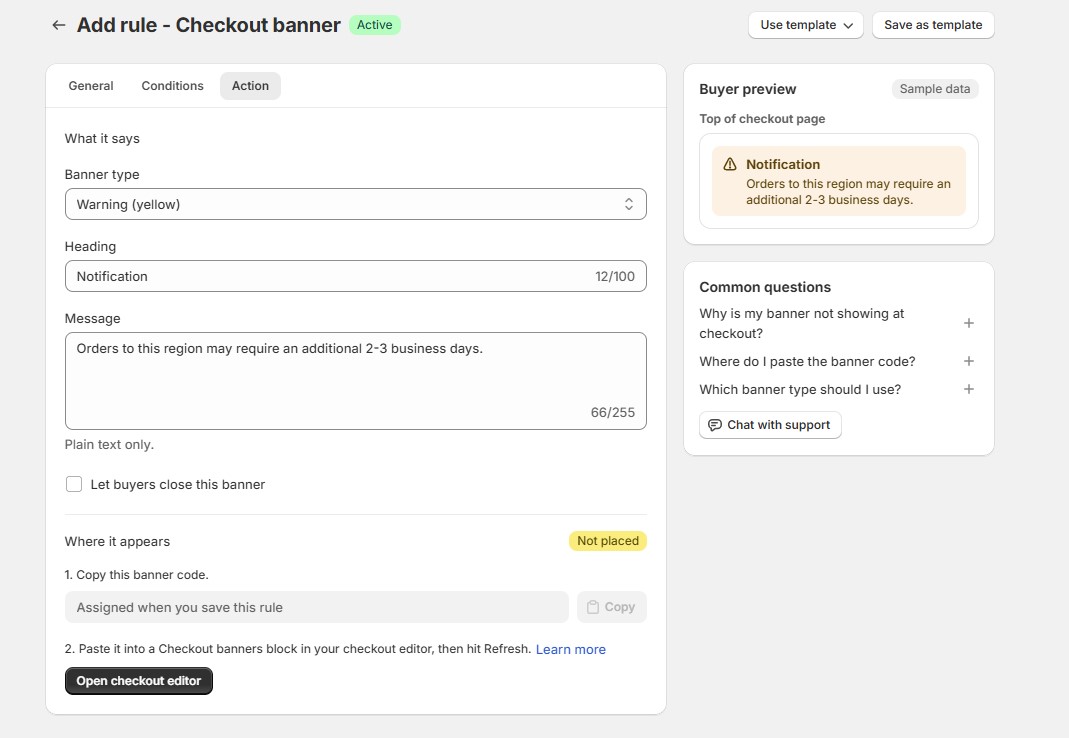
Go to: Manage Rules → Add rule → Checkout banner
Set your conditions, then configure the banner under Action.
You can customize:
- Banner type
- Heading
- Message
- Whether customers can dismiss it
Available banner types are:
- Info
- Success
- Warning
- Critical
After saving the rule, follow the placement status shown in the app to make the banner available in your checkout.