8. Manual payments
Manual payments lets you add additional controls to manual payment methods such as Cash on Delivery or bank transfer.
You can configure:
- Surcharge
- Minimum order amount
- Maximum order amount
- Eligible countries
- Who can use the payment method
- Method status
The app does not create a Shopify payment method itself. The manual payment method must exist in Shopify, and the name configured in the app must match it exactly.
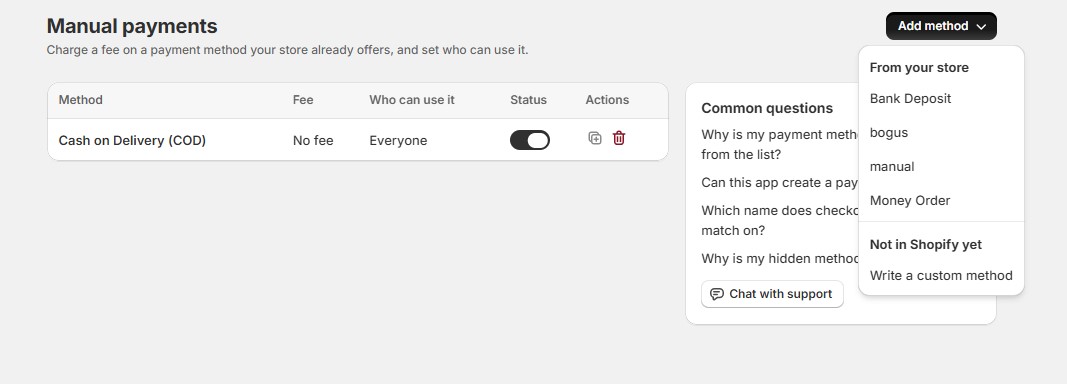
Go to Manual payments and click Add method.
You can select a method from your store or enter a custom method that you plan to create in Shopify.
Open the payment method to configure its settings.
8.1. Add a surcharge
Choose:
- Fixed amount
- Percentage
Then enter the surcharge and a fee label.
For example:
Method: Cash on Delivery
Fee: 2%
Fee label: COD handling fee
8.2. Set order limits
You can specify minimum and maximum order totals.
For example, COD could be available only for orders between $10 and $500.
8.3. Restrict by country
Select the countries where the manual payment method should be available.
Important
If you enter a custom payment method that doesn’t yet exist in Shopify, it remains disabled until Shopify has a manual payment method with the exact same name.