Reports
12. Reports
Reports shows what your rules stopped and what your upsells earned. Pick a period at the top: 7 days, 30 days, 90 days or 12 months. Export CSV downloads the figures.
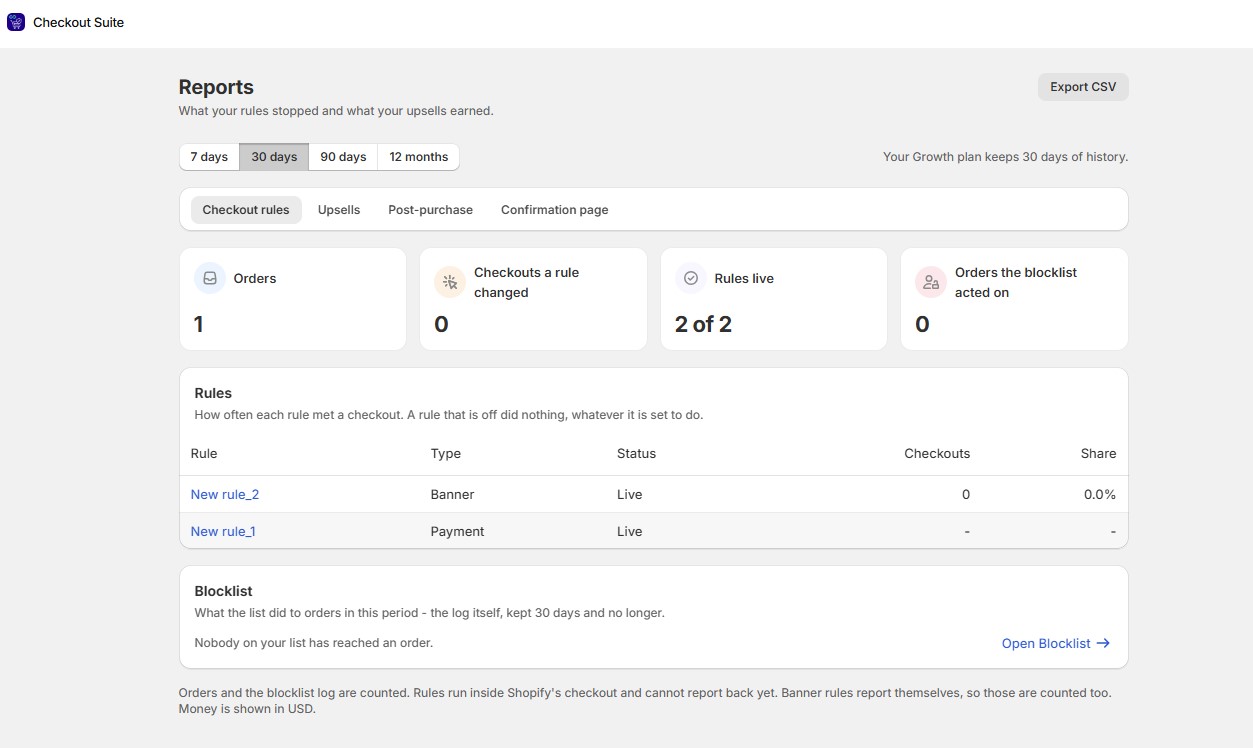
| Tab | What you see |
|---|---|
| Checkout rules | Checkouts a rule changed, rules live, orders the blocklist acted on, how often each rule met a checkout, and what the blocklist did to orders |
| Upsells | Upsell revenue, orders with an upsell, offers shown, offers accepted, acceptance rate, and revenue by day or month |
| Post-purchase | How each offer performed |
| Confirmation page | Product offers, discount codes shown and redeemed, redemption rate, and survey answers |
Note:
- Upsell revenue is revenue from accepted offers. It isn’t proof the offers added it, because some buyers would have bought anyway.
- Orders with an upsell is the number of orders where the buyer was shown at least one offer.
- Figures appear once buyers see your first offer. Nothing is made up in the meantime.
- A rule that is off did nothing in the period.