Shipping discount rules
5. Shipping discount rules
Shipping discount rules let you reduce delivery costs when an order meets your conditions.
Go to:
Manage Rules → Add rule → Shipping discount
Configure your General settings and choose how the discount is triggered.
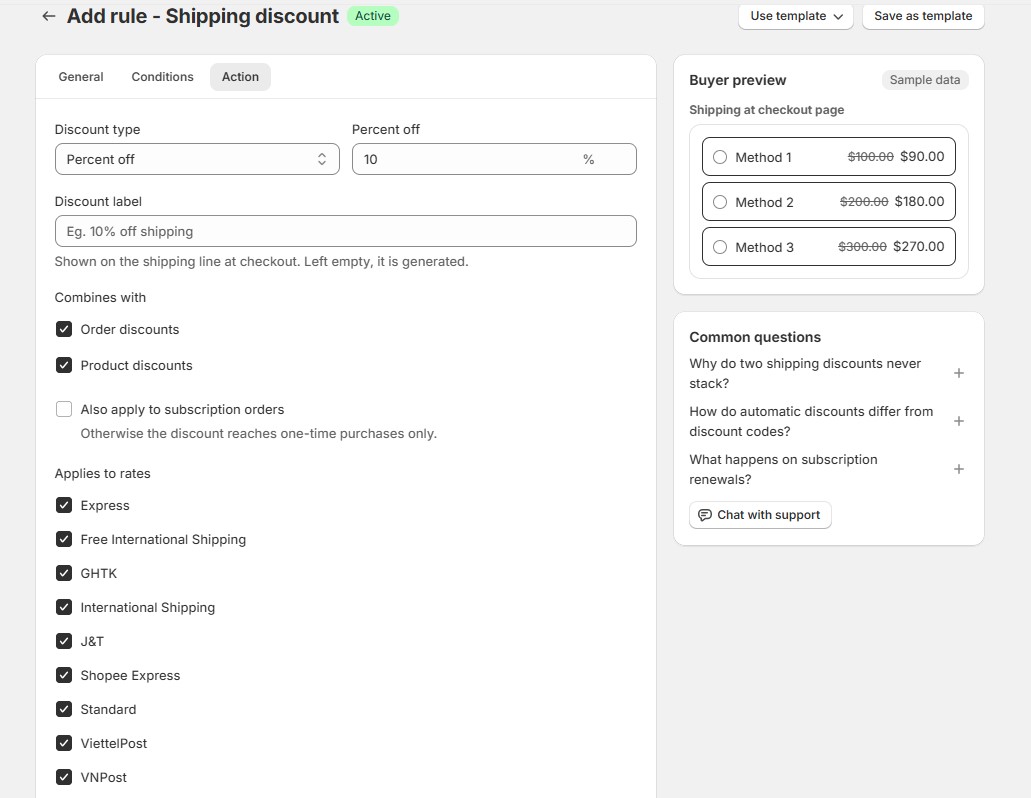
Then set the discount value under Action.
You can also configure:
- Discount label
- Eligible shipping rates
- Whether it combines with product discounts
- Whether it combines with order discounts
- Subscription behavior
Example: Free shipping over $100
Set your condition to:
Cart subtotal > $100
Then choose:
Percent off → 100%
The eligible shipping rate becomes free when the customer’s cart meets the condition.
Multiple shipping discount rules
Two shipping discount rules don’t stack with each other. If multiple active rules qualify, the rule with the higher priority, meaning the lower priority number, takes precedence.