3. Payment method rules
Payment method rules control which payment options customers see and how those options appear at checkout.
You can use one rule to:
Hide a payment method.
Rename a payment method.
Reorder payment methods.
The app reads the payment methods available in your Shopify store rather than requiring you to manually enter them.
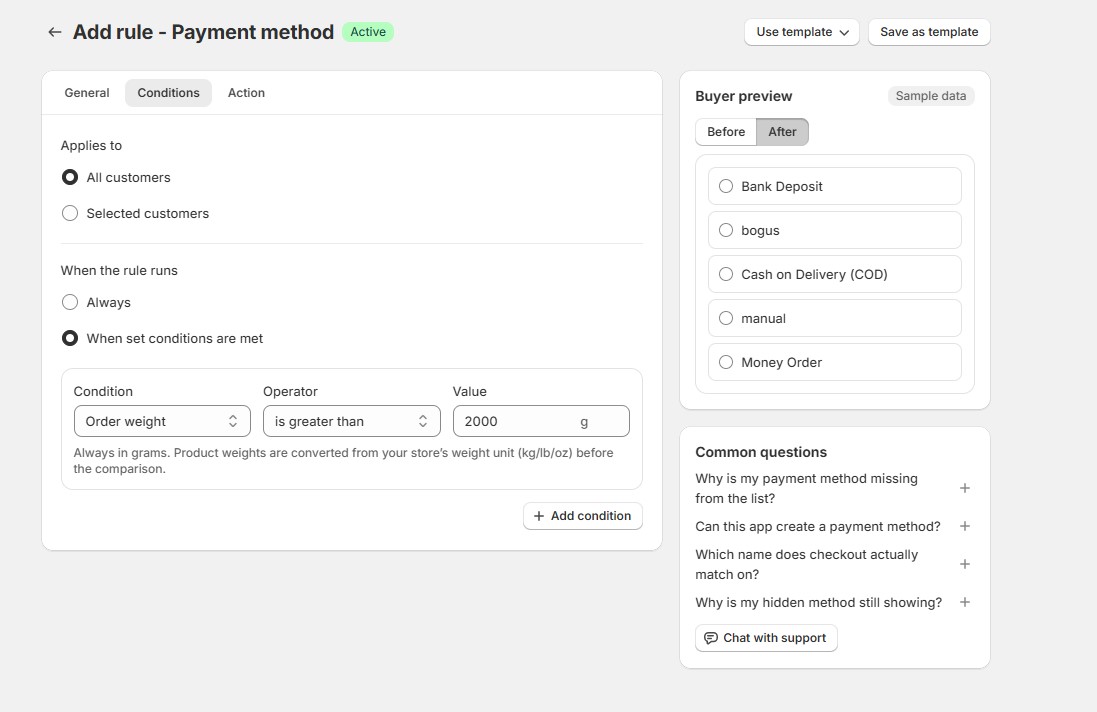
Example: Hide COD for heavy orders
Create a Payment methods rule.
Under General, enter a name such as:
Hide COD for heavy orders
Under Conditions, add:
Order weight > 2 kg
Under Action, hide:
Cash on Delivery (COD)
Save the rule and make sure its status is Active.
When an eligible checkout meets the condition, COD will no longer be available.
Important
Avoid creating rules that hide every available payment method.
If applying a rule would leave the customer with no payment methods, the app is designed to skip that rule rather than leave checkout without a payment option.