13. Settings
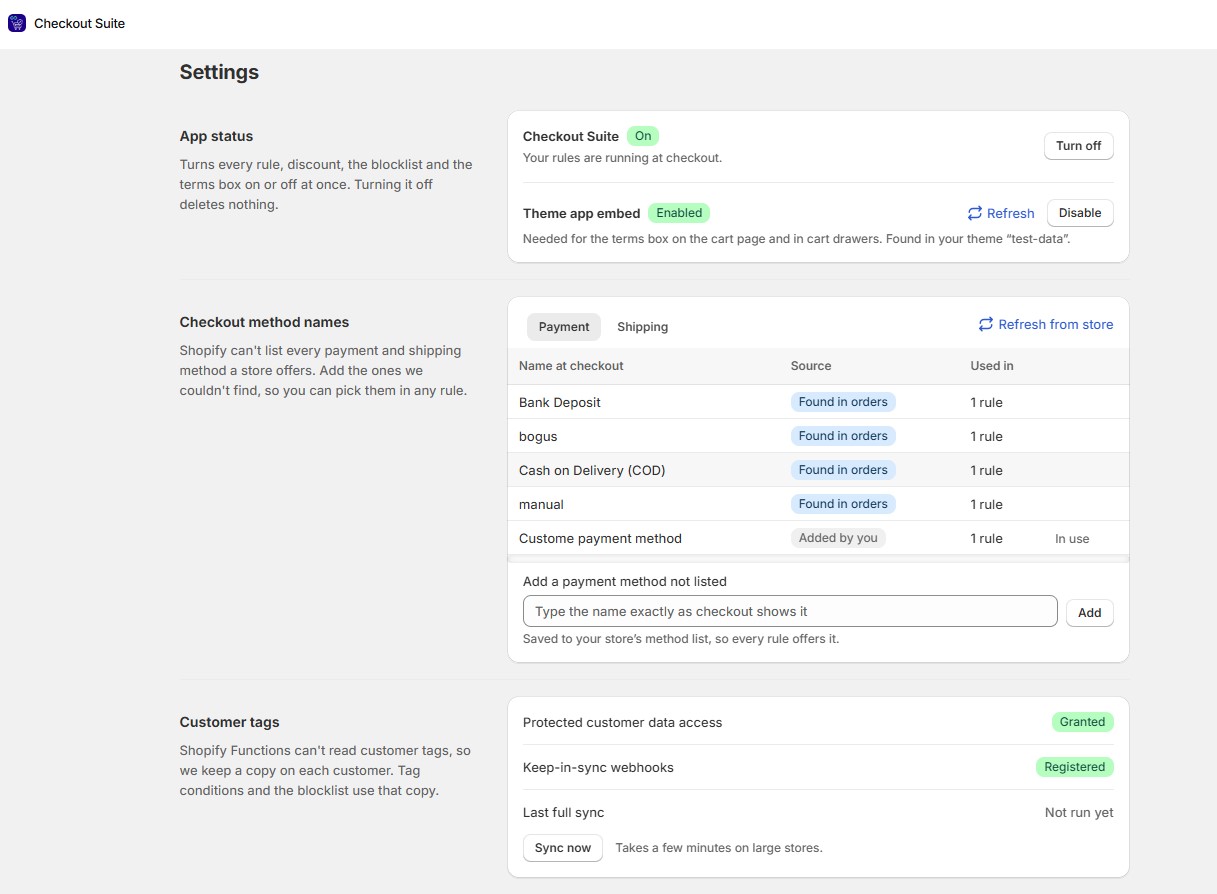
13.1. App status
The global switch.
- Checkout Suite is on: your rules are running at checkout.
- Checkout Suite is off: nothing from this app runs at checkout, and your setup is kept for when you turn it back on.
Turning it off pauses every rule, discount, the blocklist and the terms box, and hides banners, fields, blocks and messages. Nothing is deleted. The app asks you to confirm (Turn off Checkout Suite?). If some parts of checkout didn’t update, the page lists them.
The app embed, needed for the terms box on the cart page and in cart drawers, shows as on or off, with Refresh and Enable / Disable buttons.
13.2. Checkout method names
Shopify can’t list every payment and shipping method a store offers. This section shows the names the app knows and where each one came from:
- Found in shipping settings: read from your shipping and delivery rates.
- Found in orders: read from the payment method on recent orders. A method nobody has paid with yet appears after its first order.
- Carrier service: a carrier-calculated service. Checkout shows the carrier’s own rate names, so add the ones you want to use.
- Added by you: names you added yourself.
Type a name under Name at checkout to add one the app couldn’t find. A name used by a saved rule can’t be removed until you take it out of that rule. Click Refresh from store to read your store again.
13.3. Customer tags
Shopify Functions can’t read customer tags directly, so the app keeps a copy on each customer. Tag conditions and the blocklist use this copy.
- Sync now starts a full copy, which can take a few minutes on a large store. The status reads Running now, Last full sync with a date, or Failed with a reason.
- New and edited customers stay in sync automatically. If that stops, click Sync now to restore it.
Important: If Shopify hasn’t approved the app’s access to customer data, tag conditions and blocklist entries match nobody. Contact our support team and we’ll request it.