How to show product reviews on the wishlist page
The Integrations tab connects apps you already use to the wishlist. Turn on Product reviews & rating and every saved item on the wishlist page shows its star rating and review count from your review app, so shoppers see what other customers think right where they decide what to buy.
MP Wishlist & Favorites currently works with AG Product Reviews App & UGC. More review apps are coming soon.
Note: Make sure the MP Wishlist app embed is on first. See How to set up MP Wishlist & Favorites.
Step 1: Turn on Product reviews & rating
#1. In MP Wishlist & Favorites, go to Settings and open the Integrations tab. The Product reviews & rating toggle is off by default.
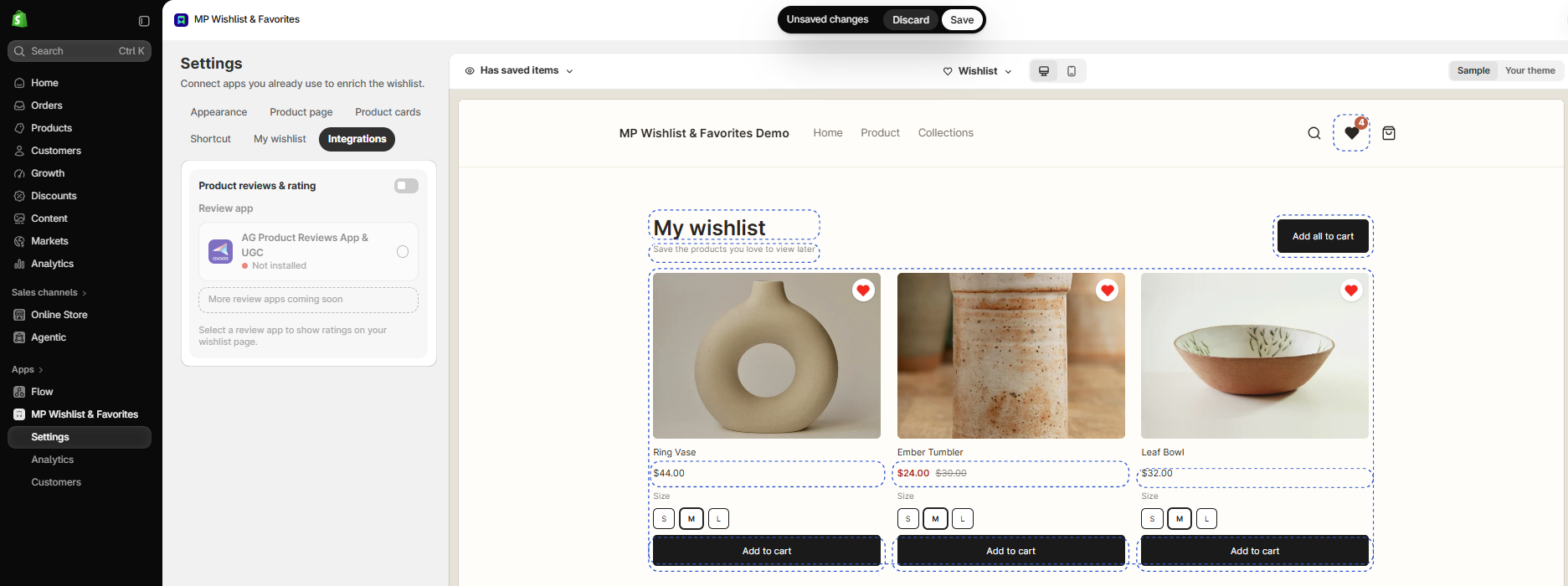
#2. Turn on the Product reviews & rating toggle.
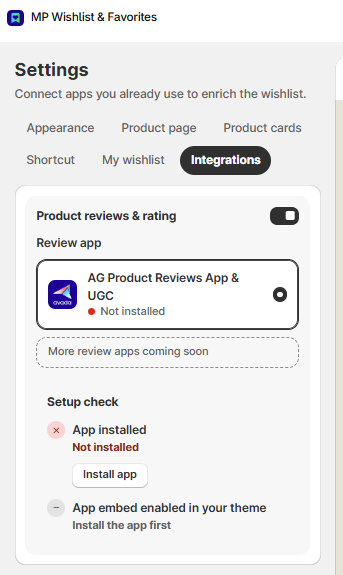
#3. Under Review app, click AG Product Reviews App & UGC to select it. The card shows the app’s status under its name, and a Setup check appears below with the two things the integration needs: App installed and App embed enabled in your theme.
Step 2: Install AG Product Reviews App & UGC
If the Setup check shows App installed: Not installed, the review app isn’t on your store yet.
#1. Click Install app. You’re taken to the AG Product Reviews App & UGC page on the Shopify App Store.
#2. Click Install and follow the steps on the App Store to add the app to your store.
#3. In AG Product Reviews, turn on the app’s app embed in your theme and add the Review box widget to your product pages, so your products have reviews to show. Follow the AG Product Reviews guides for details: Quick start and Review box.
Note: The App embed enabled in your theme item shows Install the app first until the app is installed. Once the app is installed, it turns green as soon as the AG Product Reviews app embed is on in your theme.
Step 3: Check the result and save
#1. Go back to MP Wishlist & Favorites and open Settings → Integrations again.
#2. Both items in the Setup check now show a green check mark (Installed and Enabled), and the review app card shows Installed · embed on. The preview on the right shows the star ratings under the saved items.
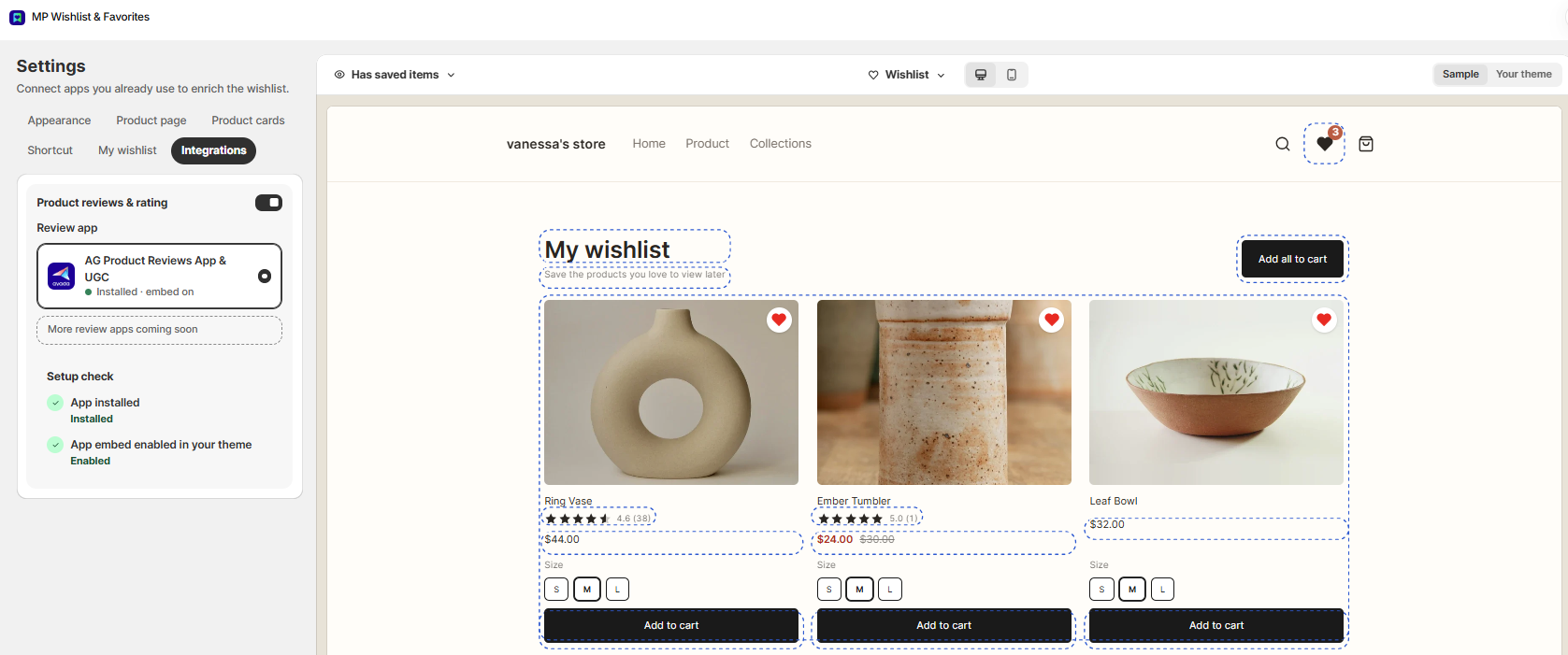
#3. Click Save in the Unsaved changes bar at the top.
What shoppers see
On the wishlist page, each saved item shows its star rating and the number of reviews under the product name, for example 4.6 (38). Items with no reviews yet show no rating.
The ratings come straight from AG Product Reviews, so they always match the reviews on your product pages. To change how the stars look, use the star rating settings in AG Product Reviews. See Star rating in the AG Product Reviews docs.
Turn off reviews on the wishlist page
To hide the ratings, turn off the Product reviews & rating toggle and click Save. Your reviews stay in AG Product Reviews and keep showing on your product pages.
👉 Still need assistance? Contact our support team anytime, and we’ll be happy to help.