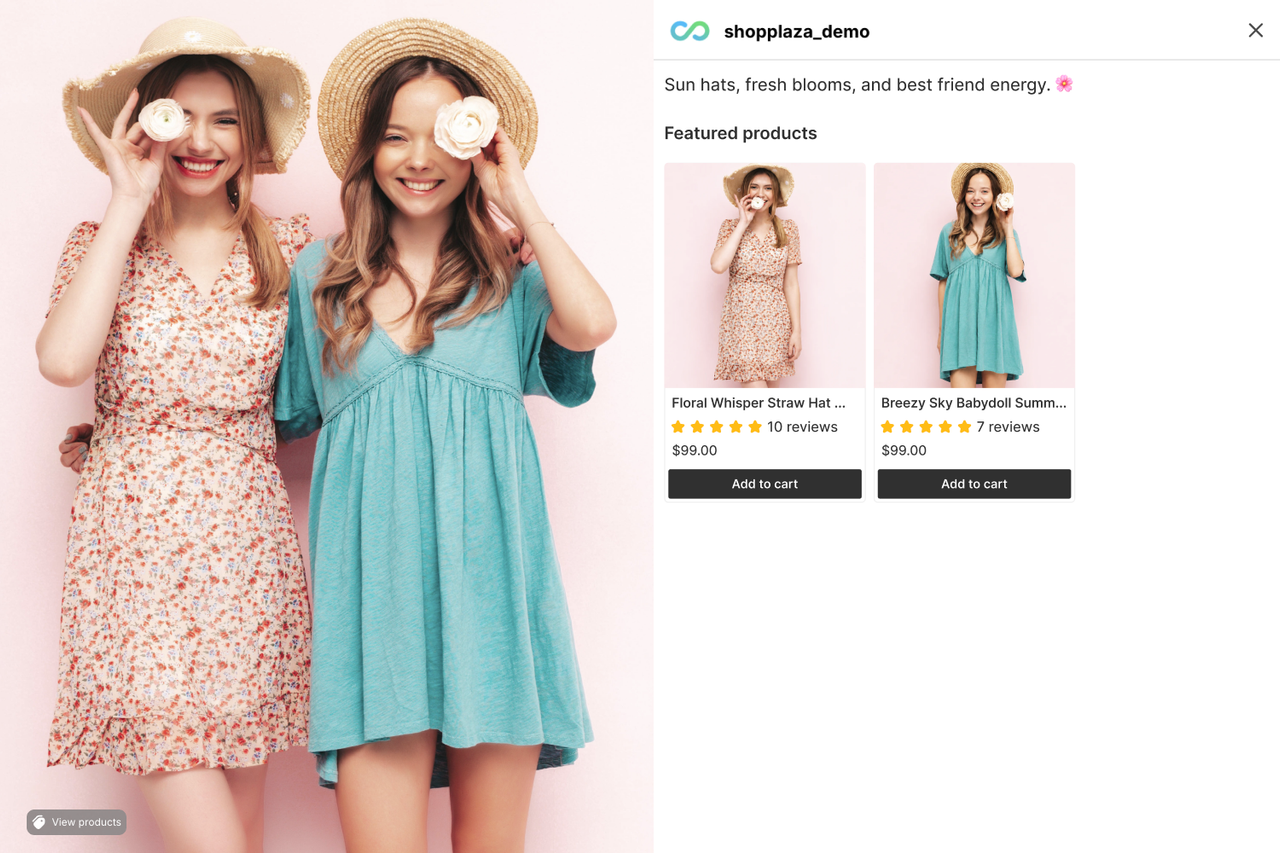
How to show product reviews and ratings on your shoppable feed
MP Instagram Feed lets you display product ratings and reviews directly on the tagged products in your shoppable feed. Showing this social proof next to your posts helps build trust and boost conversions.
You can connect one of the following review providers:
- Judge.me Product Reviews App
- AG Product Reviews App & UGC (Air Product Reviews)
For app-specific walkthroughs, see the Judge.me guide and the Air Product Reviews guide.
This guide walks you through turning on social proof and selecting your provider from your Shopify admin.
Before you start
Make sure the review provider you want to use is installed and enabled on your store before you begin:
- MP Instagram Feed is installed, and
- Your chosen review app (Judge.me Product Reviews App or AG Product Reviews App & UGC) is installed and enabled.
Note: If your chosen provider is not installed (or not fully set up) when you select it, a warning banner will appear prompting you to install or enable the app first. Reviews and ratings won’t show on your feed until the app is installed and enabled.
Step-by-step instructions
Step 1: Open the Product tagging posts settings
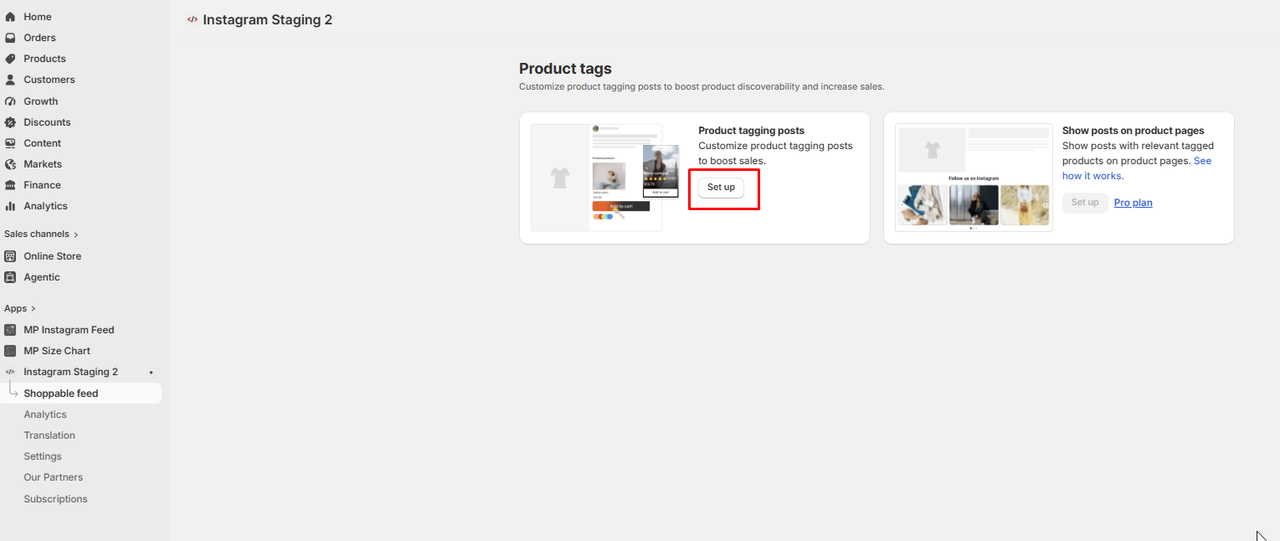
From your Shopify admin, go to MP Instagram Feed > Shoppable feed. In the Product tags section, find the Product tagging posts card and click Set up.
Step 2: Turn on social proof
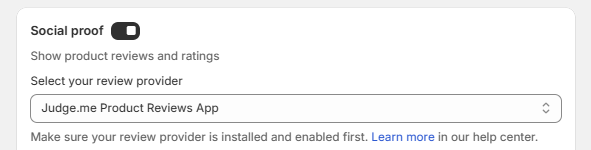
On the Product tagging posts page, find the Social proof section and toggle social proof on. A Select your review provider dropdown appears once it’s on.
Step 3: Select your review provider
Open the Select your review provider dropdown and choose the app you use:
- Judge.me Product Reviews App, or
- AG Product Reviews App & UGC
Note: If the selected provider isn’t installed, a banner appears with quick actions to fix it:
- For Judge.me Product Reviews — use Install Judge.me to install, or Enable app now to enable it.
- For AG Product Reviews & UGC — use Install Air reviews to install, or Enable app now to enable it.
Make sure the app is installed and enabled for reviews to display on your feed.
Step 4: Save your changes
Click Save in the top bar to apply your settings.
That’s it — your product reviews and ratings from the selected provider will now display on the tagged products in your shoppable Instagram feed.