How to auto-translate Instagram feed on storefront
How to auto-translate Instagram feed on storefront
The MP Instagram Feed app allows you to automatically translate feed content into multiple languages, helping you deliver a localized shopping experience for customers worldwide.
Step 1: Enable auto-translation
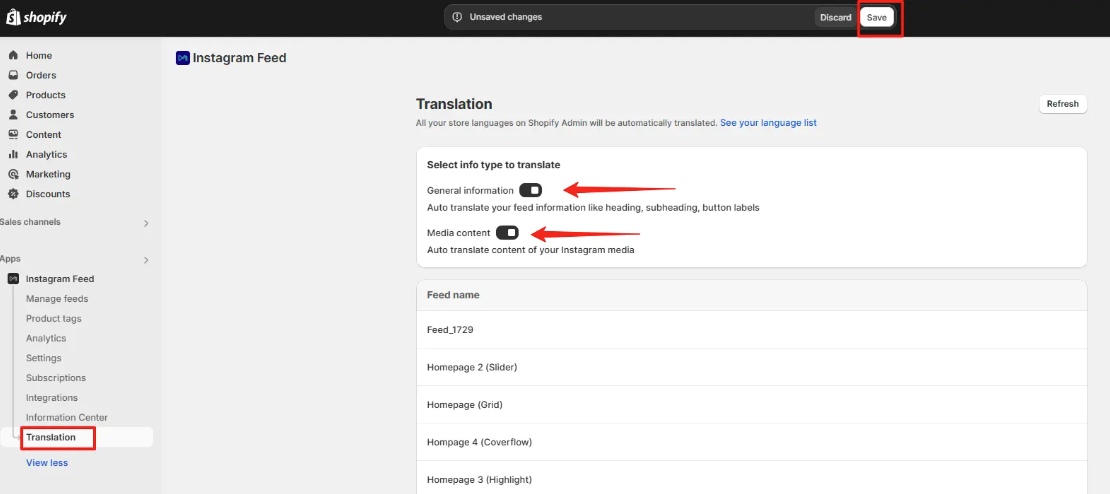
- Go to MP Instagram Feed > Translation.
- Turn on both toggles:
- General Information (for Instagram and TikTok): Auto-translates feed headings, subheadings, and button labels.
- Media Content (for Instagram only): Auto-translates the captions of Instagram posts.
Step 2: Manage translations
- Hover over a feed. The Manage translation button will appear.
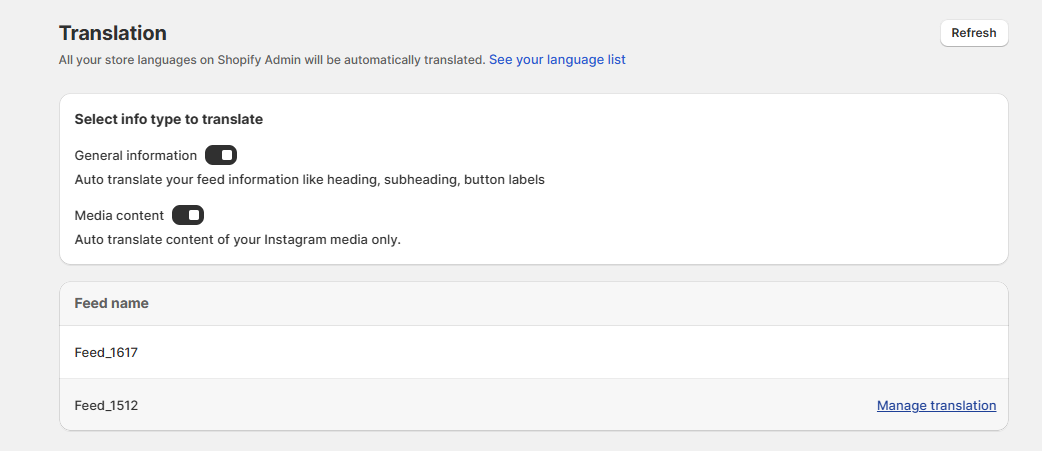
- Click this button to review the detailed translated content.
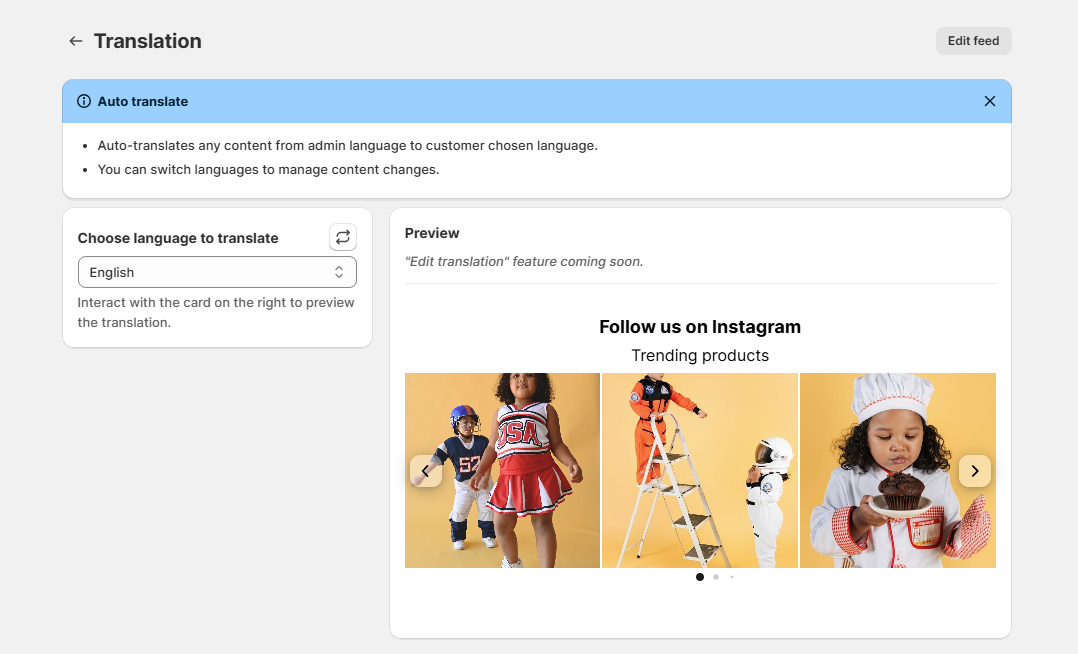
- On the left side, select the translation language you want to preview. The right side shows an instant preview of the feed in that language.
- If you don’t see your preferred language, click the Refresh icon to update languages from your Shopify admin.
- Click Edit feed to modify the selected feed.
- Note: The Edit translation feature is coming soon.
Step 3: View on storefront
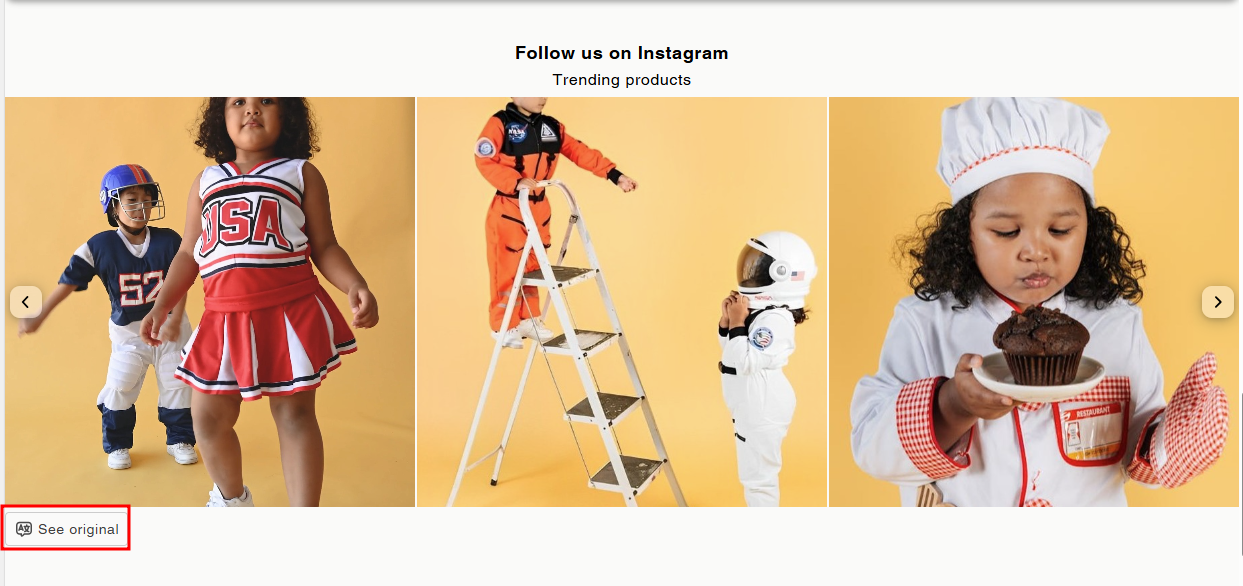
- On your storefront, customers can switch languages using the language selector.
- The Instagram feed will automatically translate into the selected language.
- Customers can also click See original to view the feed in its original language.
Wrap up
By enabling auto-translation, your Instagram feed becomes multilingual-ready, creating a seamless and localized shopping experience for customers across regions.