How to Create an Instagram Hashtag Feed (Facebook Page Source Required)
Instagram Hashtag Feed is a powerful new feature in MP Instagram Feed that lets you pull fresh, trending, and relevant posts directly from Instagram via hashtags. This means your feed can stay constantly updated — even when you don’t regularly post new content on your own Instagram account.
This feature is ideal for:
- Showcasing community-driven content
- Curating inspiration or themed galleries
- Highlighting trends, industry topics, or user-generated content (UGC)
- Keeping your store’s feed active without extra content creation
- Displaying lifestyle content that matches your brand aesthetic
Important: To use this feature, your Instagram account must be connected via Facebook Page (Instagram with Facebook Page source).
Good to know: Instagram Hashtag Feed is part of the free plan — MP Instagram Feed is 100% free, so the feature is ready to use right away.
1. What Is an Instagram Hashtag?
An Instagram Hashtag Feed allows MP Instagram Feed to automatically fetch media from Instagram posts that contain specific hashtags you define.
For example:
- #shoe
- #bag
- #handmadejewelry
- #streetfashion
2. Benefits of Using Instagram Hashtag Search
Using hashtags brings several advantages:
- Keep your store feed fresh without posting yourself: Your feed automatically fills with new content from Instagram based on the hashtags you select.
- Build trust through relevant community content: Great for brands relying on lifestyle, UGC, or niche trends.
- Increase engagement with varied content: Hashtag-synced content provides more diversity than only using your own posts.
- Save time: No need to upload or create media for the store manually — just choose hashtags and let the system fetch content.
- More personalization & relevance: Different feeds can display different hashtag groups, depending on your branding needs.
3. How to configure Instagram Hashtag Media
If you haven’t synced media from any hashtags yet, please go to Settings to complete the setup.
Configure hashtag sync settings
Go to Settings page and click on the Instagram with Facebook page tab.
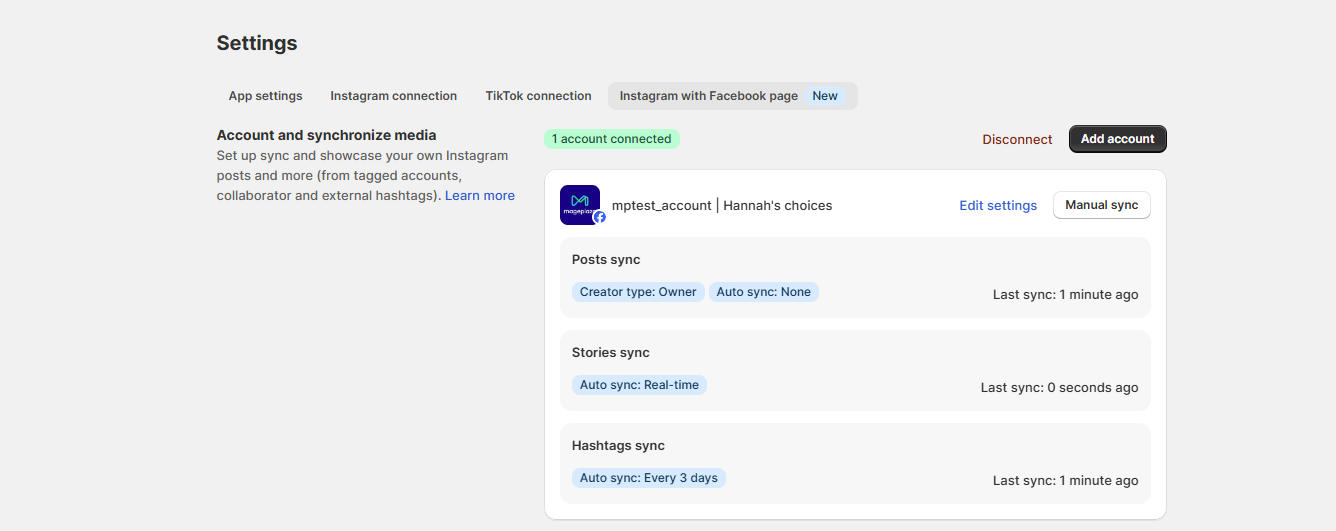
Click Edit Settings. This opens the sync configuration popup:
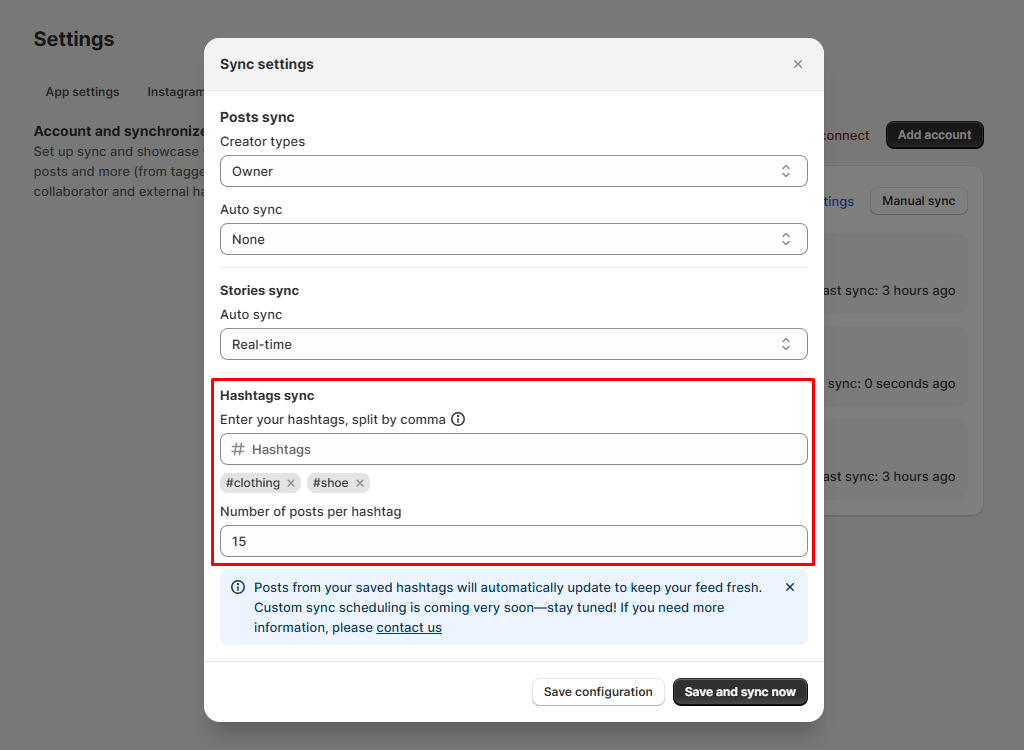
Here you will set up:
Hashtags sync
- Type a hashtag and press Enter
- To add more, separate them by commas
- Maximum: 5 hashtags/store
- Each account has 30 attempts per week to change the hashtag.
Example: shoe, clothing
In the current version, the number of media items per hashtag is fixed and cannot be customized: 20 media items per hashtag.
Click Save and sync now button after configuring your hashtags.
After clicking the Save and sync now button, the popup will close and the media syncing process will be shown through a progress bar displayed under each account.
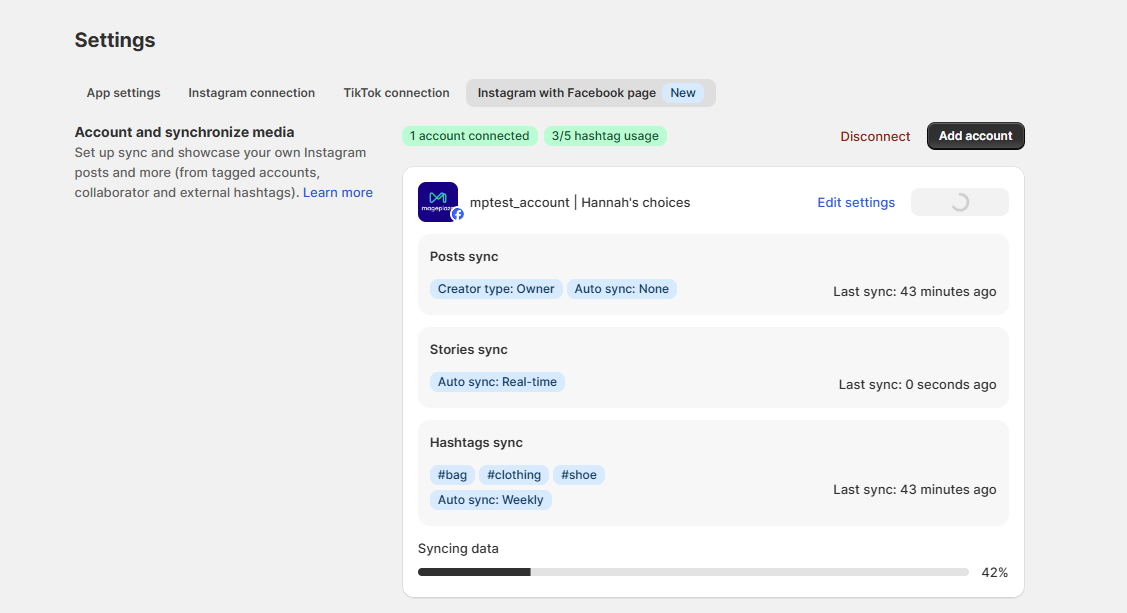
This completes your setup.
Note: Newly synced media will be updated into the previously created feed if the feature ‘Show media by external hashtags’ is currently enabled.
Create/edit feed and show media by hashtags search
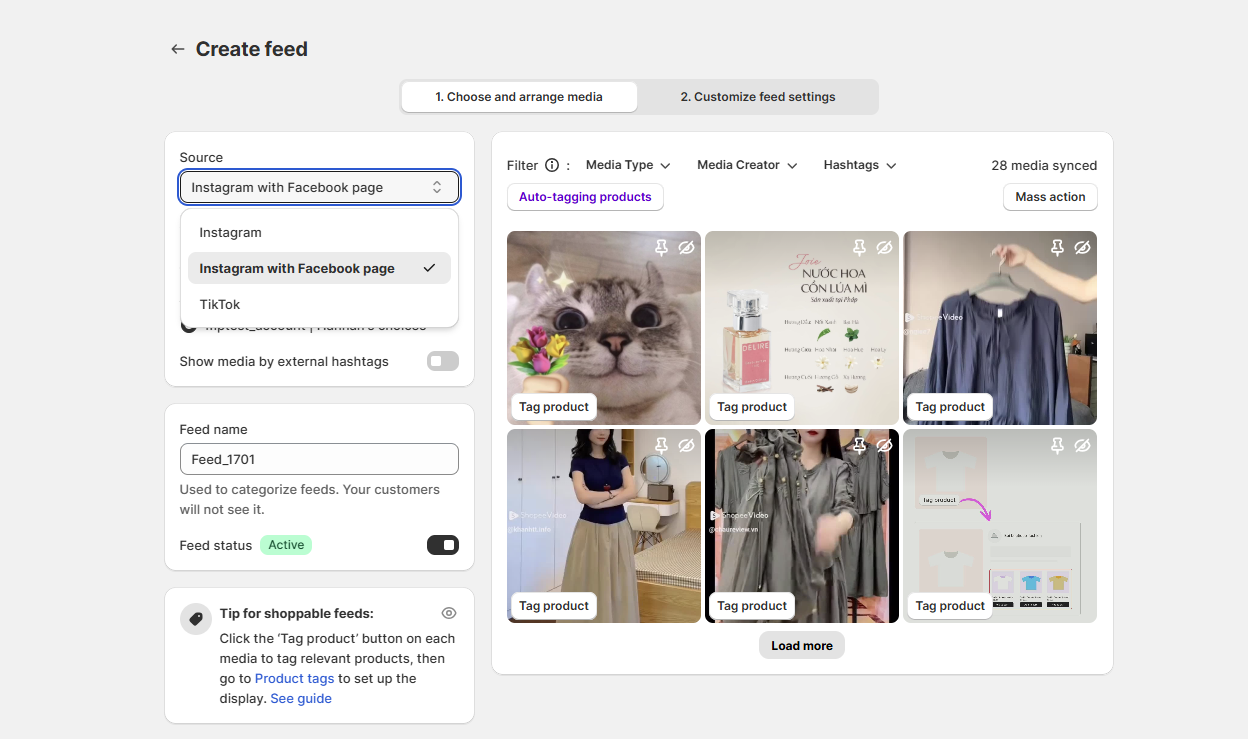
When creating or editing a feed:
- Go to Create feed or edit an existing feed
- Under Source, select: Instagram with Facebook page
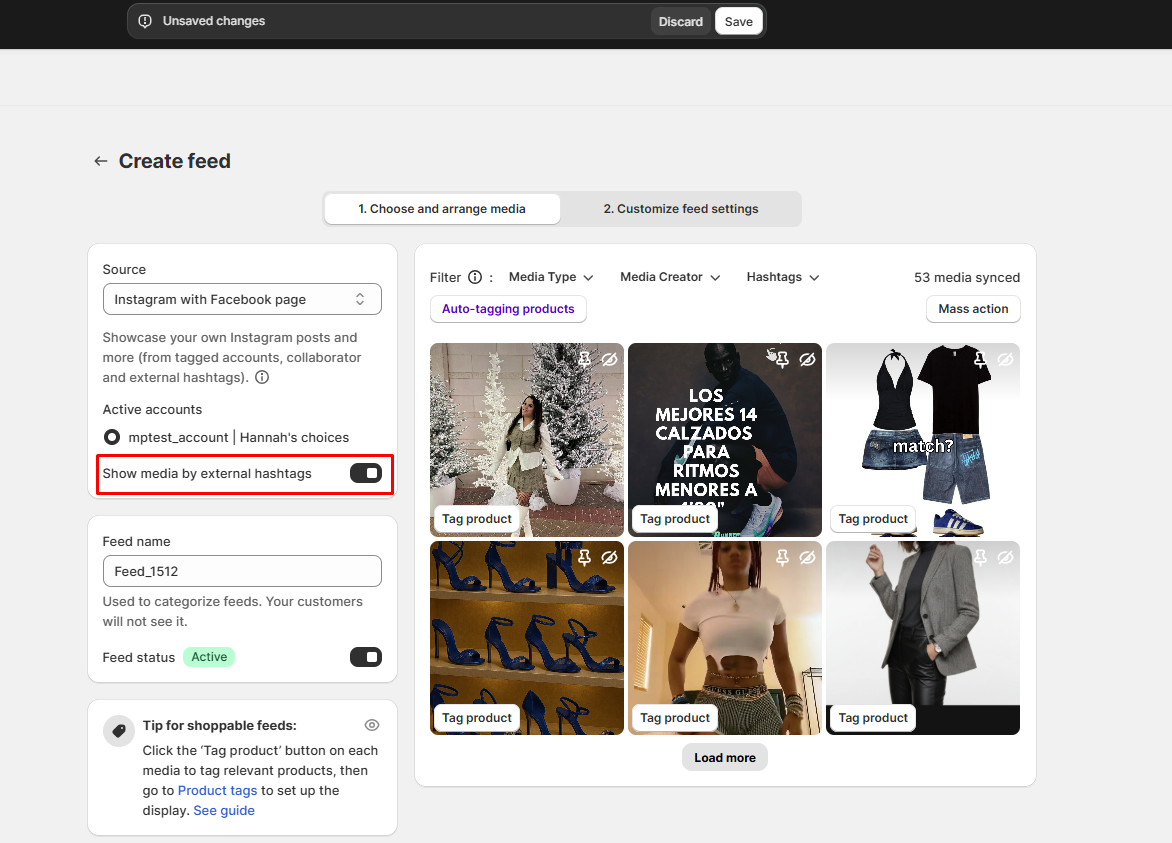
Enable external hashtags
In the feed editor: Enable toggle Show hashtags UGC
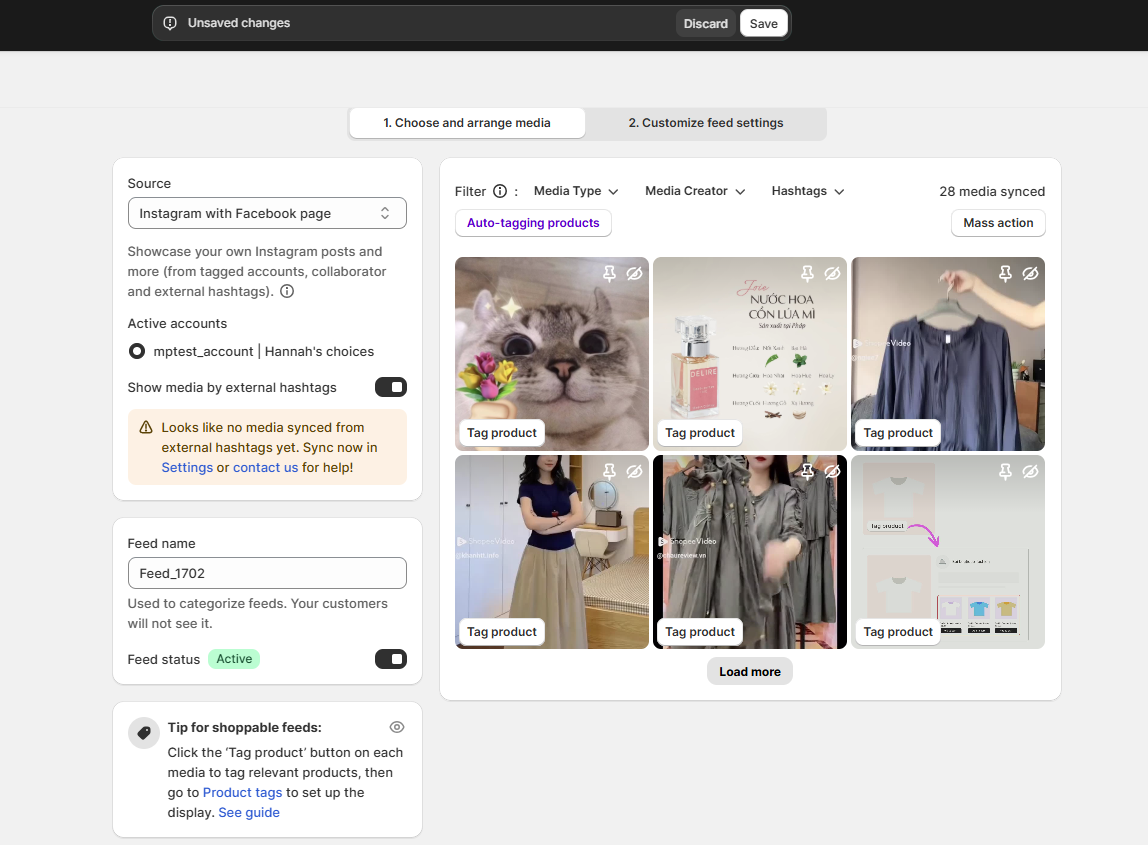
Important Note:
- Banner displayed when the user has connected their account, but their media hasn’t successfully synced in Settings yet.
Preview your feed
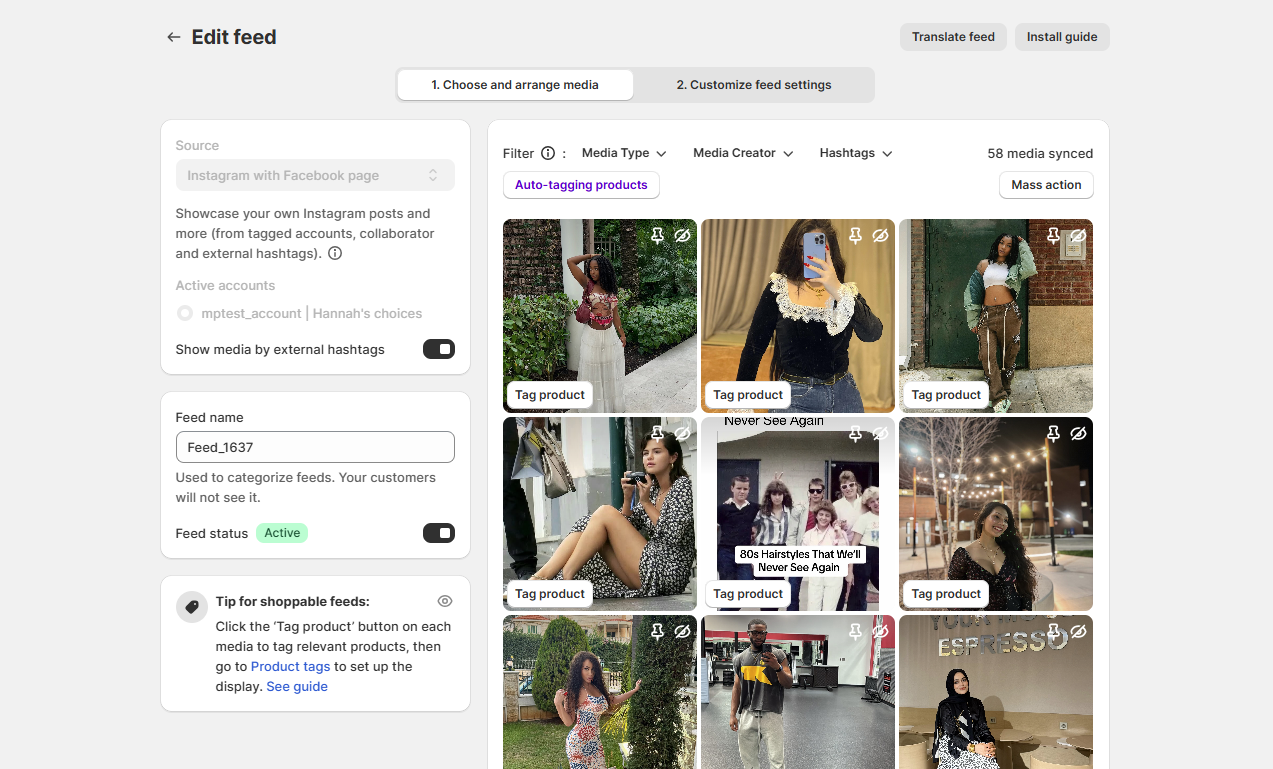
After toggling Show hashtags UGC, you will see your feed on the right side, which is filtered by the hashtags you have just set up.
- View all synced media
- You can filter the posts that have already been synced from hashtag search in the “Media Type” and “Hashtags” sections.
- Media synced from hashtag searches can still use all features just like regular auto-synced posts.
- The filter needs to be clearer — it is represented under Media Type and Hashtags at the bottom of the filter section.
Your feed now includes posts collected from your chosen hashtags.
Save your feed
Finally, save your feed to apply all changes.
Conclusion
Instagram Hashtag Feed is a simple yet powerful way to keep your store’s social gallery fresh, engaging, and full of relevant content — even without constantly updating your own Instagram.
Perfect for brands that want:
- More dynamic content
- Easy content curation
- Trend-driven or UGC-focused feeds
- Automated updates