How do I uninstall/delete MP Size Chart and cancel the subscription?
How do I uninstall/ delete MP Size Chart and cancel the subscription?
If you no longer wish to use MP Size Chart & Size Guide, you can uninstall it directly from your Shopify admin. Once uninstalled, your subscription will be automatically canceled.
Step-by-step guide to uninstall
#1. Log in to your Shopify Dashboard.
#2. From the left menu, click Apps.
#3. Scroll down and select App and sales channel settings at the bottom.
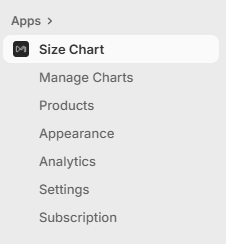
#4. Find MP Size Chart & Size Guide in the list, then click the “…” (More actions) button next to it.
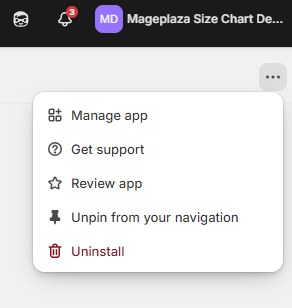
#5. Choose Uninstall.
That’s it! The app will be removed from your store, and your billing will stop automatically.
Note:
- If you reinstall MP Size Chart later, your previous charts and settings may not be saved.
- We’d love to hear why you decided to uninstall. Your feedback helps us improve!
👉 Still need help? Contact our support team, and we’ll assist you right away.