How to share feature requests
Your feedback is what drives MP Instagram Feed forward. Many of the features you see today started as ideas from merchants just like you. By sharing what you’d like to see, you help us build tools that solve real problems for thousands of Shopify stores.
How to submit your feature requests
Step 1: Access the request form
From your MP Instagram Feed dashboard, look for the Help desk section on the right-hand side. Under Upcoming Features, click Request feature.
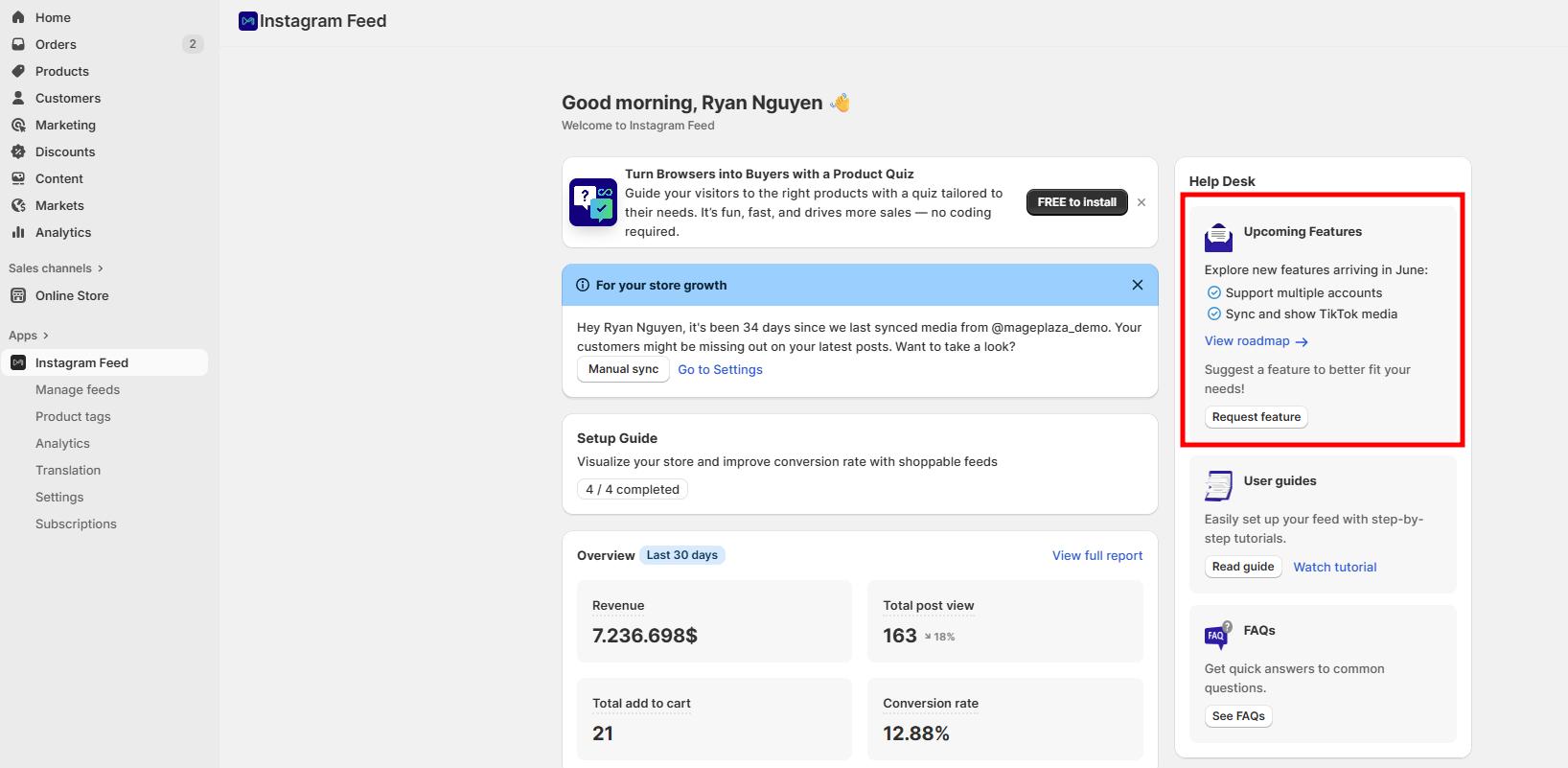
You can also go through Information Center → Feature request tab → Request feature button.

Step 2: Describe your feature
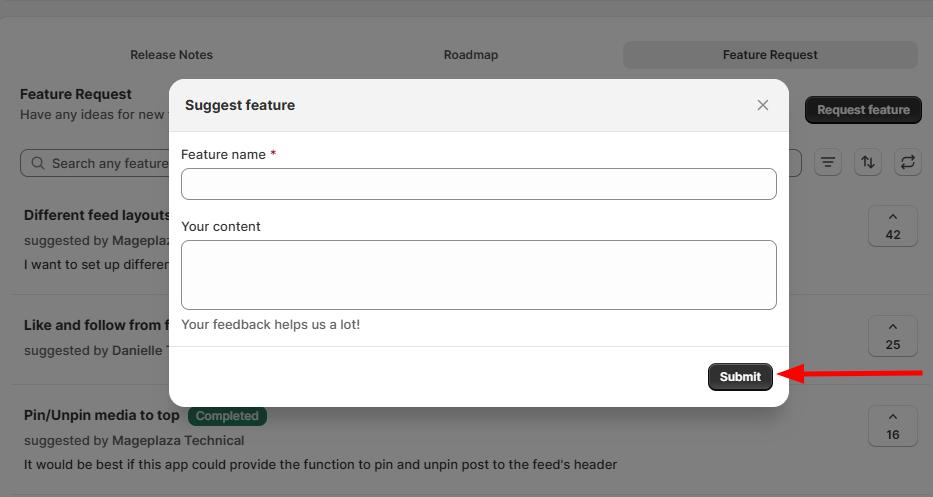
The form has two main fields:
- Feature name: Write a short, clear title for your idea. Example: “Bulk schedule Instagram feed updates”
- Details: Explain your suggestion in depth:
- What challenge does this feature solve?
- How would you like it to work?
- When would you use it?
- Why would it be valuable to your store?
Step 3: Submit your request
After filling in the details, click Submit. Your request will go directly to our product team for review.
Why your feedback matters
Feature requests help us:
- Understand real merchant needs and pain points
- Prioritize development based on what matters most to users
- Deliver practical solutions that improve your workflow
- Continuously improve MP Instagram Feed for the whole community
What happens next
- Our team reviews all submissions
- The most-requested features are considered for future updates
- Features in progress will be shown in the Upcoming Features section
- You may see your suggested idea released in a future version of the app
Tips for effective feature requests
- Be specific: Clearly outline what you want the feature to do
- Explain the benefit: Tell us how it helps your business
- Give context: Share your use case or scenario
- Stay focused: Submit one idea per request for the best results
💡 We’re building MP Instagram Feed with you in mind. Every request, big or small, helps us shape a better experience for all merchants.