Overview
Introduction
MP Instagram Feed helps Shopify merchants display Instagram and TikTok content directly on their storefront. With the app, you can turn social posts, Reels, Stories, videos, and user-generated content into engaging social feeds that support trust, product discovery, and conversion.
The app is designed to help stores make better use of existing social content. Instead of keeping Instagram and TikTok content only on social channels, merchants can bring it into the shopping experience through customizable feeds, shoppable posts, product tags, and social proof sections.
MP Instagram Feed is especially useful for fashion, beauty, lifestyle, home decor, accessories, and other visual-driven brands that rely on authentic content to inspire shoppers.
MP Instagram Feed benefits
Our comprehensive social commerce solution delivers measurable benefits that directly impact your bottom line:
- Build stronger social proof: MP Instagram Feed helps merchants display real social content directly on their storefront. By showing Instagram and TikTok posts, videos, and UGC-style content, stores can make product pages and landing pages feel more authentic and trustworthy.
- Turn social content into shopping experiences: With shoppable feeds and product tagging, merchants can connect social posts to Shopify products. This allows shoppers to discover products from visual content and move more easily from inspiration to purchase.
- Improve storefront engagement: Dynamic social feeds can make store pages more engaging. Merchants can use lifestyle images, product videos, customer content, and campaign posts to keep shoppers browsing longer and exploring more products.
- Save time on content creation: Instead of creating new storefront visuals from scratch, merchants can reuse existing Instagram and TikTok content as part of their store experience. This helps reduce the need for extra product photography or manual content updates.
- Support multi-platform social commerce: MP Instagram Feed supports both Instagram and TikTok, allowing merchants to bring content from multiple social channels into one Shopify storefront experience.
Highlight features
- Show Instagram and TikTok content on your Shopify store using 11 flexible feed layouts: Grid, Slider, Highlight, Coverflow, Masonry, Collage, Stories Bar, Split profile, Scattered Collage, Product bar, and Shop cards.
- Tag Shopify products in social posts and turn your Instagram or TikTok content into shoppable feeds that can guide shoppers to product pages.
- Keep your store content fresh by automatically syncing the latest posts, Reels, Stories, and videos from connected social accounts.
- Connect multiple Instagram and TikTok accounts to manage content from different brands, campaigns, regions, or social channels.
- Adjust colors, fonts, spacing, buttons, feed styles, and layout settings to match your Shopify theme and brand identity. Advanced customization options are also available for more flexible design control.
- Customize how feeds appear on different devices to create a smooth shopping experience across desktop, tablet, and mobile.
- Use bulk actions, filtering, and display settings to manage social content efficiently and control what appears on your storefront.
- Display relevant tagged products or social content on individual product pages to support product discovery and purchase confidence.
- When connected with supported product review apps, MP Instagram Feed can display review-related information such as ratings and rating counts alongside social content.
- Translate feed content into multiple languages to support international stores and global shoppers.
How to install MP Instagram Feed
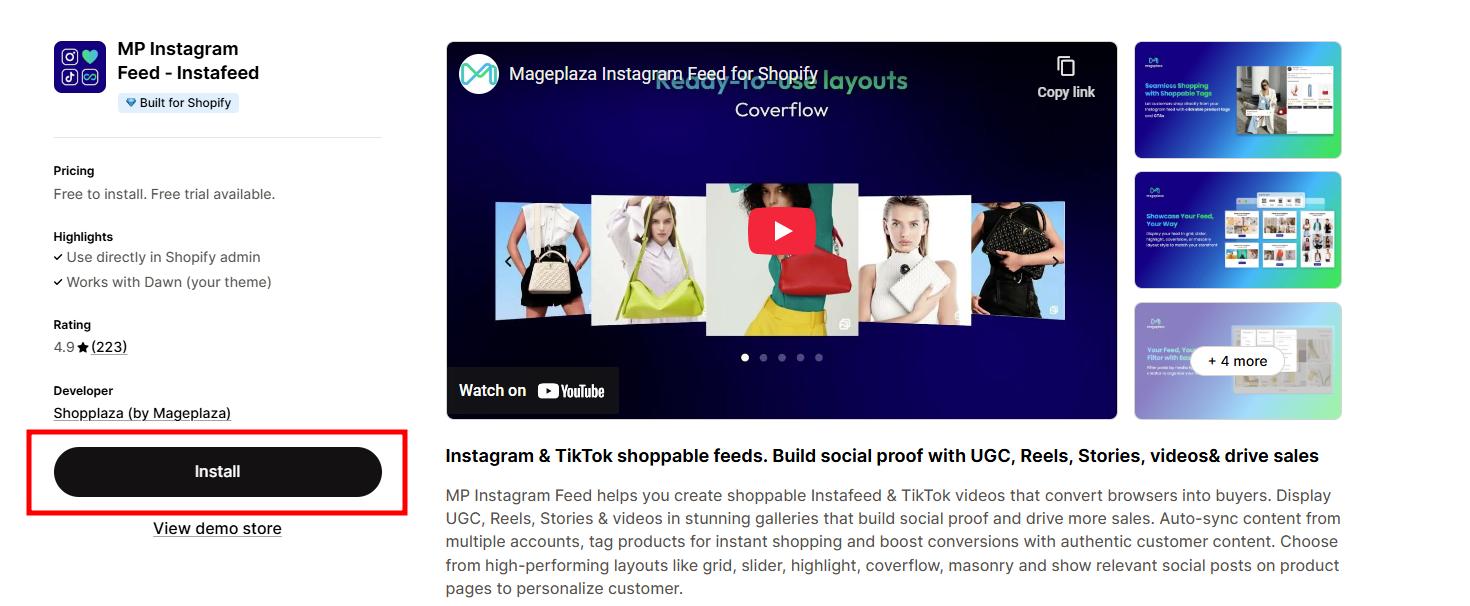
Go to the MP Instagram Feed page on the Shopify App Store and click Install.
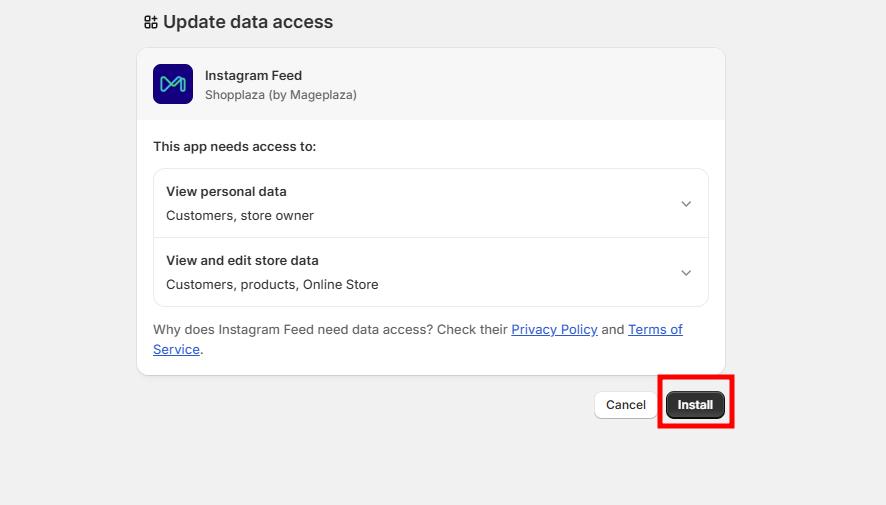
You’ll be taken to Shopify’s installation screen → click Install once more to finish setup.
The app will now appear in your Shopify admin under Apps. No payment information is needed.

⚠️ Note: Please make sure to read our privacy policy before completing the installation.
Tutorial videos
Check out our step-by-step tutorial videos on YouTube to see how MP Instagram Feed works in action. We regularly update new guides and feature walkthroughs — don’t forget to subscribe to our YouTube channel to stay up to date with the latest tips and tutorials!
- Getting started with MP Instagram Feed
- How to create and show Instagram/TikTok feed on Shopify storefront
- How to manage your Instagram and TikTok feeds on MP Instagram Feed
- How to add Instagram Feed to Vintage Themes on Shopify
- How to add Instagram Feed to Shopify Theme OS 2.0
- How to customize product tagging posts on MP Instagram Feed
- How to show relevant product tagging posts on product pages
- How to configure the Settings page on MP Instagram Feed