How to make your store load faster with Chart data loading
Chart data loading lets you choose how your size chart data reaches your store pages. If you have many size charts, switching to Storefront API keeps your store pages lighter and helps them load faster.
The two options
| Embedded (default) | Storefront API (recommended) | |
|---|---|---|
| How it works | Chart data is built into the HTML of every store page | Chart data is fetched after the page loads |
| Pages it affects | Every page, even pages without a size chart | Only the data each page needs |
| Best for | Stores with a few size charts | Stores with many size charts, or stores that care about page speed |
| Permission needed | None | You need to approve one data access update |
With Embedded, each new chart adds more data to every page of your store. A few charts make little difference, but many charts make every page heavier.
Storefront API is the faster option. It is not turned on for all stores by default, because it needs you to approve a data access update first.
How to switch to Storefront API
#1. From your Shopify admin, open MP Size Chart and go to Settings.
#2. Scroll down to the Advanced section. The Chart data loading card shows your current option in the top-right corner, for example Embedded.
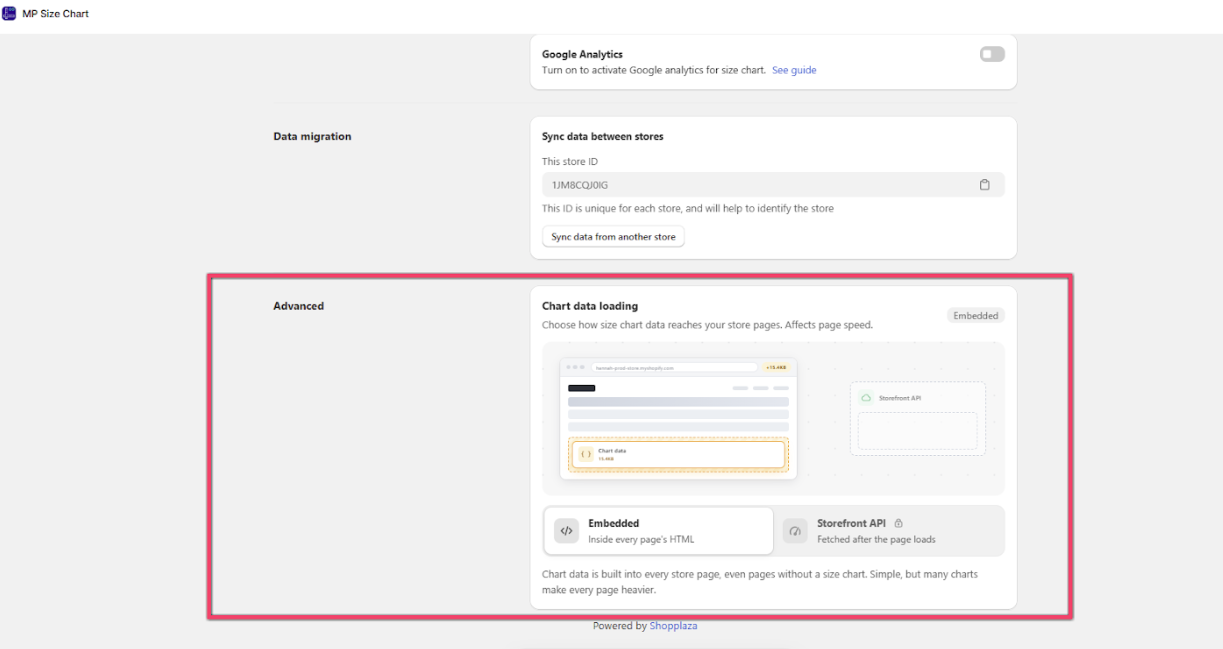
#3. Click Storefront API. The lock icon next to it means you need to approve a data access update before you can use it.
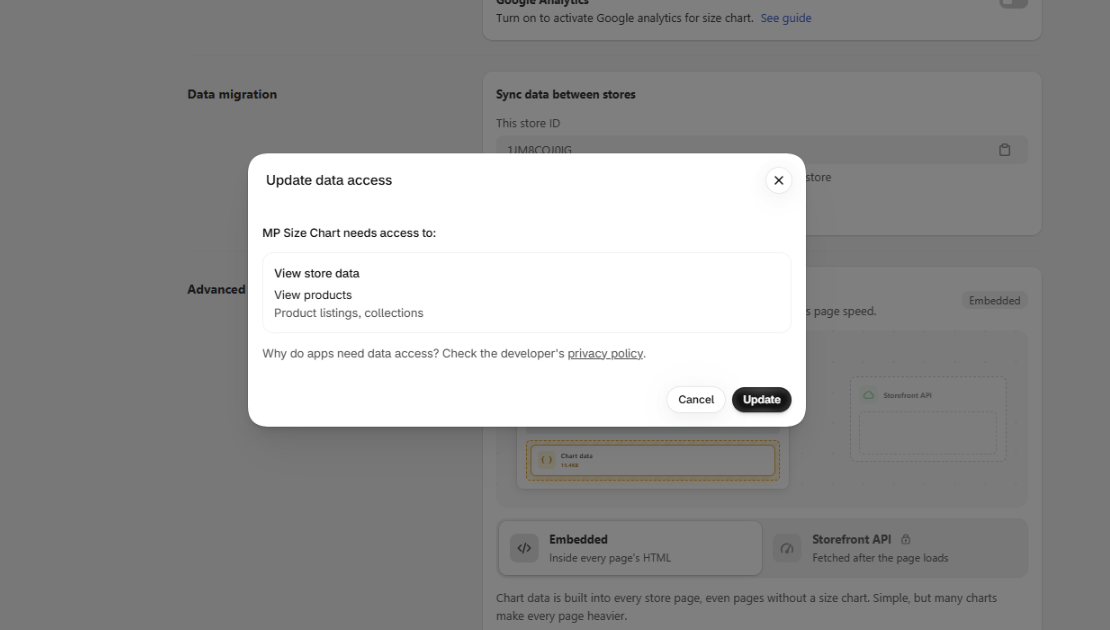
#4. The Update data access window opens. MP Size Chart asks for access to:
- View store data
- View products: product listings and collections
Click Update to approve. If you click Cancel, your store stays on Embedded.
#5. Once you approve, the card shows Storefront API as your current option. Open a product page on your store to check that your size chart still shows as expected.
Note: Your size charts, settings and display rules do not change. Only the way chart data is loaded changes.
FAQs
Which option should I choose? If you have only a few size charts, Embedded works fine. If you have many charts, or a speed test shows the app adding weight to your pages, choose Storefront API.
Can I switch back to Embedded? Yes. Go to Settings > Advanced > Chart data loading and click Embedded. You can switch between the two options at any time.
Why is Storefront API not the default? It needs an extra data access permission. To avoid asking every merchant to approve a new permission, the app keeps Embedded as the default and lets you switch when you need it.
Is my data safe after I approve the permission? This update only asks to view store data, products and collections, so the app can load the right chart on each page. Read more in our privacy policy.
Need help choosing? Contact our support team at [email protected].