Get started with SP Login As Customer
Introduction
Hi! Welcome to SP Login As Customer!
This app helps you support shoppers faster and more confidently. Instead of guessing what a customer sees, you can log in to their account and view your store exactly as they do.
No matter if you’re helping with checkout issues, account access, or product settings, this app gives you a simple, guided way to log in on behalf of your customers – securely and with full control.
What does this app do?
SP Login As Customer lets you:
- Log in as any customer directly from your Shopify Admin
- See your store exactly as they see it, including carts, discounts, and account information
- Troubleshoot issues in real time, such as login problems or checkout errors
- Assist shoppers more effectively, especially during chats or support tickets
The app adapts its login method automatically based on your store’s customer account type:
- Legacy customer accounts (email + password) → supports one-click login using Shopify Multipass (Shopify Plus)
- New customer accounts (passwordless login) → uses a secure temporary email + verification code process
- Optional safety controls like automatic email restoration, session detection, and expiration timers
Installation and set up
- Open the Shopify App Store and search for SP Login As Customer.
- Click Install.
- After installation, you’ll find the app in your Shopify admin → Apps, ready to use.
Before you start
Shopify has two types of customer accounts. You can check in the Settings → Customer accounts
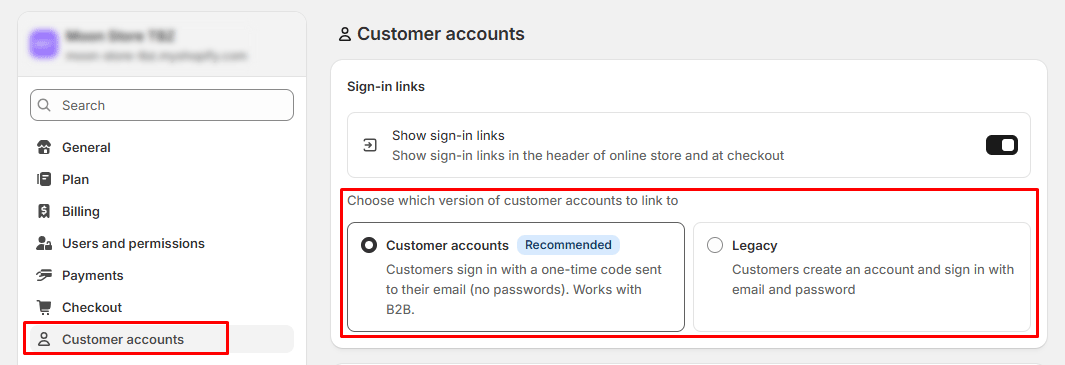
1. Legacy customer accounts
Customers log in with an email + password.
Shopify Plus stores can also use Multipass (a secure one-click login method).
2. New customer accounts (Recommended)
Customers log in using a 6-digit verification code sent to their email (no password).
The app detects which method your store is using and guides you through the correct workflow.
How to start a login session
Starting a session takes only a few clicks.
- From your Shopify admin, go to Customers
- Open the customer you want to assist
- Click More actions → SP Login as customer
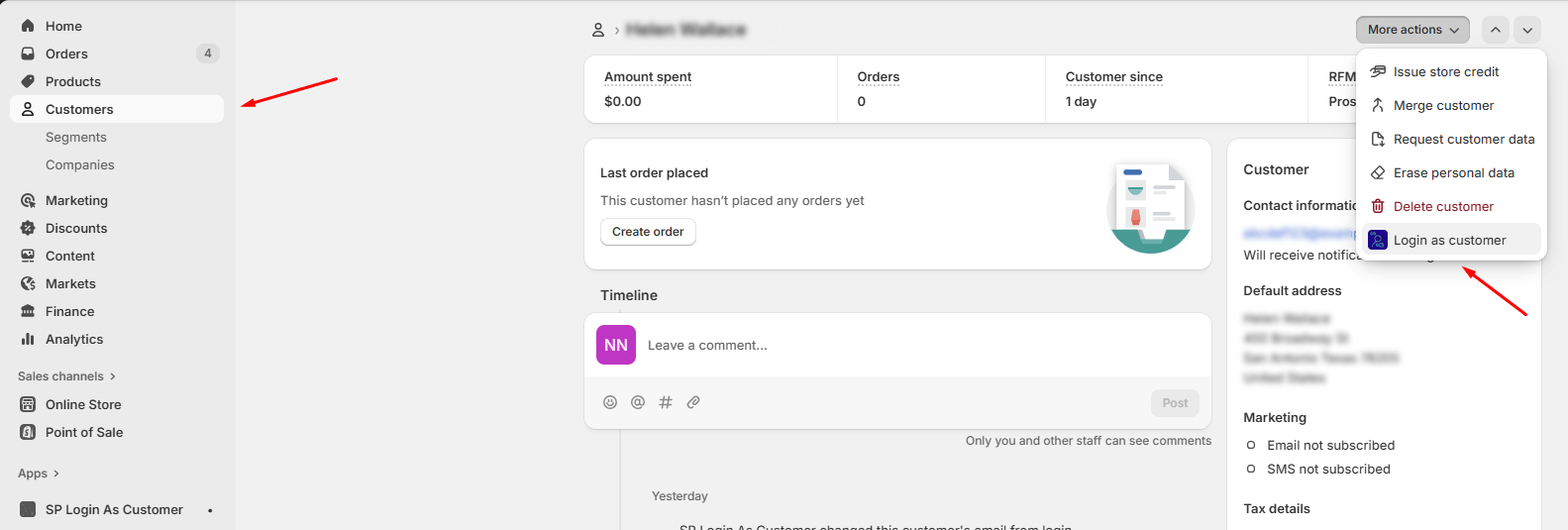
The app will show a login window and guide you step-by-step through the correct process:
- Legacy accounts (Shopify Plus) → one-click login using Multipass
- New accounts → generate temporary credentials, open the login page, and complete the 6-digit code login
As soon as the login completes, you’ll be inside the customer’s account on your storefront. You can now:
- Review their issue
- Walk through checkout
- Verify what they’re seeing
- Make adjustments or guide them live
When you finish, click Restore Original Email & Finish to end the session.